

Are you struggling to decide between HubSpot and Buffer for managing your social media and marketing needs? You’re not alone.
Both platforms promise to boost your online presence, but they serve different purposes and offer unique features. Choosing the right tool can save you time, money, and frustration while helping your business grow faster. You’ll discover how HubSpot and Buffer compare side-by-side, so you can find the perfect fit for your goals and get the most out of your marketing efforts.
Keep reading to make a smart choice that powers your success.
Hubspot Features
HubSpot offers a wide range of features designed to help businesses manage their marketing, sales, and customer service in one platform. It combines tools that support customer relationships, automate marketing tasks, and provide insights through detailed reports. These features work together to improve efficiency and customer engagement.
Crm And Sales Tools
HubSpot provides a free CRM that tracks all customer interactions. Sales teams can manage deals, schedule tasks, and send emails from one place. The system helps prioritize leads and monitor sales pipelines clearly. It also integrates with email and calling tools to streamline communication.
Marketing Automation
HubSpot allows users to create automated workflows for email campaigns and lead nurturing. Marketers can set triggers based on user actions to send personalized messages. The platform supports A/B testing and lead scoring, helping to optimize marketing efforts. It simplifies campaign management across multiple channels.
Customer Support
HubSpot includes tools for managing customer support tickets and live chat. Support teams can track issues, assign tasks, and respond quickly to customers. The shared inbox helps keep all communication organized. It also offers a knowledge base to provide self-service options for customers.
Analytics And Reporting
HubSpot offers detailed reports on marketing, sales, and service performance. Users can track website traffic, email engagement, and sales activities. Custom dashboards allow businesses to focus on key metrics. The data helps identify trends and improve decision-making.
Buffer Features
Buffer offers a range of features designed to simplify social media management. It helps users schedule posts, plan content, collaborate with teams, and analyze performance. These tools make managing social accounts easier and more efficient.
Social Media Scheduling
Buffer allows users to schedule posts for multiple social platforms. You can set times for posts to go live automatically. This saves time and keeps your social media active without manual posting.
Content Planning
The platform offers a calendar view to plan content ahead. You can organize posts by date and topic. This helps maintain a consistent posting schedule and align content with your marketing goals.
Team Collaboration
Buffer supports team collaboration by allowing multiple users to manage accounts. Teams can share ideas, approve posts, and assign tasks. This keeps communication clear and workflows smooth.
Performance Analytics
Buffer provides analytics to track how posts perform. You can see engagement, clicks, and reach for each post. These insights help improve future content and measure success.
Platform Integrations
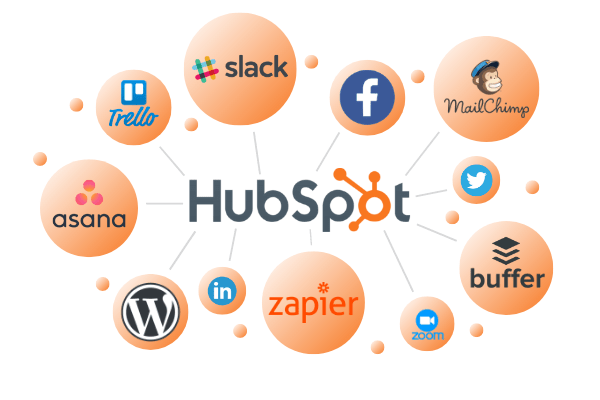
Platform integrations play a vital role in choosing the right marketing tool. They help connect your software with other apps. This connection improves workflow and saves time. Both HubSpot and Buffer offer various integrations to support business needs. Understanding their integration options helps you decide which fits better.
Hubspot Integrations
HubSpot supports a wide range of integrations. It connects easily with CRM tools, email marketing apps, and analytics platforms. Popular integrations include Salesforce, Mailchimp, and Google Analytics. HubSpot’s App Marketplace offers hundreds of options. These integrations help centralize marketing, sales, and customer service efforts. The platform also supports custom API integrations for unique needs.
Buffer Integrations
Buffer focuses mainly on social media integrations. It works well with Facebook, Twitter, Instagram, LinkedIn, and Pinterest. Buffer also connects with tools like Zapier and IFTTT. These connections help automate social media posting and reporting. Buffer’s simplicity makes setup quick and easy. Its integrations are ideal for businesses focusing on social media management.
Third-party Compatibility
Both platforms support third-party compatibility but in different ways. HubSpot offers deep integration with marketing and sales software. Buffer emphasizes social media tools and automation services. Zapier acts as a bridge to connect both platforms with thousands of apps. This third-party support expands their functionality beyond native options. Choosing a platform depends on the types of tools you use daily.
User Experience
User experience shapes how easily users interact with software daily. It affects productivity and satisfaction. HubSpot and Buffer both offer tools to manage social media and marketing tasks. Their user experience varies in setup, design, and learning needs. Understanding these differences helps in choosing the right tool.
Ease Of Setup
Buffer stands out with a quick and simple setup process. Users can connect social accounts within minutes. HubSpot requires more steps due to its broad features. Initial setup can take longer to configure properly. Buffer suits users wanting fast, straightforward access. HubSpot fits those needing an all-in-one marketing platform.
Interface Design
Buffer offers a clean and minimal interface. It focuses on core social media functions. HubSpot’s design is richer but more complex. It includes dashboards for marketing, sales, and service. Buffer’s layout reduces distractions for social posts. HubSpot’s interface supports deeper data and team collaboration. Both are visually appealing but serve different user needs.
Learning Curve
Buffer has a low learning curve, ideal for beginners. Its features are easy to grasp and use. HubSpot requires more time to learn fully. It offers extensive tools that need practice and training. Buffer helps users start quickly with basic social scheduling. HubSpot suits those ready to invest time to unlock advanced features.
Pricing Comparison
Choosing between HubSpot and Buffer often depends on cost. Both platforms offer different pricing models tailored to various business needs. Understanding their pricing helps small businesses decide which tool fits their budget and requirements.
We will explore the subscription plans, value for small businesses, and free trial options to give a clear picture of their pricing structures.
Subscription Plans
HubSpot offers several tiers, including Free, Starter, Professional, and Enterprise plans. Prices increase as you add more features and users. The free plan has limited tools but good for beginners.
Buffer’s plans include Free, Essentials, Team, and Agency levels. Its pricing is simpler and focused on social media management. The free plan supports basic posting on a few accounts.
Value For Small Businesses
HubSpot may be pricier but provides a full marketing suite. It suits businesses needing CRM and inbound marketing tools. Small teams might find it powerful but costly.
Buffer is more affordable and easy to use. It targets small businesses focused on social media presence. Its straightforward pricing helps control costs without complexity.
Free Trial Options
HubSpot offers a free plan with limited features and free trials for paid tiers. Users can test marketing, sales, and service tools before paying.
Buffer provides a free plan and a 14-day free trial for paid plans. It allows full access to social media posting and analytics during the trial.
Credit: speakerflow.com
Customer Support Options
Customer support plays a key role in choosing between HubSpot and Buffer. Reliable support helps solve issues fast. It also improves user experience. Both platforms offer various support options. These options differ in availability, channels, and resources. Understanding these differences helps users pick the right tool.
Availability And Channels
HubSpot provides support through phone, email, and live chat. Support hours depend on your subscription plan. Higher plans get 24/7 access. Buffer offers email and live chat support. Their live chat is available during business hours. Phone support is not standard with Buffer. HubSpot’s wider channel range suits users needing quick help.
Help Resources
HubSpot has a vast knowledge base with guides and tutorials. Users can find articles on all features and updates. Buffer also offers a help center with clear, step-by-step instructions. Both platforms update their resources regularly. HubSpot’s materials are more detailed, covering marketing and sales topics. Buffer focuses mainly on social media management.
Community And Forums
HubSpot hosts an active community forum. Users share tips, ask questions, and get advice. The community includes experts and HubSpot staff. Buffer’s community is smaller but responsive. It mainly supports social media discussions. HubSpot’s larger community offers broader insights and networking opportunities. Buffer’s forum suits users focused on social media strategies.
Performance And Reliability
Performance and reliability are essential for social media tools. They affect how smoothly you manage your campaigns. Both HubSpot and Buffer promise strong performance. Let’s explore how they stand in uptime, security, and user feedback.
Platform Uptime
HubSpot offers high uptime, usually above 99.9%. This means it rarely goes offline. Buffer also maintains excellent uptime with minimal downtime. Both platforms ensure your work is not interrupted. Constant access keeps your social media posts on schedule.
Security Measures
HubSpot uses encryption and strict data controls. It protects user data from breaches and attacks. Buffer applies similar security, including two-factor authentication. Both platforms comply with industry standards. This keeps your information safe and private.
User Feedback
Users praise HubSpot for its reliability and stable performance. Some find its interface complex but dependable. Buffer receives positive reviews for ease of use and consistent operation. Users appreciate its simple setup and steady service. Both tools earn trust for dependable social media management.
Best Use Cases
Choosing between HubSpot and Buffer depends on your specific needs and business size. Both tools offer unique features that suit different types of users. Understanding their best use cases helps you pick the right one for your goals.
Ideal For Small Businesses
Buffer is perfect for small businesses. It offers simple social media scheduling and posting. The interface is easy to use, requiring little training. Small teams can manage multiple accounts without stress. Buffer’s affordable pricing fits tight budgets. This tool helps small businesses maintain a steady social media presence.
Suitability For Enterprises
HubSpot suits larger enterprises well. It combines marketing, sales, and customer service tools in one platform. Enterprises can automate complex workflows and track leads effectively. HubSpot supports team collaboration across departments. Its robust analytics help measure campaign success. This platform handles large data and multiple users efficiently.
Industry-specific Applications
HubSpot works great in industries like real estate, education, and healthcare. It offers customizable features for specific business needs. Buffer fits creative sectors like fashion, food, and entertainment. It focuses on visual content and timely social posts. Both tools adapt to various industries but serve different marketing styles.
Final Verdict
Deciding between HubSpot and Buffer depends on your business needs and goals. Both tools offer unique benefits that can improve your social media and marketing efforts. Understanding their strengths helps make the right choice easier. Below, we break down what each tool excels at and how to select the best fit for your team.
Strengths Of Hubspot
HubSpot provides a comprehensive marketing platform with CRM integration. It helps track leads and customer interactions in one place. Its automation features save time by managing email campaigns and workflows. HubSpot also offers detailed analytics to measure marketing success. The tool suits businesses aiming for a full inbound marketing solution.
Strengths Of Buffer
Buffer focuses on social media scheduling and publishing. Its interface is simple and easy to use, ideal for beginners. Buffer supports multiple social media platforms with seamless posting. It offers affordable pricing plans suitable for small businesses. Buffer’s analytics help track post performance and audience engagement.
Choosing The Right Tool
Consider your business size and marketing needs first. Choose HubSpot if you want an all-in-one platform including CRM and email marketing. Opt for Buffer if your main goal is social media management with ease and affordability. Both tools offer free trials to test features before committing. Pick the one that fits your workflow and budget best.
.png)
Credit: www.boltic.io

Credit: zapier.com
Frequently Asked Questions
What Are The Main Differences Between Hubspot And Buffer?
HubSpot is an all-in-one marketing and CRM platform. Buffer focuses mainly on social media scheduling and analytics. HubSpot offers comprehensive sales and customer management tools, while Buffer excels in ease of use and affordability for social media management.
Which Tool Is Better For Small Businesses, Hubspot Or Buffer?
Buffer is generally more affordable and simpler, making it ideal for small businesses focused on social media. HubSpot suits small businesses seeking an integrated marketing, sales, and customer service solution with advanced automation.
How Do Hubspot And Buffer Compare In Social Media Management?
Buffer specializes in social media posting, scheduling, and analytics across multiple platforms. HubSpot includes social media tools but also integrates social efforts with broader marketing campaigns and CRM data for deeper insights.
Can Hubspot Replace Buffer For Social Media Scheduling?
HubSpot includes social scheduling but is less intuitive than Buffer for this task. Buffer offers a more streamlined and user-friendly experience dedicated solely to social media management.
Conclusion
Choosing between HubSpot and Buffer depends on your business needs and goals. HubSpot suits those wanting an all-in-one marketing and sales tool. Buffer works well for simple, affordable social media management. Both platforms have unique features that help grow your online presence.
Consider your budget, ease of use, and required integrations. Try demos or free trials to see which fits best. Making the right choice can improve your marketing efforts significantly. Take time to evaluate before deciding.

