
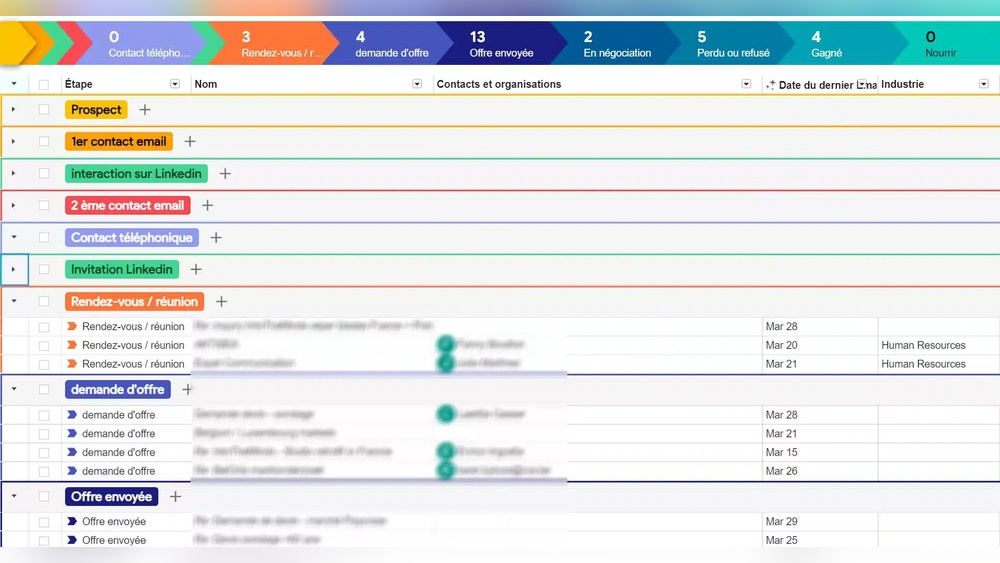
Looking for a CRM that fits right inside your Gmail inbox? Streak CRM might be just what you need.
Imagine managing your sales, projects, and client communication without switching apps or tabs. That’s exactly what Streak offers—a smooth, powerful way to keep everything organized where you already spend most of your time. Whether you’re a small business or a fundraising team, Streak’s customizable pipelines and email tools can boost your productivity and simplify your workflow. Curious to see if it’s the right fit for your needs? Dive into this Streak CRM review to discover its strengths, weaknesses, and everything you need to know before making a decision.

Credit: www.youtube.com
Introduction To Streak Crm
Streak CRM is a customer relationship management tool built directly inside Gmail. It helps sales teams, fundraisers, and small businesses manage contacts and deals without leaving their inbox. Its seamless Gmail integration makes it a practical choice for users who want to keep their workflow simple and efficient.
Overview And Purpose Of Streak Crm
Streak CRM is designed to organize emails, tasks, and contacts within Gmail. It turns your inbox into a powerful CRM platform.
- Tracks sales pipelines and customer interactions
- Manages fundraising and partnerships easily
- Helps small teams stay organized without extra software
- Offers various plans including free and paid tiers
This CRM suits teams that rely heavily on email communication. It provides tools to track progress and automate repetitive tasks. Users appreciate its simplicity and Gmail-native design.
Why Integration With Gmail Matters
Streak’s close integration with Gmail is its core strength. Users do not need to switch between apps, saving time and reducing errors.
Benefits of Gmail integration include:
- Access CRM features directly within the Gmail interface
- Automatic syncing of emails and contacts
- Security powered by Google’s trusted login system
- Easy collaboration within email threads
This integration ensures that all customer data stays up-to-date without manual entry. Streak respects user privacy and requests permissions only for necessary Google APIs.
Credit: www.youtube.com
Key Features Of Streak Crm And Their Benefits
Streak CRM offers a set of practical features that fit directly within Gmail. Its design focuses on ease of use and powerful tools to help sales teams and fundraisers manage contacts and projects. Each feature connects smoothly with everyday email work, saving time and effort. Below are the key features of Streak CRM and how they benefit users.
Deep Gmail Integration: Manage Crm Directly In Your Inbox
Streak CRM works fully inside Gmail. No need to switch between apps. Users can:
- Track leads and deals right from their inbox
- View CRM data alongside email conversations
- Keep all customer information in one place
This integration saves time by keeping all work in one familiar environment. It reduces errors and missed follow-ups.
Email Tracking And Templates: Boosting Productivity
Streak offers tools to track email opens and clicks. Users know when their messages get attention. The platform also includes email templates that can be customized. These features allow teams to:
- Send personalized emails faster
- Follow up at the right time based on tracking data
- Maintain consistent communication with prospects
Tracking and templates help increase response rates and save hours of repetitive writing.
Customizable Pipelines For Sales And Project Management
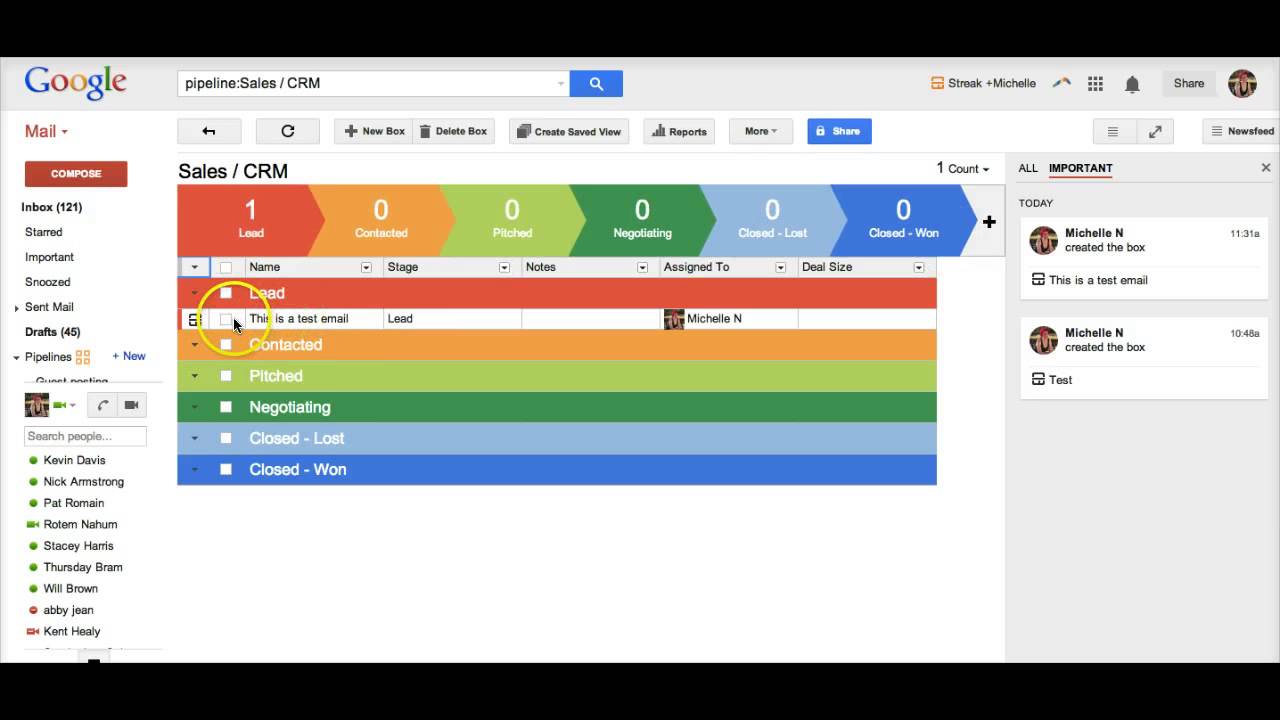
Streak provides flexible pipelines to organize sales or projects. Users can create stages that match their workflow. Each pipeline shows a clear overview of progress. Benefits include:
- Visual tracking of deals or tasks
- Easy updates by dragging items between stages
- Better planning with clear status visibility
These pipelines suit different teams, whether sales or fundraising. They keep work structured and transparent.
Collaboration Tools: Sharing Contacts And Emails Seamlessly
Teams can share contacts, emails, and notes inside Streak. This makes teamwork smooth because:
- Everyone accesses the same updated information
- Communication stays organized in one place
- Team members can comment and assign tasks easily
Collaboration features reduce miscommunication and improve team efficiency.
Easy Setup And User-friendly Interface
Streak CRM installs quickly as a Gmail extension. It requires minimal setup, so users start working fast. The interface is simple and clean, with:
- Clear menus and labels
- Drag-and-drop actions
- Helpful guides for new users
This user-friendly design lowers the learning curve and suits teams with varying tech skills.
Pricing And Affordability Breakdown
Streak CRM offers a range of pricing plans designed to fit different business needs. Its pricing model is straightforward, based on monthly or annual billing per user. This section breaks down each plan’s features and costs, helping you find the best option for your team’s budget and requirements.
Free Plan: Features And Limitations
The Free Plan is a good start for individuals or small teams. It integrates directly with Gmail, allowing basic CRM functions without extra cost.
- Manage up to 200 tracked emails per month
- Basic pipeline management within Gmail
- Email tracking and scheduling
- Limited integrations and no advanced automation
Limitations: The free plan restricts advanced features like workflow automation and priority support. It suits users with simple CRM needs.
Pro, Pro+, And Enterprise Plans: What You Get
| Plan | Monthly Price per User (USD) | Annual Price per User (USD) | Key Features |
|---|---|---|---|
| Pro | $59 | $49 |
|
| Pro+ | $89 | $69 |
|
| Enterprise | $159 | $129 |
|
Evaluating Cost Vs. Value For Small To Medium Businesses
Small to medium businesses benefit most from the Pro and Pro+ plans. The Free Plan suits very basic CRM needs but lacks scalability.
The Pro Plan offers essential CRM tools at a moderate price. It supports growing teams that need more email tracking and automation.
The Pro+ plan fits teams needing better analytics and support. It justifies the higher price by adding valuable automation and reporting.
Enterprise suits large organizations with specific security and customization needs. Its cost reflects the added services and support.
Overall, Streak CRM’s pricing balances affordability with useful features. It offers clear options for businesses to scale their CRM usage.
Pros And Cons Based On Real-world Usage
Streak CRM offers a practical solution for managing customer relationships within Gmail. Users appreciate its close integration with email but also note some limitations. The following sections highlight key advantages, challenges, and security aspects observed in everyday use.
Advantages: Productivity Gains And Seamless Gmail Workflow
Streak CRM boosts productivity by keeping all CRM tasks inside Gmail. Users can track emails, schedule follow-ups, and manage pipelines without leaving their inbox.
- Integrated Workflow: Works directly within Gmail, avoiding app switching.
- Easy Pipeline Management: Visual pipelines help monitor sales and fundraising stages.
- Email Tracking: Notifies when emails are opened, improving response timing.
- Collaboration: Teams can share notes and customer data seamlessly.
This tight Gmail integration reduces manual work and helps users stay focused. Small businesses and sales teams find it especially useful for managing contacts and deals.
Limitations: Scalability, Performance, And Reporting Challenges
Streak CRM may struggle with larger teams and complex data needs. Users report performance slowdowns as pipelines grow.
| Limitation | Details |
|---|---|
| Scalability | Not ideal for large teams or many pipelines; can become cluttered. |
| Performance | Occasional delays when loading extensive data or many emails. |
| Reporting | Basic reports only; lacks advanced analytics found in standalone CRMs. |
Users needing detailed analytics or enterprise-level features may find Streak limiting. It fits best with small to medium operations.
Privacy And Security Considerations
Streak CRM uses Google’s industry-standard security for login and data protection. It requests access only to necessary Google APIs.
- Login security matches Google account protections.
- No unauthorized changes to Gmail, Drive, Contacts, or Calendar.
- Data stays within Google’s secure environment.
Users can trust that their sensitive information remains protected under Google’s strict policies. Streak maintains transparency about data access.
Ideal Users And Use Cases For Streak Crm
Streak CRM is designed for users who rely heavily on email within Gmail. Its seamless integration makes managing contacts, sales pipelines, and tasks easy without leaving the inbox. The tool fits best with small teams and individuals who want a simple yet effective CRM embedded in their daily email workflow. Understanding who benefits most helps choose Streak wisely.
Best For Founders, Freelancers, And Small Teams Using Gmail
Streak CRM works perfectly for:
- Founders who manage sales and partnerships personally.
- Freelancers needing to track client communications and projects.
- Small teams that rely on Gmail as their main communication tool.
The CRM lives inside Gmail, so users do not switch platforms. This saves time and keeps all data in one place. It suits users who want a lightweight system without complex setups or training.
Optimal Scenarios: Email-centric Workflows And Lead Management
Streak CRM thrives in scenarios where email drives the work process. Ideal use cases include:
- Managing sales pipelines directly from the inbox.
- Tracking leads and follow-ups with easy visual pipelines.
- Organizing fundraising efforts or partnership outreach.
- Collaborating on deals and projects within Gmail threads.
Users can customize pipelines to fit their workflow, making lead management simple and transparent. Streak’s tools enhance productivity for those who live in their email every day.
When Not To Choose Streak: Large Enterprises And Multichannel Needs
Streak CRM is not ideal for:
| Limitations | Details |
|---|---|
| Large enterprises | Require advanced features, extensive integrations, and scalability beyond Gmail. |
| Multichannel communication | Businesses needing CRM access across phone, chat, social media, and other platforms. |
| Complex workflows | Companies with diverse sales processes that need robust automation and reporting. |
For these users, more comprehensive CRM solutions provide better support. Streak’s focus remains on simple, email-based CRM inside Gmail.

Credit: croclub.com
Final Verdict: Is Streak Crm The Right Choice To Boost Your Sales Fast?
Streak CRM stands out by working directly inside Gmail. It lets you manage sales without leaving your inbox. This helps sales teams save time and stay organized.
The tool fits well for small businesses and teams that rely on email. Its easy setup and Gmail integration speed up sales tasks. But it is not a full-featured CRM for complex needs.
Below is a clear look at Streak’s benefits, drawbacks, and how it can accelerate sales. Also, some alternatives to consider based on your needs.
Summary Of Benefits And Drawbacks
| Benefits | Drawbacks |
|---|---|
|
|
How Streak Crm Can Accelerate Your Sales Pipeline
Streak CRM boosts sales speed by integrating with tools you already use. It turns your Gmail inbox into a sales hub.
- Easy Tracking: View every deal stage in one place.
- Automated Reminders: Stay on top of follow-ups without extra apps.
- Shared Pipelines: Collaborate with your team in real time.
- Email Templates: Send personalized emails faster.
- Data Insights: Understand sales trends with built-in reports.
These features reduce manual work. Teams can close deals faster by staying organized and connected.
Alternative Options To Consider For Different Needs
Some businesses need more than Gmail integration. Here are other CRMs to consider:
- HubSpot CRM: Free, full-featured, and good for growing teams.
- Zoho CRM: Offers many customization options and apps.
- Salesforce: Powerful but complex; suited for large enterprises.
- Pipedrive: Visual sales pipelines with easy drag-and-drop.
- Freshsales: AI-based insights with multi-channel support.
Choose based on team size, budget, and workflow preferences.
Frequently Asked Questions
Is Streak Crm Good?
Streak CRM excels in Gmail integration, boosting productivity for small-to-medium teams. It offers customizable pipelines and easy collaboration. However, it lacks advanced features and scalability for large enterprises. Its free plan is limited, and paid options can be pricey. Ideal for Gmail users needing simple CRM tools.
Is Streak A Good Company?
Streak is a reputable CRM company known for seamless Gmail integration. It suits small to medium businesses well. Users appreciate its email tracking, templates, and pipeline customization. Some find its scalability and advanced features limited. Pricing may be high for full functionality, but it boosts productivity effectively.
How Much Does Streak Crm Cost?
Streak CRM offers a free plan and three paid tiers: Pro at $49, Pro+ at $69, and Enterprise at $129 per user monthly (billed annually). Prices vary with monthly billing options available.
Is Streak Crm For Gmail Safe?
Streak CRM for Gmail is safe, using Google-level security and requiring your explicit permission for access. It integrates securely without altering your Gmail data.
Conclusion
Streak CRM fits well for small teams using Gmail daily. It helps track emails, manage sales, and organize contacts easily. The tool saves time by working inside your inbox, avoiding app switching. Some users find advanced features missing for bigger businesses. Pricing may seem high for full collaboration needs. Still, Streak’s simple design and email tools suit many users. Check out Streak CRM to see if it matches your workflow and goals.

