
Choosing the right CRM can make or break your business growth. If you’re torn between Prosperworks and HubSpot, you’re not alone.
Both promise to streamline your customer data and boost your sales, but which one truly fits your needs? What if you could get a CRM that’s easy to use, affordable, and designed to grow with your startup or small business? You’ll discover how HubSpot’s free CRM stands out by unifying all your customer data on one smart platform — no expiration, no hidden fees. Ready to find out why HubSpot might be the game-changer your business deserves? Check it out here: HubSpot CRM and keep reading to see how it stacks up against Prosperworks.
Introduction To Prosperworks And Hubspot Crm
Choosing the right CRM software is key for startups and small businesses. ProsperWorks (now called Copper) and HubSpot CRM stand out as popular options. Both offer tools to manage customer data, sales, and marketing. This section introduces these two platforms and explains why comparing them is important for business success.
Overview Of Prosperworks (copper) And Its Purpose
ProsperWorks, rebranded as Copper, is designed to work seamlessly with Google Workspace. It aims to reduce manual data entry by syncing contacts and emails automatically. Its main focus is on simplifying CRM tasks for teams that rely heavily on Google apps.
- Integrates deeply with Google Workspace
- Automates data entry to save time
- Focuses on sales pipeline and contact management
- Ideal for businesses using Google tools daily
Introduction To Hubspot Crm And Its Business Focus
HubSpot CRM offers a free, user-friendly platform that unifies customer data in one place. It uses AI features to make data easy to understand. HubSpot targets startups and small businesses seeking a cost-effective CRM solution without time limits on usage.
- Completely free with no expiration
- Centralizes all customer information
- Includes AI tools for better insights
- Supports marketing, sales, and customer service
Why Comparing These Two Crms Matters For Businesses
Both CRMs help manage customer relationships but serve different business needs. Comparing them helps find the right fit based on team tools, budget, and business goals.
| Feature | ProsperWorks (Copper) | HubSpot CRM |
|---|---|---|
| Integration | Strong Google Workspace integration | Supports multiple platforms and tools |
| Pricing | Subscription-based with tiers | Free forever with optional paid upgrades |
| User Focus | Google users and sales teams | Startups and small businesses |
| Automation | Automates data entry | AI-powered insights and data management |
Choosing the right CRM can improve productivity and customer satisfaction. Understanding key differences guides better decisions.
Credit: www.aceinfoway.com
Key Features That Differentiate Prosperworks And Hubspot
ProsperWorks and HubSpot offer distinct CRM features tailored to different business needs. Understanding their unique strengths helps in choosing the right tool for your startup or small business. Both focus on improving customer management, but their approaches vary.
Prosperworks: Seamless Google Workspace Integration And User Experience
ProsperWorks stands out with its deep integration into Google Workspace. This connection creates a smooth experience for users familiar with Google apps like Gmail, Calendar, and Drive.
- Automatic syncing of emails and contacts.
- Easy access to CRM data within Google apps.
- Minimal setup required, saving time.
- Intuitive interface designed for fast adoption.
This integration reduces switching between apps, boosting productivity and user satisfaction.
Hubspot: Comprehensive Marketing Automation And Sales Tools
HubSpot excels in offering a wide range of marketing automation and sales features. It helps businesses manage campaigns, track leads, and automate repetitive tasks.
- Email marketing with personalized templates.
- Lead scoring and nurturing workflows.
- Sales pipeline tracking with detailed analytics.
- Built-in AI tools for data insights.
HubSpot’s tools support growth by simplifying complex marketing and sales processes.
Unique Benefits Of Prosperworks’ Contact Management And Pipeline Features
ProsperWorks provides straightforward contact management linked closely to Google tools. This design offers:
- Automatic contact updates from email interactions.
- Clear visual pipelines to track sales stages.
- Easy drag-and-drop functionality to move deals.
- Real-time collaboration within teams.
These features help small teams stay organized with minimal effort.
Hubspot’s Strength In Customization And Workflow Integration
HubSpot allows extensive customization of CRM and marketing workflows. Users can tailor the system to fit unique business processes.
| Customization Aspect | Details |
|---|---|
| Custom Properties | Create fields specific to your business needs. |
| Workflow Automation | Automate lead assignments, email sequences, and task reminders. |
| Integration Options | Connect with hundreds of third-party apps and tools. |
| Reporting | Build custom reports for sales and marketing performance. |
These capabilities ensure HubSpot adapts to various business models and scales with growth.
Pricing And Affordability Analysis
Pricing plays a crucial role in choosing the right CRM software. Affordability impacts startups and enterprises differently. This section breaks down costs and value for ProsperWorks and HubSpot. Understanding their pricing models helps businesses pick a suitable option.
Prosperworks Pricing Structure And Cost Benefits For Small Businesses
ProsperWorks offers a simple, straightforward pricing plan. It charges a flat monthly fee per user, which includes most key CRM features. Small businesses benefit from this clear cost setup without hidden fees.
- Single-tier pricing model
- Monthly fee per user
- Includes contact management, pipeline tracking, and email integration
This structure suits small businesses with limited budgets. It avoids complexity and extra charges for essential tools. ProsperWorks focuses on delivering core CRM functions at a predictable cost.
Hubspot’s Tiered Pricing And Value For Growing Enterprises
HubSpot uses a tiered pricing system designed for scalability. It offers a free CRM with basic features and several paid tiers for advanced tools. Enterprises can choose plans based on their growth stage and needs.
| Plan | Price (Monthly/User) | Key Features |
|---|---|---|
| Free | $0 | Basic CRM, contact management, email tracking |
| Starter | Starts at $45 | More automation, email sequences, live chat |
| Professional | Starts at $800 | Advanced reporting, custom workflows, team management |
| Enterprise | Starts at $3,200 | Custom objects, advanced permissions, predictive lead scoring |
The tiered model supports growing businesses needing extra features. It allows gradual upgrades but can become expensive at higher levels.
Cost-effectiveness: Comparing Roi Based On Business Size And Needs
Small businesses gain good value from ProsperWorks due to its lower, fixed pricing. It delivers key CRM functions without extra costs. The return on investment (ROI) is clearer and easier to calculate.
HubSpot fits better with larger companies or those planning fast growth. The free plan helps startups start without spending. Paid tiers offer extensive tools that boost sales and marketing efforts. Yet, the rising costs may affect ROI if not fully utilized.
- ProsperWorks: Best for small businesses needing simple CRM
- HubSpot: Ideal for growing enterprises needing advanced features
- ROI depends on feature usage and business scale
- HubSpot’s free CRM reduces upfront costs
- Higher tiers provide more value but increase expenses
Businesses should assess their size, needs, and budget. Matching CRM features to those needs maximizes cost-effectiveness.
Credit: gaconnector.com
Pros And Cons Based On Real-world Usage
Choosing between ProsperWorks and HubSpot depends on real-world needs. Both CRM systems have their strengths and weaknesses based on actual user experiences. This section breaks down the key advantages and limitations of each platform.
Advantages Of Prosperworks: Ease Of Use And Google Ecosystem Compatibility
ProsperWorks is highly praised for its simple interface. Users find it intuitive, needing minimal training. It fits naturally within the Google ecosystem, syncing effortlessly with Gmail, Google Calendar, and Google Drive.
- Easy setup and navigation
- Seamless integration with Google apps
- Lightweight and fast performance
- Good for teams already using Google Workspace
This compatibility saves time by reducing app switching and manual data entry.
Limitations Of Prosperworks: Customer Service And Feature Set
Users report mixed experiences with customer service. Support can be slow or less helpful in complex cases.
- Limited advanced features compared to competitors
- Fewer customization options
- Basic reporting and analytics
- Less suitable for scaling businesses
These limits may hinder growing startups needing more robust CRM capabilities.
Strengths Of Hubspot: Robust Features And Scalability
HubSpot offers a wide range of powerful tools. It supports marketing, sales, and customer service in one platform. Users appreciate its scalability, fitting small startups and larger teams alike.
| HubSpot Strength | Benefit |
|---|---|
| Comprehensive CRM Suite | All-in-one platform for managing leads and customers |
| Marketing Automation | Automates email campaigns and workflows |
| Advanced Analytics | Detailed reports to track performance |
| Customizable Dashboards | Personalized views for different teams |
HubSpot grows with your business, adapting to increasing demands.
Drawbacks Of Hubspot: Pricing, Mandatory Onboarding, And Contract Terms
HubSpot’s cost rises sharply with added features and users. The pricing may strain small budgets.
- Mandatory onboarding fees: Extra costs for setup and training
- Contract terms: Annual commitments that limit flexibility
- Essential features locked behind paid plans
These factors may deter startups seeking affordable, flexible CRM solutions.
Specific Recommendations For Ideal Users And Business Scenarios
Choosing the right CRM depends on your business size, goals, and existing tools. Both ProsperWorks and HubSpot serve unique needs. This section breaks down who benefits most from each and guides on smooth migration.
When Prosperworks Is The Best Choice: Small To Medium Businesses With Google Workspace
ProsperWorks fits small to medium businesses already using Google Workspace. It integrates tightly with Gmail, Google Calendar, and Drive. This integration saves time by keeping all data within Google’s ecosystem.
- Simple, clean user interface tailored for Google users
- Automatic syncing of emails and calendar events
- Cost-effective for smaller teams
- Easy onboarding for Google Workspace users
Businesses needing quick setup and seamless Google integration find ProsperWorks ideal.
Ideal Hubspot Users: Growing Companies Needing Marketing Automation
HubSpot suits companies focused on growth and marketing. It combines CRM with powerful marketing automation tools. HubSpot’s free CRM supports unlimited users and contacts with no expiration.
- Marketing automation for email campaigns and lead nurturing
- Detailed analytics and reporting dashboards
- Integration with many third-party apps beyond Google
- Scalable features to support expanding teams
Teams aiming to blend sales and marketing efforts benefit from HubSpot’s all-in-one platform.
Choosing Based On Business Goals: Sales Focus Vs. Marketing Integration
| Business Goal | Best CRM Choice | Key Benefits |
|---|---|---|
| Streamline Sales Process | ProsperWorks | Google Workspace integration, simple UI, cost-effective |
| Marketing Automation and Lead Nurturing | HubSpot | Advanced marketing tools, analytics, scalable |
| Unified Sales and Marketing Platform | HubSpot | All-in-one CRM, marketing, and service tools |
Migration Considerations: Moving From Prosperworks To Hubspot
Switching from ProsperWorks to HubSpot requires planning to avoid data loss and downtime.
- Data Backup: Export all contacts, deals, and notes from ProsperWorks.
- Data Cleanup: Remove duplicates and outdated entries before import.
- Mapping Fields: Align ProsperWorks fields to HubSpot’s data structure.
- Test Import: Import a small batch to check data accuracy.
- Full Migration: Import all cleaned data into HubSpot CRM.
- Training: Train team members on HubSpot’s interface and features.
Proper migration ensures seamless transition and maximizes HubSpot’s marketing strengths.
Conclusion: Making The Ultimate Crm Choice
Choosing the right CRM shapes your business growth. Both ProsperWorks and HubSpot offer strong features, but their impact varies based on your needs. Understanding their differences helps you pick the best fit for your team and goals.
Summary Of Key Differences And Business Impacts
| Feature | ProsperWorks | HubSpot |
|---|---|---|
| Pricing | Simple, moderate costs | Free CRM available; costs rise with growth |
| Ease of Use | Clean interface, quick setup | User-friendly, AI-driven data insights |
| Integration | Strong Google ecosystem focus | Wide app integrations beyond Google |
| Scalability | Best for small to mid-sized businesses | Designed to grow with startups and small businesses |
| Support & Training | Standard support | Onboarding fees and contract terms apply |
Business Impact: ProsperWorks suits teams needing simplicity and Google integration. HubSpot fits startups aiming for rich features and AI-powered insights but at higher cost.
How To Evaluate Your Business Needs Before Choosing
- Assess Team Size: Small teams may prefer easy setup and low cost.
- Consider Budget: Factor in free options versus long-term expenses.
- Integration Needs: Check compatibility with your existing tools.
- Growth Plans: Choose a CRM that scales with your business.
- Support Requirements: Decide if you need dedicated onboarding or standard help.
Answer these clearly. It narrows the choice between ProsperWorks and HubSpot.
Final Thoughts On Prosperworks Vs Hubspot For Long-term Success
ProsperWorks offers a straightforward CRM for businesses tied to Google products. It keeps things simple and affordable.
HubSpot delivers a powerful CRM with free access and AI tools. It suits startups ready to invest in growth and automation.
Choosing depends on your business style, budget, and future plans. Both tools can support success if matched well.

Credit: www.kixie.com
Frequently Asked Questions
Who Is Hubspot’s Biggest Competitor?
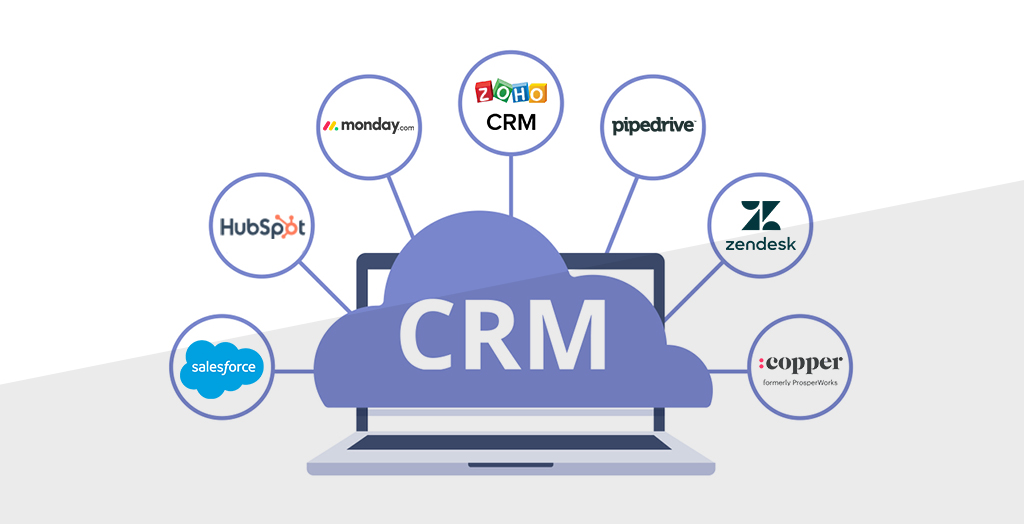
HubSpot’s biggest competitors include Salesforce, Zoho CRM, Pipedrive, and Copper. These platforms offer strong CRM and marketing automation features.
What Crm Is Better Than Hubspot?
Zoho CRM, Copper, and Act CRM often outperform HubSpot in affordability, customization, and marketing automation features. Choose based on your business needs.
What Are The Downsides Of Hubspot?
HubSpot can become costly as your business grows. Mandatory onboarding fees and annual contracts limit flexibility. Some key features require expensive upgrades. The all-in-one design may not suit businesses needing specialized tools.
Is Hubspot Still Relevant?
HubSpot remains highly relevant, offering robust CRM, marketing, and sales tools that adapt to growing business needs effectively.
Conclusion
Choosing between Prosperworks and HubSpot depends on your business needs. HubSpot offers a free CRM that stores all customer data in one place. It helps startups and small businesses track sales and marketing easily. Prosperworks integrates well with Google apps but may lack some features HubSpot provides. HubSpot’s CRM grows with your business and avoids spreadsheet chaos. For a reliable and user-friendly CRM, explore HubSpot today. Simple tools make managing customers less stressful and more efficient.

