

When you’re trying to grow your business, choosing the right tools can make all the difference. You might be torn between Moz and HubSpot—two powerful platforms that serve different but important roles in marketing and customer management.
If you want to track your SEO performance, Moz offers robust tools to help you monitor keywords, backlinks, and search rankings. On the other hand, HubSpot is more than just SEO; it’s a complete CRM platform designed to bring all your customer data together, making your marketing, sales, and service efforts smoother and smarter. Wondering which one fits your needs better? Keep reading to discover how Moz and HubSpot stack up against each other and find out which tool can truly help you boost your business. And if you want to explore HubSpot’s powerful CRM for startups and small businesses, check it out here: HubSpot CRM. Your business deserves tools that work as hard as you do.
Introduction To Moz And Hubspot: Purpose And Overview
Moz and HubSpot are two well-known tools in the digital marketing world. Each serves a distinct purpose but both aim to help businesses grow online. Understanding their core functions can guide you in choosing the right tool for your needs.
Moz focuses mainly on SEO, while HubSpot combines marketing and CRM capabilities. This section explains what each tool does and why comparing them is useful for businesses.
What Is Moz? Understanding Its Role In Seo
Moz is a platform designed to improve website visibility on search engines. It offers tools for:
- Keyword research to find the best search terms.
- Site audits to spot SEO issues.
- Link building to boost site authority.
- Rank tracking to monitor search position changes.
SEO professionals use Moz to optimize websites and increase organic traffic. Its data helps businesses understand how search engines view their content.
What Is Hubspot? Exploring Its Marketing And Crm Capabilities
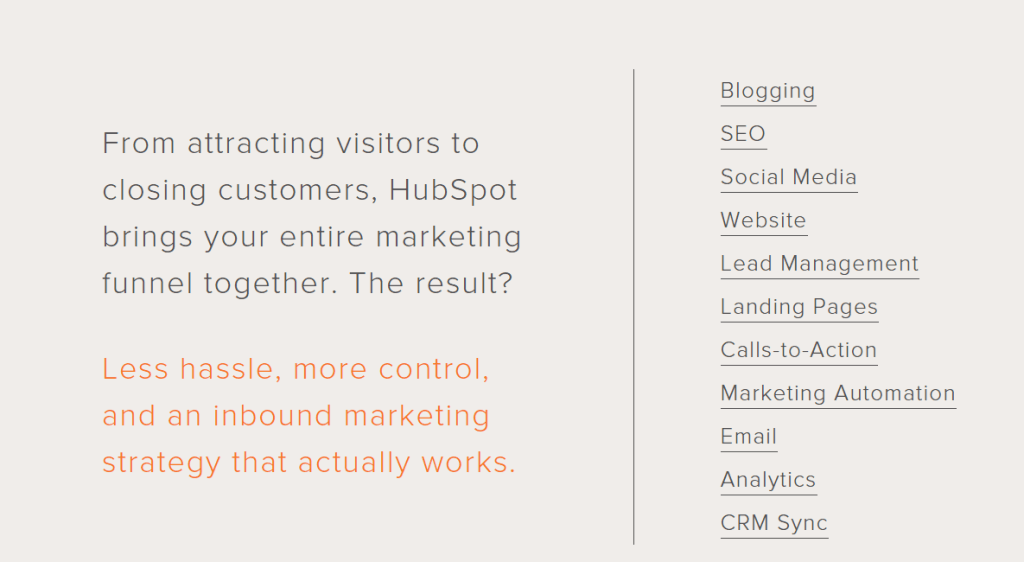
HubSpot offers a free CRM platform that stores all customer data in one place. It helps businesses manage sales, marketing, and customer service efficiently.
Key features include:
- Contact management to keep track of leads and customers.
- Email marketing tools to send personalized campaigns.
- Sales pipeline tracking to monitor deals.
- Marketing automation to streamline repetitive tasks.
HubSpot suits startups and small businesses aiming for better customer relationships and marketing results.
Why Compare Moz And Hubspot? Defining The Need For An Seo & Marketing Tool Showdown
Both tools support digital growth but focus on different areas. Moz specializes in SEO optimization. HubSpot centers on marketing and customer management.
Choosing between Moz and HubSpot depends on your business goals:
- If improving search rankings matters most, Moz is a strong choice.
- If managing customers and marketing together is key, HubSpot fits better.
- Some businesses use both to cover SEO and marketing fully.
This comparison helps decide which tool fits your needs for boosting online presence and managing customer relationships.
Credit: getcredo.com
Key Features Of Moz And Their Benefits
Moz offers a powerful suite of SEO tools designed to improve website rankings and online visibility. These features help marketers track keywords, analyze backlinks, optimize on-page elements, and generate clear reports. Each tool targets specific SEO challenges, making Moz a valuable asset for businesses aiming to grow their search presence.
Comprehensive Seo Metrics And Keyword Tracking: Enhancing Search Performance
Moz provides detailed SEO metrics that monitor keyword rankings and organic search performance. Users can track keyword difficulty, search volume, and ranking changes over time. This data helps prioritize efforts on keywords with the best potential.
- Keyword Explorer: Find and prioritize valuable keywords.
- Rank Tracking: Monitor daily ranking fluctuations.
- Search Volume Insights: Understand keyword popularity trends.
These features enable marketers to adjust strategies quickly and improve their site’s position in search results.
Backlink Analysis And Domain Authority: Building Stronger Online Presence
Moz’s backlink analysis reveals the quality and quantity of links pointing to a website. It measures Domain Authority (DA), predicting how well a site will rank on search engines.
- Identify valuable backlinks and potential link-building opportunities.
- Spot harmful or spammy links to avoid penalties.
- Compare Domain Authority against competitors.
Strong backlinks and high DA improve a site’s credibility, driving more organic traffic and trust.
Site Audits And On-page Optimization Tools: Solving Seo Technical Challenges
Moz runs thorough site audits to uncover technical SEO issues affecting performance. It scans for broken links, missing tags, slow pages, and more.
- Automated crawl reports highlight critical errors.
- Recommendations guide on fixing on-page SEO elements like titles and meta descriptions.
- Checks for duplicate content and mobile usability problems.
Fixing these problems improves user experience and search rankings, keeping the site healthy and optimized.
User-friendly Reporting Dashboard: Simplifying Data Interpretation For Marketers
The Moz dashboard presents complex SEO data in a clear, easy-to-understand format. It offers customizable reports and visual charts.
- Track progress with intuitive graphs and summaries.
- Export reports to share insights with teams or clients.
- Save time by focusing on key performance indicators.
This simplicity helps marketers make informed decisions without getting lost in technical jargon or data overload.
Key Features Of Hubspot And Their Benefits
HubSpot offers a powerful suite of tools designed for startups and small businesses. It combines customer relationship management with marketing automation to simplify complex tasks. This platform helps teams manage campaigns, contacts, social media, and SEO without switching tools.
Each feature supports better customer interactions and efficient marketing efforts. The benefits include saving time, improving organization, and increasing engagement. Here are the main features and their key benefits.
Integrated Marketing Automation: Streamlining Campaign Management
HubSpot’s marketing automation allows users to create, schedule, and track campaigns from one place.
- Automates repetitive tasks like emails and follow-ups
- Personalizes messages based on customer behavior
- Tracks campaign performance with clear analytics
This integration reduces manual work and improves campaign effectiveness. Teams focus on strategy instead of execution.
Crm And Contact Management: Enhancing Customer Relationship Strategies
The CRM system unifies all customer data in one platform. It stores contact details, interaction history, and deal progress.
- Offers a 100% free CRM with no expiration
- Uses AI to provide insights and suggestions
- Improves customer tracking and follow-ups
This feature helps businesses build stronger relationships and close more deals by keeping customer data organized and accessible.
Social Media And Email Marketing Tools: Expanding Audience Engagement
HubSpot’s tools let users schedule and publish social media posts and send targeted emails.
- Manages multiple social accounts in one dashboard
- Automates email campaigns with personalized content
- Measures engagement with detailed reports
These tools increase visibility and keep audiences engaged across channels.
Seo And Landing Page Builder: Combining Marketing With Seo-friendly Content Creation
HubSpot includes an SEO tool and an easy-to-use landing page builder.
| Feature | Benefit |
|---|---|
| SEO Recommendations | Optimizes content to rank higher in search engines |
| Drag-and-Drop Landing Page Builder | Creates pages without coding knowledge |
| Integrated Analytics | Tracks page performance and visitor behavior |
This combination helps users create marketing content that attracts traffic and converts visitors into leads.
Credit: ritza.co
Pricing And Affordability Breakdown
Understanding the costs of Moz and HubSpot helps choose the best tool. Pricing affects startups and small businesses significantly. Clear pricing details simplify budgeting and planning. This section breaks down each platform’s pricing and compares value.
Moz Pricing Structure: Plans And What They Include
Moz offers multiple plans tailored for SEO needs. Each plan includes specific features for keyword tracking, site audits, and link analysis.
| Plan | Price (Monthly) | Key Features |
|---|---|---|
| Standard | $99 | Keyword tracking, site audits, on-page optimization |
| Medium | $179 | All Standard features + competitive analysis, more keyword tracking |
| Large | $299 | Advanced reporting, higher limits on keywords and campaigns |
| Premium | $599 | Full access to all Moz tools, API access, highest limits |
Note: Moz does not offer a free version but provides a 30-day free trial.
Hubspot Pricing Tiers: Options For Different Business Sizes
HubSpot has a flexible pricing model for CRM and marketing tools. It features a free CRM without time limits, ideal for startups.
| Plan | Price (Monthly) | Key Features |
|---|---|---|
| Free CRM | $0 | Contact management, deal tracking, basic reporting |
| Starter | From $45 | Additional marketing tools, email automation, more users |
| Professional | From $800 | Advanced automation, campaign management, custom reporting |
| Enterprise | From $3,200 | Custom objects, advanced permissions, extensive integrations |
Cost Vs. Value: Evaluating Affordability Relative To Feature Sets
Moz is priced mainly for SEO professionals needing deep insights. Its plans offer strong SEO tools at a medium to high price.
HubSpot suits businesses wanting a full CRM and marketing platform. The free CRM attracts startups with essential features.
- Moz: Best for focused SEO tasks and reporting.
- HubSpot: Ideal for managing customer data and marketing in one place.
HubSpot’s free option offers great value for small businesses. Paid plans grow with business needs but are costlier.
Moz charges for SEO features only but has no free tier. HubSpot bundles many tools, increasing cost but also value.
Choosing depends on priorities: SEO depth or CRM and marketing breadth.
Pros And Cons Based On Real-world Usage
Choosing between Moz and HubSpot depends on your business needs and goals. Both tools offer strong features but also have limitations. Real users highlight key advantages and challenges that shape their daily experience. This section breaks down these insights for clear comparison.
Strengths And Limitations Of Moz In Seo Management
Moz is well-known for its focused SEO tools. Users appreciate its ability to track keyword rankings, analyze backlinks, and audit websites effectively.
- Strengths:
- Comprehensive keyword research tools
- Reliable site audits for SEO health
- Accurate backlink analysis
- User-friendly interface for beginners
- Limitations:
- Pricing can be high for small teams
- Limited integration with other marketing platforms
- Slower updates compared to competitors
- Some users report data delays in reports
Strengths And Limitations Of Hubspot In Marketing And Crm
HubSpot stands out as a CRM and marketing platform, especially for startups and small businesses. Its free CRM helps centralize customer data effortlessly.
- Strengths:
- 100% free CRM with no expiration
- Integrates marketing, sales, and customer service
- AI tools simplify data understanding
- Easy setup and intuitive design
- Limitations:
- Advanced features require paid plans
- Can be overwhelming for very small teams
- Customization options are somewhat limited
- Occasional learning curve for complex tools
User Experience And Support: Comparing Customer Feedback
| Aspect | Moz | HubSpot |
|---|---|---|
| Ease of Use | Simple interface, easy for SEO beginners | Intuitive design but complex for new users |
| Customer Support | Email support with some delays reported | Responsive live chat and extensive resources |
| Learning Resources | Good tutorials but fewer than competitors | Extensive academy and community forums |
| Overall Satisfaction | Preferred by SEO specialists | Favored by sales and marketing teams |
Users appreciate Moz for clear SEO insights. HubSpot earns praise for combining CRM and marketing in one platform. Support quality and ease of use vary but both maintain loyal user bases.
Recommendations For Ideal Users And Scenarios
Choosing between Moz and HubSpot depends on your business needs and goals. Each tool offers unique features tailored to different users and situations. Understanding who benefits most from each platform helps optimize your marketing and customer management efforts.
Who Should Choose Moz? Best Use Cases And Business Types
Moz suits businesses focused on improving their SEO performance. It is ideal for:
- SEO specialists who need in-depth keyword research and site audits.
- Small to medium businesses aiming to boost organic search traffic.
- Digital marketing agencies managing multiple client SEO campaigns.
- Content creators looking to optimize articles for search engines.
Moz shines in scenarios that require:
- Tracking keyword rankings and competitor analysis.
- Improving on-page SEO with actionable insights.
- Building backlinks and monitoring domain authority.
Who Should Choose Hubspot? Ideal Scenarios And User Profiles
HubSpot excels as a CRM and marketing platform, perfect for startups and small businesses. It fits users who want to:
- Manage customer relationships and sales pipelines in one place.
- Automate marketing tasks without complex setups.
- Use a free, easy-to-adopt CRM that grows with their business.
- Access AI tools to better understand customer data.
Ideal scenarios include:
- Startups needing a simple yet effective CRM solution.
- Small businesses seeking to unify marketing and sales data.
- Teams wanting to nurture leads and automate email campaigns.
Combining Both Tools: When Using Moz And Hubspot Together Makes Sense
Some businesses benefit from using both Moz and HubSpot. This combination works well when:
- You require strong SEO insights alongside comprehensive CRM features.
- Your marketing team focuses on organic growth and lead management.
- Content strategies depend on SEO data to drive traffic while nurturing leads.
- You want to track SEO performance and customer interactions in parallel.
| Moz | HubSpot | Combined Use |
|---|---|---|
| Keyword research and site audits | Customer relationship management | SEO insights to attract leads |
| Backlink tracking and domain authority | Marketing automation and sales tracking | Lead nurturing based on SEO data |
| Competitor SEO analysis | Unified customer data platform | Full marketing and sales funnel coverage |
Using both tools together delivers a strong digital marketing and sales strategy.
Conclusion: Making The Right Choice For Your Seo And Marketing Needs
Choosing between Moz and HubSpot depends on your specific SEO and marketing goals. Both platforms offer distinct features that serve different needs. Understanding these differences helps you pick the tool that fits your business best.
Summary Of Key Differences And Benefits
| Feature | Moz | HubSpot |
|---|---|---|
| Primary Focus | SEO analytics and optimization | CRM and inbound marketing |
| Best For | Improving search rankings and keyword research | Managing customer relationships and marketing campaigns |
| Ease of Use | User-friendly for SEO beginners and pros | Simple interface with integrated CRM tools |
| Pricing | Subscription-based with SEO toolsets | Free CRM with optional paid marketing add-ons |
| Unique Strength | Comprehensive SEO tracking and site audits | Unified platform for marketing, sales, and CRM |
- Moz excels in deep SEO insights and keyword tracking.
- HubSpot offers a powerful free CRM combined with marketing automation.
- HubSpot suits startups needing customer management and marketing tools.
- Moz fits businesses focusing mainly on improving search engine rankings.
Final Thoughts On Selecting The Best Tool For Your Business Goals
Focus on your top priorities. Choose Moz if SEO is your main goal. It provides detailed data to boost your website’s search performance.
Pick HubSpot if you want a CRM that supports marketing and sales together. Its free plan helps startups manage contacts without extra cost.
Consider your budget and the features you need most. Both tools offer strong support and are trusted in their fields.
Test each platform’s free options or demos to feel which suits your workflow. The right choice helps your business grow efficiently.
Credit: www.yesoptimist.com
Frequently Asked Questions
Who Is Hubspot’s Biggest Competitor?
HubSpot’s biggest competitors include Salesforce, Zoho CRM, and Marketo. These platforms offer strong CRM and marketing automation features.
What Crm Is Better Than Hubspot?
Act CRM and Zoho CRM often outperform HubSpot in marketing automation and customization. Freshdesk and Zendesk excel in customer support. Choose based on your business needs, budget, and feature preferences for best results.
Is Moz Legit?
Moz is a legitimate and trusted SEO tool widely used by digital marketers for keyword tracking, backlink analysis, and SEO insights.
Is Google Still Acquiring Hubspot?
Google has abandoned its plans to acquire HubSpot. The deal, which would have boosted Google Cloud, is no longer proceeding.
Conclusion
Choosing between Moz and HubSpot depends on your business needs. Moz focuses on SEO tools to improve search rankings. HubSpot offers a full CRM platform for managing customer data. Startups and small businesses may find HubSpot easier to use. Its free CRM helps organize contacts and sales pipelines. Explore how HubSpot can support your growth by visiting this link. Both tools have strengths, so pick what fits your goals best.

