
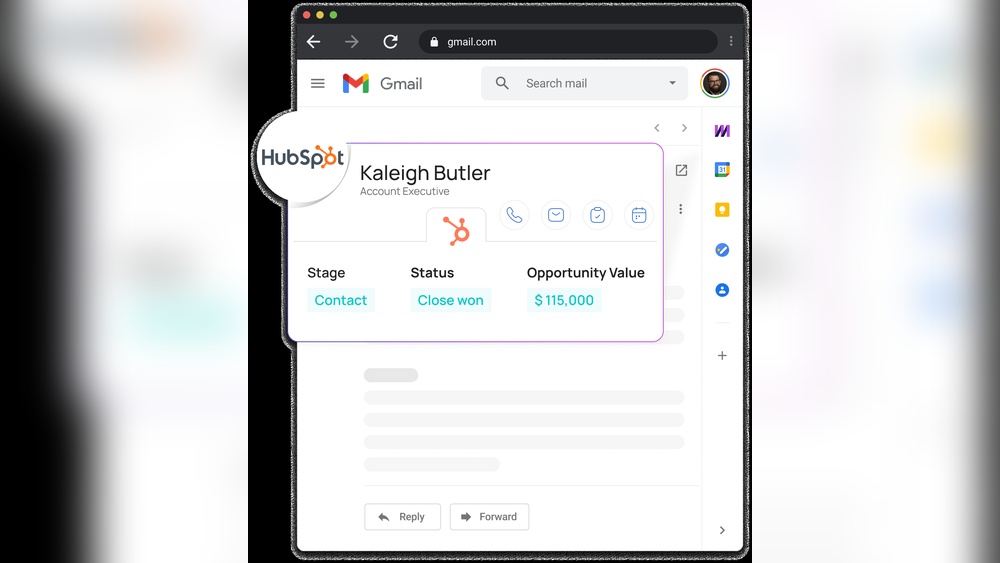
When it comes to managing your sales and customer relationships, choosing the right tool can make all the difference. You might be wondering whether Mixmax or HubSpot fits your needs better.
Mixmax shines with its email tracking and automation features, making your outreach smarter and more efficient. On the other hand, HubSpot offers a full-fledged CRM platform designed to unify all your customer data in one place, with marketing, sales, and service tools built right in. If you want a CRM that grows with your business and helps you stay organized without the hassle of spreadsheets, HubSpot could be the game-changer you need. Keep reading to discover which platform aligns best with your goals and how each can boost your productivity and sales success.
Credit: emelia.io
Introduction To Mixmax And Hubspot
Choosing the right sales and communication tools can shape your business success. Mixmax and HubSpot stand out as key players in this space. They serve different but overlapping needs. Understanding their core features helps sales teams pick the best fit for their goals.
Overview Of Mixmax: Email Automation And Engagement
Mixmax focuses on boosting email productivity and engagement. It offers powerful tools to automate email sequences and track interactions. Sales teams use Mixmax to:
- Schedule emails and meetings effortlessly
- Track email opens, clicks, and replies in real-time
- Create personalized email templates
- Automate follow-ups to stay on top of leads
This tool integrates well with Gmail and other email platforms, making it a favorite for teams that rely heavily on email communication.
Overview Of Hubspot: Comprehensive Crm And Sales Solution
HubSpot offers a broad CRM platform designed for startups and small businesses. Its free CRM centralizes customer data in one easy-to-use interface. Key features include:
- Contact management with detailed profiles
- Sales pipeline tracking and deal management
- Built-in AI tools for data insights
- Marketing, sales, and service automation
HubSpot’s CRM is free with no expiration, helping teams scale without worrying about costs. It supports a full sales cycle beyond just email.
Purpose Of The Comparison: Helping Sales Teams Choose The Right Tool
Sales teams need tools that fit their workflow and goals. This comparison clarifies:
- How Mixmax’s email automation contrasts with HubSpot’s all-in-one CRM
- Which tool suits teams focused on email engagement versus full customer management
- Pricing and scalability considerations for growing businesses
Understanding strengths and limits guides smart choices and better sales results.
Credit: www.klenty.com
Key Features Of Mixmax
Mixmax offers a suite of features designed to improve email communication and sales workflows. It helps teams track emails, save time with templates, automate tasks, and work smoothly within Gmail. These features support better engagement and higher productivity for sales and outreach teams.
Advanced Email Tracking And Analytics: Boosting Sales Engagement
Mixmax tracks emails in real-time, showing when recipients open messages or click links. This insight helps sales teams follow up at the right moment. The platform also provides detailed analytics to measure engagement trends over time.
- Real-time email open and click notifications
- Detailed reports on email performance
- Insights into recipient behavior and engagement
These tools allow sales reps to tailor their approach based on data, improving response rates and closing deals faster.
One-click Template Saving In Gmail: Streamlining Outreach
Mixmax integrates directly into Gmail, enabling users to create and save email templates with one click. This feature reduces repetitive work and ensures consistent messaging.
- Create templates from any email in Gmail
- Insert saved templates easily during email composition
- Customize templates quickly for personalized outreach
Sales teams save time and maintain a professional tone across all communications.
Automation Workflows: Saving Time And Enhancing Productivity
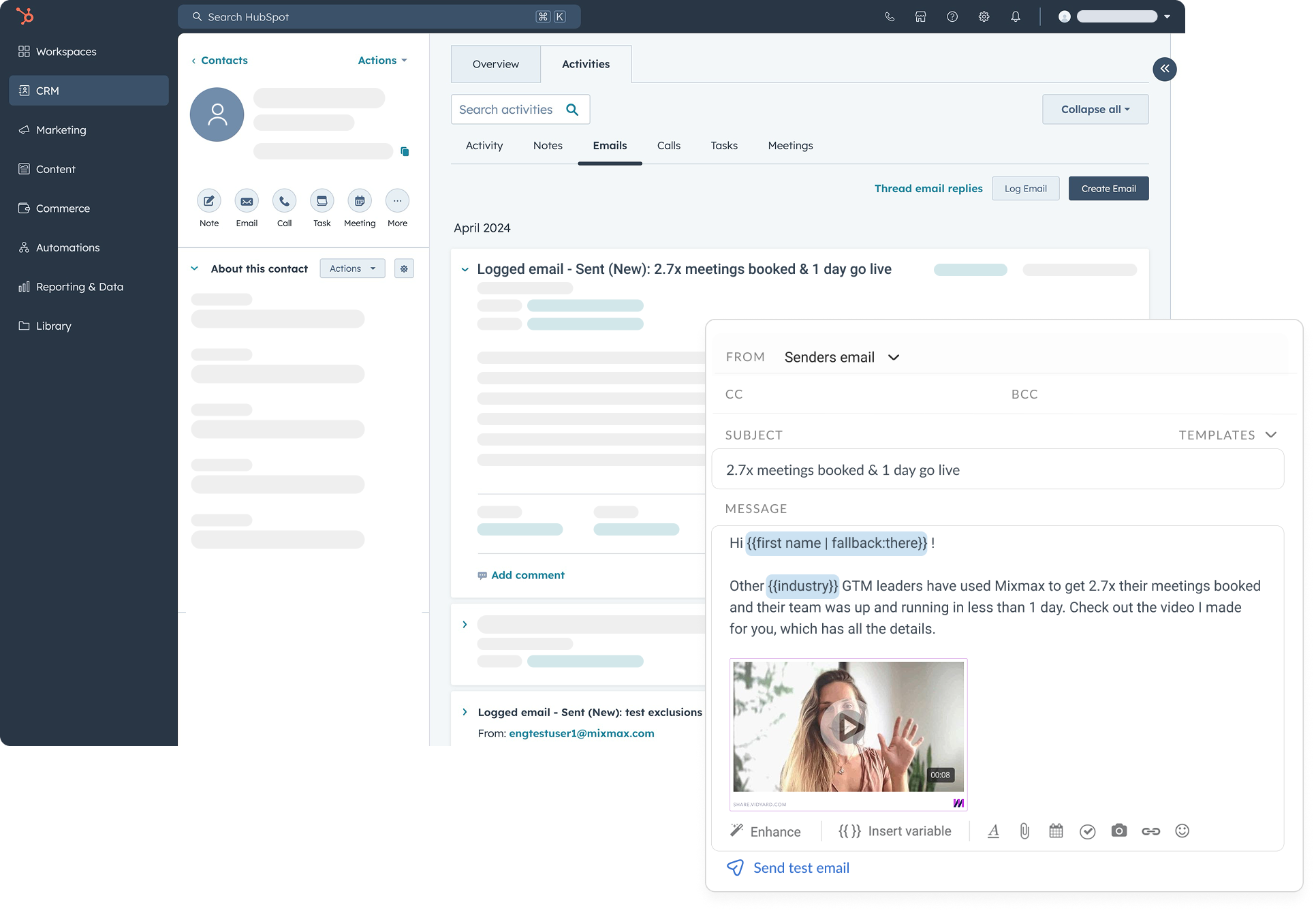
Mixmax allows users to build automation workflows that handle repetitive tasks. This includes sending follow-up emails, scheduling meetings, and updating CRM records automatically.
- Set triggers based on email opens or replies
- Send automatic follow-ups without manual effort
- Integrate with CRM and other tools for seamless data flow
Automation frees sales reps from routine tasks and lets them focus on closing deals.
Seamless Gmail Integration: Enhancing User Experience For Email-heavy Sales Teams
Mixmax works inside Gmail, preserving the familiar interface. This means no need to switch apps or learn new tools.
- Access Mixmax features directly in Gmail’s inbox
- Use tracking, templates, and automation without leaving Gmail
- Compatible with Gmail’s native features and extensions
This integration fits naturally into daily workflows, especially for teams relying heavily on email.
Key Features Of Hubspot
HubSpot offers a powerful set of features designed for startups and small businesses. It combines sales, marketing, and customer service tools into one easy-to-use platform. HubSpot’s CRM is free forever, helping teams organize customer data without extra costs. The following sections highlight its core features that help businesses grow efficiently.
All-in-one Crm Platform: Managing Sales, Marketing, And Service
HubSpot’s CRM platform unifies sales, marketing, and customer service in one place. This integration allows teams to track leads, automate follow-ups, and manage customer interactions smoothly.
- Centralized customer data for better decision-making
- Easy contact and deal management
- Tools to support marketing campaigns and sales pipelines
- Customer service features to handle support tickets efficiently
The platform uses AI to simplify data understanding, making complex tasks easier for small teams.
Team-wide Template Libraries: Facilitating Collaborative Sales Efforts
HubSpot provides shared email templates and sequences for teams. This feature helps sales teams work together, maintaining consistent messaging across all customer communications.
- Create and save email templates for quick use
- Share templates with the entire sales team
- Track email performance to improve outreach
- Automate follow-ups with sequences based on customer actions
Such collaboration reduces repetitive work and improves response times.
Robust Marketing Automation: Driving Lead Nurturing And Conversion
HubSpot’s marketing automation tools help businesses nurture leads through personalized campaigns.
- Automate email marketing workflows
- Score leads based on engagement
- Trigger actions like emails or notifications when leads take specific steps
- Integrate forms and landing pages for smooth data capture
This automation accelerates sales cycles and improves lead conversion rates.
Custom Objects And Advanced Reporting: Gaining Deeper Sales Insights
HubSpot allows users to create custom objects to track unique business data beyond standard CRM fields.
| Feature | Benefit |
|---|---|
| Custom Objects | Track data specific to your business needs |
| Advanced Reporting | Generate detailed sales and marketing reports |
| Data Visualization | Understand trends and performance at a glance |
| Customizable Dashboards | Focus on the most important metrics for your team |
These tools provide deep insights, helping teams adjust strategies based on real data.
Pricing And Affordability Breakdown
Understanding the pricing and affordability of Mixmax and HubSpot helps businesses choose the right CRM tool. Both platforms offer tiered pricing but differ in flexibility, fees, and contract terms. This section breaks down their pricing plans and highlights key cost factors.
Mixmax Pricing Plans: Flexibility For Small To Medium Teams
Mixmax provides pricing options designed for small and medium-sized teams. Plans focus on email productivity and sales automation features.
| Plan | Monthly Cost (per user) | Key Features |
|---|---|---|
| Starter | $9 | Basic email tracking, scheduling, templates |
| Growth | $24 | Advanced automation, sequences, integrations |
| Enterprise | Custom pricing | Dedicated support, custom features, security |
Mixmax allows monthly or annual billing, offering flexibility without long-term contracts. Teams can upgrade or downgrade easily as needs change.
Hubspot Pricing Structure: Free To Enterprise With Scaling Costs
HubSpot CRM starts with a free plan that never expires. This plan includes core CRM features suitable for startups and small businesses.
| Plan | Price | Features |
|---|---|---|
| Free | $0 | Contact management, email tracking, basic reporting |
| Starter | From $50/month | Email marketing, additional contacts, integrations |
| Professional | From $890/month | Marketing automation, analytics, custom reporting |
| Enterprise | From $3,200/month | Advanced customization, AI features, dedicated support |
HubSpot’s costs rise steeply for higher tiers and larger contact lists. Plans suit businesses expecting to scale their marketing and sales operations.
Cost Considerations: Onboarding Fees, Contract Terms, And Feature Access
- Onboarding Fees: HubSpot often requires onboarding fees, especially for Professional and Enterprise plans.
- Contract Terms: HubSpot may lock users into annual contracts, limiting flexibility.
- Feature Access: Some essential features in HubSpot are behind higher-tier plans, increasing total cost.
- Mixmax: No mandatory onboarding fees and month-to-month billing offer easier entry and exit.
- Scaling Costs: HubSpot’s pricing scales with contacts and features, while Mixmax charges mainly per user.
Businesses should weigh these factors against their budget and growth plans. Mixmax fits teams needing flexible, user-based pricing. HubSpot suits companies ready for a full-featured CRM with scalable investments.
Pros And Cons Based On Real-world Usage
Choosing between Mixmax and HubSpot depends on what your business needs most. Both tools serve different purposes and excel in unique areas. Real users find value in understanding these strengths and weaknesses clearly.
Mixmax Pros: Email Focused, User-friendly, And Affordable
- Email Focused: Mixmax is built to enhance email productivity. It offers tracking, scheduling, and templates that boost daily email tasks.
- User-Friendly: The interface is simple and intuitive. New users can start without steep learning curves or complex setups.
- Affordable: Pricing is accessible for startups and small businesses. It offers key features at a lower cost than many competitors.
Mixmax Cons: Limited Crm Capabilities Compared To Hubspot
Mixmax lacks deep CRM features. It does not provide full contact management or sales pipeline tools like HubSpot. Businesses needing all-in-one CRM solutions may find it insufficient.
Hubspot Pros: Comprehensive Toolset And Scalability
- Comprehensive Toolset: HubSpot combines CRM, marketing, sales, and service tools in one platform. It unifies customer data effectively.
- Scalability: Suitable for growing businesses. It supports advanced features and integrations as companies expand.
- Free CRM Option: HubSpot offers a free CRM with no expiration, making it easy to start without upfront costs.
Hubspot Cons: Higher Costs, Mandatory Onboarding, And Paywalls For Key Features
| Issue | Details |
|---|---|
| Higher Costs | Pricing increases sharply as features and contacts grow. |
| Mandatory Onboarding | Some plans require paid onboarding, adding to initial expenses. |
| Paywalls for Key Features | Essential tools like advanced reporting and automation often require premium plans. |
Ideal Users And Use Case Recommendations
Choosing the right tool depends on business needs and team focus. Mixmax and HubSpot serve different purposes but can complement each other well. Understanding their ideal users and use cases helps in making an informed decision.
When To Choose Mixmax: Email-centric Sales Teams And Startups
Mixmax suits teams that rely heavily on email for sales and outreach. Startups and small sales teams benefit from its email tracking, sequencing, and scheduling features.
- Focus on personalizing and automating email communication
- Need tools to track email opens, clicks, and replies in real-time
- Want to schedule meetings directly from email threads
- Require simple integration with Gmail and Outlook
Mixmax helps sales reps spend less time on manual tasks and more on conversations.
When To Choose Hubspot: Businesses Needing Full Crm And Marketing Automation
HubSpot fits companies that want an all-in-one CRM with marketing automation and customer management.
- Require a central hub for all customer data with no expiration fees
- Need tools for email marketing, lead nurturing, and pipeline management
- Want easy-to-use dashboards and AI-powered insights
- Look for scalable solutions as the business grows
HubSpot is ideal for startups and small businesses aiming to unify sales and marketing efforts.
Integration Scenarios: Using Mixmax With Hubspot For Enhanced Sales Engagement
Combining Mixmax with HubSpot creates a powerful sales engagement system.
| Function | HubSpot Role | Mixmax Role |
|---|---|---|
| Customer Data Storage | Central CRM for contacts and deals | N/A |
| Email Outreach | Basic email marketing features | Advanced email tracking, sequencing, and templates |
| Meeting Scheduling | Calendar sync and booking links | Inline scheduling directly within email threads |
| Sales Automation | Lead scoring and workflow automation | Email sequence automation and reminders |
This integration supports a smooth workflow from lead capture to personalized follow-ups.
Sales teams gain detailed email insights while keeping all data synced in HubSpot’s CRM.
Conclusion: Making The Right Choice For Sales Success
Choosing between Mixmax and HubSpot shapes your sales journey. Each tool offers unique strengths that impact your daily workflow and overall results. This section breaks down their advantages and challenges to help match the right tool with your business needs.
Summary Of Strengths And Limitations
| Feature | Mixmax | HubSpot |
|---|---|---|
| Email Tracking & Automation | Robust email tracking and scheduling tools | Integrated email automation within CRM |
| CRM Functionality | Limited CRM features, focused on email productivity | Comprehensive CRM with marketing and sales tools |
| Pricing | Offers free tier with essential features | Free CRM, but paid plans get costly as you scale |
| Ease of Use | Simple interface for email-centric tasks | User-friendly but some onboarding fees and contracts apply |
| Best For | Sales teams focused on email outreach | Startups and small businesses needing all-in-one CRM |
Aligning Tool Capabilities With Business Needs
Match tool features to your business goals. Consider these points:
- Email-driven sales: Mixmax streamlines outreach and follow-ups.
- Full CRM solution: HubSpot unifies contact data and automates tasks.
- Budget constraints: Mixmax’s free plan suits tight budgets; HubSpot may require investment as you grow.
- Team size and growth: HubSpot scales well with expanding teams and pipelines.
- Learning curve: Mixmax offers quick setup; HubSpot may need onboarding time.
Final Thoughts On Maximizing Sales Efficiency With Mixmax Or Hubspot
Focus on your sales process needs. Both tools improve efficiency but in different ways.
Mixmax boosts email productivity with tracking, templates, and scheduling. HubSpot combines CRM, marketing, and sales tools on one platform.
Choose Mixmax for straightforward email outreach without heavy CRM demands. Pick HubSpot for a full-featured CRM that grows with your startup or small business.
Invest time in testing each platform’s free options. This approach helps identify which tool fits your sales workflow best.
Credit: www.mixmax.com
Frequently Asked Questions
Who Is Hubspot’s Biggest Competitor?
HubSpot’s biggest competitors include Salesforce, Zoho CRM, and Freshdesk. These platforms offer strong CRM, marketing, and sales automation tools.
What Crm Is Better Than Hubspot?
CRMs like Act CRM, Zoho, and Freshdesk often outperform HubSpot in marketing automation and affordability. Choose based on specific business needs.
Is Mixmax Free?
Mixmax offers a free plan with basic email tracking and scheduling features. Paid plans unlock advanced automation and integrations.
What Are The Downsides Of Hubspot?
HubSpot can become costly as your business grows. It has mandatory onboarding fees and annual contracts. Some essential features require expensive upgrades. Its all-in-one design may limit flexibility for specialized needs.
Conclusion
Choosing between Mixmax and HubSpot depends on your business needs. Mixmax excels at email tracking and automation. HubSpot offers a full CRM system with marketing and sales tools. HubSpot’s free CRM unifies customer data easily and stays free forever. For startups and small businesses, HubSpot provides strong features to grow your customer base. Explore HubSpot’s offerings and see if it fits your goals. Learn more about HubSpot’s CRM software here.

