
Are you looking for a CRM that your team will actually enjoy using? Meet Salesflare—a simple yet powerful tool designed specifically for small and medium-sized businesses selling B2B.
It helps you keep track of your contacts, automate tedious tasks, and close deals faster without the usual hassle of complicated software. If you want a CRM that works with you, not against you, Salesflare might be exactly what you need. Ready to see how it can transform your sales process? Check out Salesflare here and discover the CRM your team will love.
What Is Salesflare: A Brief Introduction
Salesflare is a simple yet powerful CRM designed specifically for small and medium-sized businesses that sell B2B. It helps sales teams manage customer relationships without the usual complexity of traditional CRMs. Salesflare automates data entry and gathers customer information from emails, social media, and calendars to keep your sales pipeline updated.
This CRM aims to make daily sales tasks easier and faster, allowing teams to focus on selling rather than manual data work. Its clean design and smart features make it a tool that salespeople actually enjoy using.
Understanding Salesflare And Its Purpose
Salesflare is built to simplify customer relationship management. It automatically collects and organizes sales data, reducing the need for manual input. The software tracks emails, meetings, and calls, linking them to the right contacts and deals.
Its main purpose is to help sales teams:
- Keep customer data up to date effortlessly
- Visualize the sales pipeline clearly
- Improve follow-ups with smart reminders
- Increase productivity by saving time on admin
By combining automation with ease of use, Salesflare helps teams close deals faster.
How Salesflare Fits Into The Crm Landscape
In the CRM market, Salesflare stands out by focusing on automation and simplicity. Unlike large, complex CRM systems, it offers:
| Feature | Salesflare | Traditional CRMs |
|---|---|---|
| Ease of Use | Intuitive and clean interface | Often complex and overwhelming |
| Automation | Automatic data capture from emails and calendars | Manual data entry required |
| Target Users | Small and medium-sized B2B businesses | Large enterprises and various industries |
| Setup Time | Minimal, quick to start | Longer, requires training |
Its focus on B2B sales teams makes Salesflare a practical choice for businesses needing a CRM that just works.
Who Can Benefit Most From Salesflare
Salesflare suits businesses that want easy-to-use, automated CRM tools without extra complexity. The best fits include:
- Small and medium-sized companies selling to other businesses (B2B)
- Sales teams tired of manual data entry
- Companies wanting better visibility into their sales pipeline
- Teams that use email and calendar as main communication tools
Salesflare helps these groups manage relationships and close sales with less effort.

Credit: research.com
Key Features That Make Salesflare Unique
Salesflare stands out as a CRM designed for small and medium B2B businesses. It combines simplicity with powerful tools to help teams stay organized and close deals faster. Its features save time, improve customer relations, and boost productivity.
Automated Data Capture: Saving Time And Reducing Manual Entry
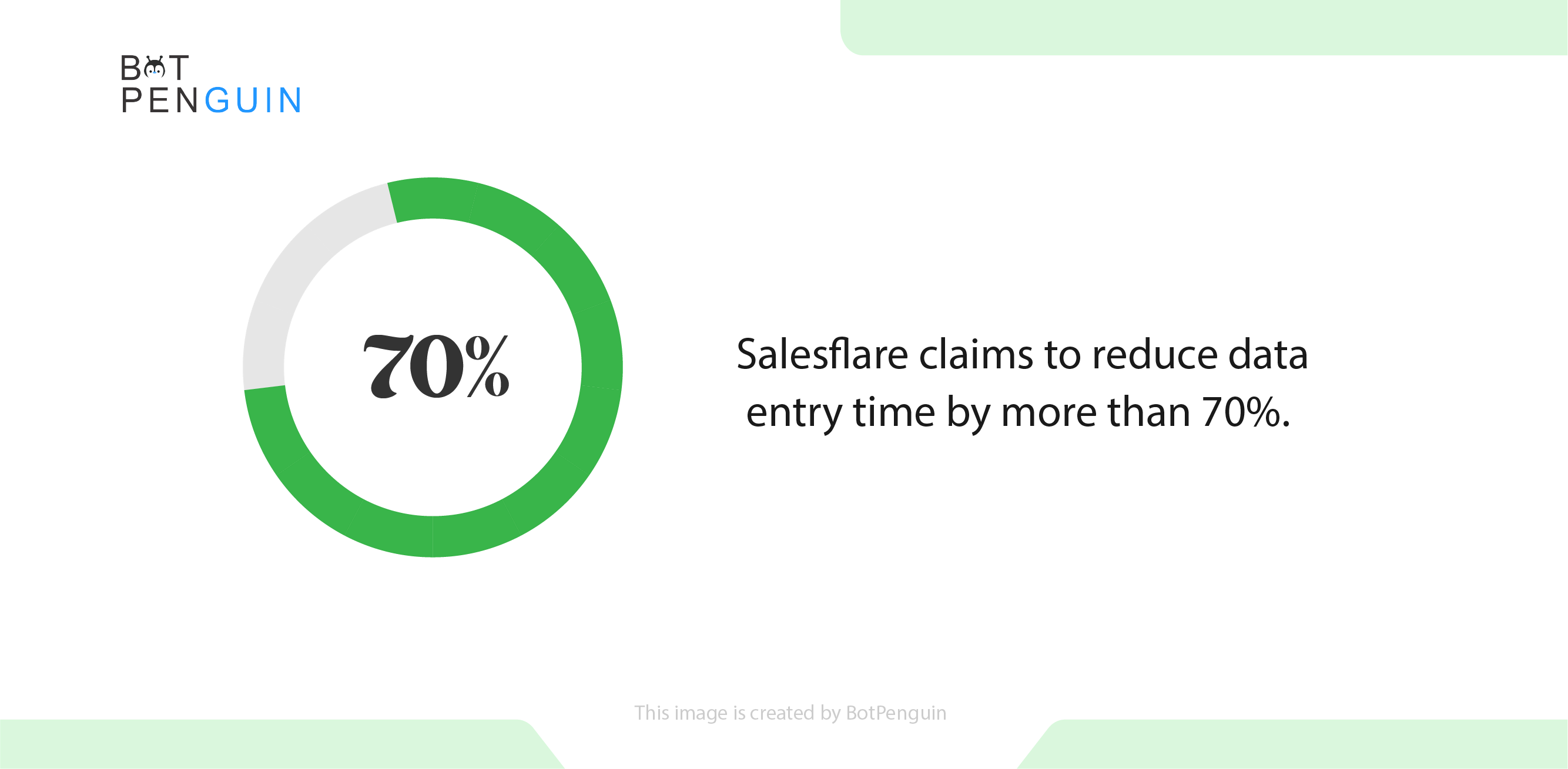
Salesflare automatically collects data from emails, calendars, and social media. It fills contact details and logs communication without manual input. This feature saves hours by reducing repetitive tasks and minimizing errors.
- Automatically updates contact info
- Logs emails and meetings
- Tracks social media interactions
Intelligent Contact Management: Building Deeper Customer Relationships
The CRM organizes contacts smartly, linking related companies and people. It shows communication history and reminders for follow-ups. This helps teams understand customers better and personalize interactions.
- Connects contacts with their companies
- Displays full communication timeline
- Offers smart reminders for next steps
Sales Pipeline Automation: Streamlining Deal Tracking And Follow-ups
Salesflare automates the sales pipeline by moving deals through stages automatically. It notifies teams about important tasks and deadlines. This keeps sales processes clear and focused, reducing missed opportunities.
- Automates deal stage updates
- Sends task reminders
- Tracks progress with visual pipelines
Email Tracking And Templates: Enhancing Communication Efficiency
Track when emails are opened or clicked. Use customizable email templates to save time. These tools improve communication speed and effectiveness, ensuring timely follow-ups.
- Real-time email open and click alerts
- Ready-to-use, editable email templates
- Personalizes emails for better response
Integration With Google Workspace And Other Tools: Creating A Seamless Workflow
Salesflare works smoothly with Google Workspace apps like Gmail and Calendar. It also connects with other tools via Zapier. This integration keeps all sales and communication data in one place.
| Integrated Tools | Purpose |
|---|---|
| Gmail | Email tracking and logging |
| Google Calendar | Meeting scheduling and reminders |
| Zapier | Connects with other apps and workflows |
Insightful Analytics And Reporting: Making Data-driven Sales Decisions
Salesflare provides clear reports and dashboards. Sales teams track performance, monitor pipeline health, and identify trends. Data helps make smart decisions and improve sales strategies.
- Visual sales dashboards
- Reports on deals, activities, and results
- Identifies sales bottlenecks
Mobile Accessibility: Managing Sales On-the-go
Salesflare offers a mobile app for iOS and Android. Teams can update deals, add contacts, and check tasks anywhere. This flexibility keeps sales moving even outside the office.
- Full CRM access on mobile devices
- Add or edit contacts and deals quickly
- Receive notifications and reminders
Security And Data Privacy: Protecting Your Customer Information
Salesflare ensures customer data is safe with strong security measures. It uses encryption and secure servers. Privacy policies comply with regulations, giving peace of mind.
- Data encrypted in transit and at rest
- Regular security audits and updates
- Compliance with GDPR and other standards
Pricing And Affordability Breakdown
Understanding Salesflare’s pricing is key to choosing the right CRM. Salesflare offers clear plans designed for small and medium businesses. These plans balance features and costs, helping teams find the best fit. This section breaks down pricing, compares features, and shows how to try Salesflare without risk.
Overview Of Salesflare Pricing Plans
Salesflare provides simple pricing with two main plans:
| Plan | Price (per user/month) | Main Features |
|---|---|---|
| Pro | $29 | Contact management, email tracking, automation, integrations |
| Enterprise | Custom pricing | Advanced analytics, API access, dedicated support, custom workflows |
The Pro plan suits most small teams. Enterprise is for larger companies needing extra tools.
Comparing Features Across Pricing Tiers
Salesflare’s plans differ mainly in features and support:
- Pro Plan: Automates data entry, tracks emails, syncs calendars.
- Enterprise Plan: Adds custom reports, API use, and tailored onboarding.
Both plans include:
- Unlimited contacts and companies
- Email and calendar integration
- Mobile app access
The Enterprise plan offers more control and personalization for bigger teams.
Value For Money: Assessing Cost Vs. Benefits
Salesflare’s pricing offers solid value:
- Pro Plan: Good for startups wanting to save time on sales tasks.
- Enterprise Plan: Fits businesses needing deeper insights and support.
Automation features reduce manual work, saving effort and costs.
Integrations with popular tools increase team efficiency. This boosts return on investment.
Trial And Free Options: Testing Salesflare Before Committing
Salesflare offers a 14-day free trial. This trial includes all Pro plan features.
During the trial, users can:
- Import contacts
- Set up email tracking
- Explore automation tools
No credit card is needed to start the trial.
This lets teams test Salesflare risk-free before purchasing.
Pros And Cons Based On Real-world Usage
Salesflare is a CRM designed for small and medium businesses selling B2B. Users appreciate its simplicity combined with useful automation features. This section explores the main advantages and limitations reported by real users. It also includes common feedback and a comparison with other popular CRMs.
Advantages: What Users Love About Salesflare
- Ease of Use: Intuitive interface requires minimal training.
- Automation: Automatically logs emails, calls, and meetings.
- Integration: Works smoothly with Google Workspace and Microsoft 365.
- Contact Management: Organizes customer data efficiently and updates it in real time.
- Sales Pipeline: Visual pipeline helps track deals easily.
- Mobile Access: Fully functional mobile app for on-the-go use.
Limitations: Areas Where Salesflare Could Improve
- Customization: Limited options for custom fields and reports.
- Pricing: Can be pricey for very small teams or startups.
- Advanced Features: Lacks some deeper analytics and forecasting tools.
- Learning Curve for Automation: Some automation settings can be confusing initially.
- Customer Support: Response times vary depending on subscription level.
Common User Feedback And Testimonials
Positive feedback often highlights how Salesflare saves time by reducing manual data entry. Users say it helps sales teams stay organized and follow up faster.
Critical feedback focuses on the need for more reporting options and better pricing tiers for smaller businesses. Some users want deeper integration with other sales tools.
| Feedback Type | Common Points |
|---|---|
| Positive | Simple to use, automation saves time, good mobile app |
| Negative | Limited customization, higher price, lack of advanced reports |
Comparing Salesflare With Other Popular Crms
| Feature | Salesflare | HubSpot CRM | Zoho CRM |
|---|---|---|---|
| Ease of Use | Very simple, minimal training | Simple, user-friendly | Moderate learning curve |
| Automation | Strong email and activity logging | Good automation tools | Advanced automation available |
| Customization | Limited custom fields and reports | Good customization options | Highly customizable |
| Pricing | Mid-range, can be expensive for small teams | Free tier available | Affordable tiers for small businesses |
| Integration | Strong with Google Workspace | Wide range of integrations | Wide range of integrations |
Specific Recommendations For Ideal Users And Scenarios
Salesflare is designed to serve particular types of sales teams and situations effectively. Understanding who benefits most from this CRM and when it works best can guide businesses to make the right choice. This section highlights the ideal users, scenarios for quick sales boosts, alternatives for others, and tips to maximize Salesflare’s potential.
Best For Small To Medium-sized Sales Teams Seeking Automation
Salesflare fits perfectly with small to medium-sized B2B sales teams wanting to reduce manual data entry. It automates contact and lead management by syncing emails, calendar events, and social profiles.
Key benefits for these teams:
- Simple setup without technical support
- Automatic data capture from daily communications
- Easy tracking of sales pipelines and follow-ups
- Integration with common tools like Gmail and Outlook
Teams with limited resources to manage complex CRMs find Salesflare friendly and efficient.
Ideal Scenarios For Using Salesflare To Boost Sales Fast
Salesflare excels in scenarios needing quick organization and automation to increase sales activity. Examples include:
- Startups aiming to build a structured sales process fast
- Growing businesses that need to improve lead follow-ups without extra staff
- Remote sales teams requiring cloud-based access with seamless communication tracking
- Companies wanting to automate repetitive tasks like logging emails or scheduling reminders
| Scenario | Why Salesflare Works |
|---|---|
| New sales teams | Easy onboarding and quick pipeline visibility |
| Teams needing automation | Reduces manual data entry and follow-up errors |
| Remote or hybrid teams | Cloud access with real-time updates |
Who Should Consider Alternative Crm Solutions
Salesflare may not suit every business. Consider other CRMs if:
- Your sales team is very large or enterprise-level, requiring complex customization.
- You need advanced marketing automation beyond basic email templates.
- Your business model is B2C or requires extensive customer service tracking.
- You want deep analytics and reporting capabilities for multiple departments.
In such cases, explore CRMs like Salesforce, HubSpot, or Zoho CRM, which offer broader features.
Tips For Getting The Most Out Of Salesflare
Maximize Salesflare’s value by following these tips:
- Integrate your email and calendar to automate contact updates and reminders.
- Use templates for emails to save time and keep communication consistent.
- Regularly update your pipeline to track progress and next actions clearly.
- Train your team on key features for uniform adoption and efficiency.
- Leverage the mobile app to manage sales on the go.
Consistent use of these practices helps maintain clean data and improves sales follow-up accuracy.

Credit: www.townsquareinteractive.com
Getting Started With Salesflare: Basic Onboarding
Starting with Salesflare is simple and fast. This CRM is built for small and medium B2B businesses. It automates routine tasks and keeps your data organized. The onboarding process helps you set up your account, import contacts, and tailor the system to your sales workflow. Follow the steps below to begin using Salesflare effectively.
Step-by-step Guide To Setting Up Your Account
- Create your Salesflare account. Use your business email to sign up.
- Connect your email and calendar. This allows automatic tracking of communication.
- Set your company profile. Add your business details for personalization.
- Invite your sales team. Collaborate with colleagues by adding their accounts.
- Review default settings. Adjust time zones, currencies, and notification preferences.
- Explore the dashboard. Familiarize yourself with the main interface and features.
Best Practices For Importing Contacts And Data
Importing contacts correctly saves time and ensures data quality. Use these tips:
- Clean your data. Remove duplicates and outdated information before import.
- Use CSV or Excel files. Salesflare accepts common formats for easy upload.
- Map fields carefully. Match columns like name, email, and phone to CRM fields.
- Import in batches. Large imports work better when split into smaller groups.
- Verify import results. Check for errors or missing data after upload.
Customizing Salesflare For Your Sales Process
Adjust Salesflare to fit how your team sells. Customization improves efficiency and user adoption.
| Customization Area | Action | Benefit |
|---|---|---|
| Sales Pipelines | Create stages that match your sales cycle. | Track deals clearly at every step. |
| Custom Fields | Add fields for info unique to your business. | Capture all relevant data in one place. |
| Email Templates | Build reusable email messages. | Save time and keep communication consistent. |
| Automation Rules | Set triggers for reminders or follow-ups. | Reduce manual tasks and stay on schedule. |
Training Resources And Support Options
Salesflare provides various tools to help users learn and solve issues quickly.
- Help Center: Access guides, FAQs, and tutorials online anytime.
- Video Tutorials: Step-by-step videos explain key features.
- Live Chat Support: Get real-time help from support agents.
- Webinars: Join sessions for deep dives and tips.
- Community Forum: Connect with other users and share ideas.
Use these resources to boost confidence and ensure smooth CRM adoption.
Credit: botpenguin.com
Frequently Asked Questions
How Much Does Salesflare Cost?
Salesflare offers plans starting at $29 per user/month, billed annually. Pricing varies by features and team size.
Is Salesflare A Crm?
Yes, Salesflare is a CRM designed to automate sales processes and manage customer relationships efficiently. It integrates emails, calls, and social media data automatically.
What Exactly Is Salesforce Used For?
Salesforce is a cloud-based CRM platform used to manage customer relationships, sales, marketing, service, and data analytics. It helps businesses track leads, automate processes, personalize experiences, and improve team collaboration efficiently.
Which Crm Is Best For Beginners?
HubSpot CRM, Zoho CRM, and Freshsales are best for beginners. They offer easy setup, free plans, and user-friendly features. Pipedrive suits visual sales tracking, while Less Annoying CRM focuses on simple contact management. These options balance simplicity and essential tools for new users.
Conclusion
Salesflare is a simple CRM designed for small and medium B2B businesses. It helps teams organize contacts and track sales easily. Using Salesflare can save time and improve customer communication. The tool works well with email and calendars, making data entry minimal. Many users find it helpful to keep sales efforts smooth and focused. Explore how Salesflare fits your business needs by visiting this link. It’s a practical choice for teams wanting a straightforward CRM solution.