

Are you tired of juggling between your sales leads and accounting software? Imagine having all your customer data and invoices connected seamlessly, saving you hours every week.
That’s exactly what Nutshell CRM QuickBooks integration offers. By linking your Nutshell CRM with QuickBooks Online, you can effortlessly migrate customer lists, create invoices directly from your leads, and automate your workflows to keep deals moving forward without missing a beat. Ready to simplify your sales and accounting processes while closing more deals faster? Discover how this powerful integration can transform your business and save you valuable time. Don’t miss out on the chance to boost your efficiency with 25% off this January—check it out here: Nutshell CRM QuickBooks Integration.
Introduction To Nutshell Crm Quickbooks Integration
The Nutshell CRM QuickBooks integration connects two powerful tools to streamline business operations. This integration helps combine customer management with financial tasks. Users can sync data, create invoices, and manage contacts efficiently. It saves time and reduces errors by linking sales and accounting processes.
Overview Of Nutshell Crm And Quickbooks Online
Nutshell CRM is a sales automation platform designed to help teams track leads and close deals faster. It offers easy-to-use tools for contact management, pipeline tracking, and workflow automation.
QuickBooks Online is a popular accounting software that manages invoices, expenses, and financial reporting. It supports small to medium businesses in handling their bookkeeping and tax tasks.
| Feature | Nutshell CRM | QuickBooks Online |
|---|---|---|
| Main Purpose | Sales and customer relationship management | Accounting and financial management |
| Key Functions | Lead tracking, deal management, workflow automation | Invoicing, expense tracking, financial reports |
| Target Users | Sales teams and customer service | Business owners and accountants |
Purpose And Benefits Of Integrating Nutshell With Quickbooks
The integration links sales data with accounting records automatically. It helps users to:
- Import customer lists from QuickBooks to Nutshell easily.
- Create invoices directly from Nutshell leads without switching apps.
- Keep contact and financial data synchronized in real time.
- Reduce manual data entry and avoid errors.
- Speed up the billing and sales process.
This connection improves workflow by merging CRM and accounting tasks. It lets teams focus on closing deals and managing finances smoothly.
Who Can Benefit From This Integration
Businesses that want to link sales and accounting will find this integration useful. It fits well for:
- Small and medium-sized businesses aiming to save time on data entry.
- Sales teams needing quick invoice creation from deals.
- Accountants who want updated customer and sales info.
- Business owners wanting a clear view of sales and finances.
Overall, this integration supports better communication between sales and finance departments.
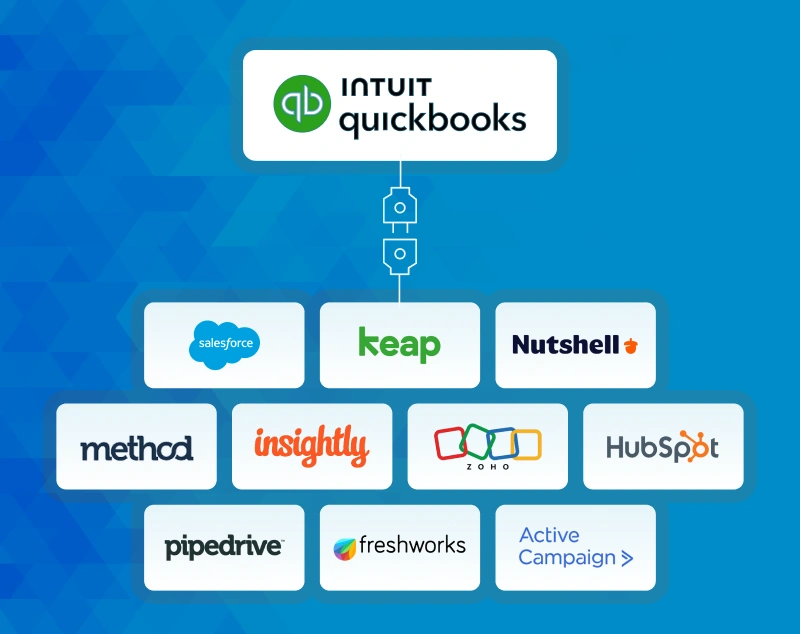
Credit: satvasolutions.com
Key Features Of Nutshell Crm Quickbooks Integration
The Nutshell CRM QuickBooks integration combines two powerful tools to simplify business operations. It helps manage customer data, invoicing, contacts, and inventory smoothly. This integration ensures better workflow and saves valuable time.
Seamless Customer Data Migration From Quickbooks To Nutshell
Move your customer lists from QuickBooks to Nutshell easily. Just a few clicks transfer all customer data. This keeps your CRM updated without manual entry. It reduces errors and saves time.
- Import customer details from QuickBooks quickly
- Maintain accurate and updated contact information
- Save hours on data entry tasks
Creating Quickbooks Invoices Directly From Nutshell Leads
Generate invoices in QuickBooks without leaving Nutshell. You can create invoices directly from your leads’ profiles. This speeds up billing and improves cash flow.
- Create QuickBooks invoices from Nutshell leads easily
- Keep sales and accounting in sync
- Reduce duplicate work and errors
Syncing Contacts, Companies, And Leads Between Platforms
Contacts, companies, and leads sync automatically between Nutshell and QuickBooks. This ensures consistent information on both platforms. Your sales and accounting teams stay aligned.
| Data Type | Sync Direction | Benefit |
|---|---|---|
| Contacts | Two-way | Up-to-date customer info in both systems |
| Companies | Two-way | Consistent company profiles for sales and finance |
| Leads | One-way (Nutshell to QuickBooks) | Quick access to new customer info for invoicing |
Automated Workflow Creation With Zapier Integration
Use Zapier to automate tasks between Nutshell and QuickBooks. Set triggers and actions to save manual work. Build workflows in minutes without coding.
- Choose a ready-made Zapier template
- Connect Nutshell and QuickBooks accounts
- Automate actions like invoice creation and contact updates
Inventory And Order Synchronization For Streamlined Operations
Keep inventory and orders aligned between Nutshell and QuickBooks. This avoids stock errors and missed orders. Manage sales and inventory from a single system.
- Sync product quantities and order details
- Reduce manual inventory updates
- Improve order fulfillment accuracy
Pricing And Affordability Breakdown
The cost of integrating Nutshell CRM with QuickBooks is a key factor for small businesses. Understanding each product’s pricing helps in budgeting effectively. This section breaks down the subscription fees for both tools and evaluates the value of their combined use. Clear pricing info supports smarter decisions.
Nutshell Crm Subscription Plans And Costs
Nutshell offers simple pricing with two main plans. Both include core CRM features, but differ in user limits and extras.
| Plan | Monthly Cost (per user) | Features |
|---|---|---|
| Starter | $35 | Basic CRM, Sales Automation, Email Sync |
| Pro | $55 | Advanced Reporting, API Access, Priority Support |
Both plans include access to Nutshell’s integration options, including QuickBooks syncing. Pricing is per user, billed monthly or annually.
Quickbooks Online Pricing Overview
QuickBooks Online has multiple tiers suitable for different business sizes. Plans vary by features like invoicing, payroll, and user count.
| Plan | Monthly Cost | Key Features |
|---|---|---|
| Simple Start | $30 | Basic Accounting, Invoicing, Expense Tracking |
| Essentials | $55 | Multiple Users, Bill Management, Time Tracking |
| Plus | $85 | Inventory, Project Profitability, Up to 5 Users |
QuickBooks pricing is monthly with discounts for annual payment.
Cost-effectiveness Of The Integrated Solution
Combining Nutshell CRM with QuickBooks creates a more efficient workflow. This reduces manual data entry and errors. The integration saves time on invoicing and customer management.
- Time savings improve productivity
- Accurate data means fewer mistakes
- Streamlined invoicing speeds cash flow
Though subscription costs add up, the integration pays off by simplifying tasks. Small teams often find this combined approach affordable and valuable.
Free Trial And Demo Options To Explore Features
Nutshell offers a free trial so users can test CRM features, including QuickBooks integration. This trial usually lasts 14 days. QuickBooks Online also provides a free trial period, typically 30 days, for its plans.
- Sign up for Nutshell’s free trial on their website.
- Connect QuickBooks during trial to test sync functions.
- Explore invoice creation and customer import features.
These trials help businesses assess usability and benefits without upfront cost. Demo videos and tutorials also assist in quick setup and learning.
Pros And Cons Based On Real-world Usage
The Nutshell CRM QuickBooks integration offers a blend of benefits and challenges. Users gain automation and improved data accuracy, but face setup and learning hurdles. Feedback reveals insights on reliability and support. Comparing this integration with others highlights its unique place in CRM and accounting workflows.
Advantages: Time-saving Automation And Data Accuracy
Integration automates data flow between Nutshell CRM and QuickBooks. This automation saves time by reducing manual entry.
- Customer lists migrate quickly from QuickBooks to Nutshell with just a few clicks.
- Invoices can be created directly from Nutshell leads, simplifying billing.
- Contacts and leads sync seamlessly, ensuring accurate and up-to-date information.
Automation keeps deals moving without extra effort. This reduces errors and improves business efficiency.
Challenges: Setup Complexity And Learning Curve
Initial setup requires several steps that may confuse new users.
- Configuring workflows between Nutshell and QuickBooks can take time.
- Users may need to learn new processes to manage synced data properly.
- Some features need manual adjustments after setup to work smoothly.
The learning curve slows adoption but becomes easier after regular use.
User Feedback On Integration Reliability And Support
Most users report stable syncing with minimal downtime.
| Aspect | User Experience |
|---|---|
| Reliability | Consistent data sync with rare errors reported. |
| Customer Support | Responsive but sometimes slow for complex issues. |
| Updates | Regular improvements help fix bugs and add features. |
Support teams assist users in resolving setup issues and optimizing workflows.
Comparison With Other Crm And Accounting Integrations
Nutshell’s integration is streamlined but less complex than some competitors.
- Ease of Use: Simpler interface compared to larger CRM systems.
- Functionality: Focused on core syncing and invoicing features.
- Customization: Limited advanced options but sufficient for small to mid-size businesses.
- Cost: Offers competitive pricing with discount promotions.
Other integrations may offer more extensive features but require more training and setup.
Ideal Users And Recommended Scenarios
The Nutshell CRM QuickBooks integration fits various business needs. It helps teams connect sales and accounting smoothly. This connection reduces errors and saves time. Users can manage customers and finances in one place. The integration suits different roles and business sizes.
Small To Medium Businesses Seeking Streamlined Sales And Accounting
Small and medium businesses benefit from this integration by simplifying workflows. It merges customer data from QuickBooks and Nutshell CRM quickly. This reduces duplicate entries and keeps records accurate.
- Import customer lists from QuickBooks to Nutshell easily.
- Create invoices in QuickBooks directly from Nutshell leads.
- Track sales and payments without switching platforms.
This integration supports growing businesses aiming to improve efficiency and reduce manual work.
Sales Teams Needing Efficient Lead-to-invoice Processes
Sales teams use this tool to speed up lead management and invoicing. It lets them create QuickBooks invoices from Nutshell leads without delay. This keeps deals moving faster through the sales funnel.
- Manage leads and contacts in Nutshell CRM.
- Send contact info to QuickBooks instantly.
- Create and send invoices without leaving Nutshell.
Such automation helps sales reps focus on closing deals, not paperwork.
Accounting Departments Aiming To Reduce Manual Data Entry
Accounting teams gain accuracy by syncing data between systems. The integration imports customer lists and sales data seamlessly. It cuts down on manual typing and errors.
| Feature | Benefit |
|---|---|
| QuickBooks customer list import | Eliminates duplicate data entry |
| Invoice creation from Nutshell | Saves time and reduces mistakes |
| Sync of contacts and leads | Ensures data consistency |
Accountants spend less time on admin tasks and more on analysis.
Businesses Focused On Improving Customer Management And Financial Accuracy
Companies aiming to enhance customer and financial data find this integration valuable. It keeps customer info and invoices aligned across both platforms.
- Automates data flow between sales and accounting.
- Provides a clear view of customer transactions.
- Improves decision-making with accurate financial data.
This integration supports better customer service and financial control.
Credit: satvasolutions.com
Conclusion: Boosting Efficiency Instantly With Nutshell And Quickbooks
Integrating Nutshell CRM with QuickBooks offers a clear path to faster, smarter business management. This connection saves time by syncing customer data and automating key tasks. Teams stay aligned, and sales and accounting work flow smoothly. The integration helps businesses reduce manual work and avoid errors, making daily operations simpler and more efficient.
Summary Of Key Benefits And Features
- Easy Data Migration: Import QuickBooks customer lists directly into Nutshell with just a few clicks.
- Invoice Creation: Generate QuickBooks invoices straight from Nutshell leads, speeding up billing.
- Real-Time Sync: Keep contacts and leads updated between both systems automatically.
- Workflow Automation: Use Zapier templates to build automated workflows linking Nutshell and QuickBooks.
- Improved Collaboration: Sales and accounting teams share accurate, up-to-date data effortlessly.
| Feature | Benefit |
|---|---|
| Customer List Import | Saves time and reduces data entry errors |
| Invoice Generation from Leads | Speeds up billing and improves cash flow |
| Automated Data Sync | Keeps sales and accounting data consistent |
| Zapier Workflow Templates | Automates repetitive tasks for efficiency |
Final Thoughts On Integration Impact
The Nutshell and QuickBooks integration transforms how small and medium businesses manage their sales and finances. It cuts down repetitive data entry and eliminates errors. Teams get a clear view of customer information and payment status without switching apps. The integration drives productivity by keeping workflows connected and simple.
Businesses gain faster deal closing and better invoice management. This leads to improved cash flow and customer satisfaction. Teams focus more on selling and less on manual tasks. The integration offers a strong foundation for growth by linking sales and accounting smoothly.
Next Steps To Implement And Maximize Integration
- Sign up for Nutshell CRM and set up your account.
- Connect QuickBooks Online through the integration settings in Nutshell.
- Import your QuickBooks customer list into Nutshell to unify data.
- Create invoices directly from Nutshell leads to streamline billing.
- Explore Zapier templates to automate workflows between Nutshell and QuickBooks.
- Train your team on how to use the integrated system effectively.
- Monitor and adjust workflows to ensure smooth operation and maximum efficiency.
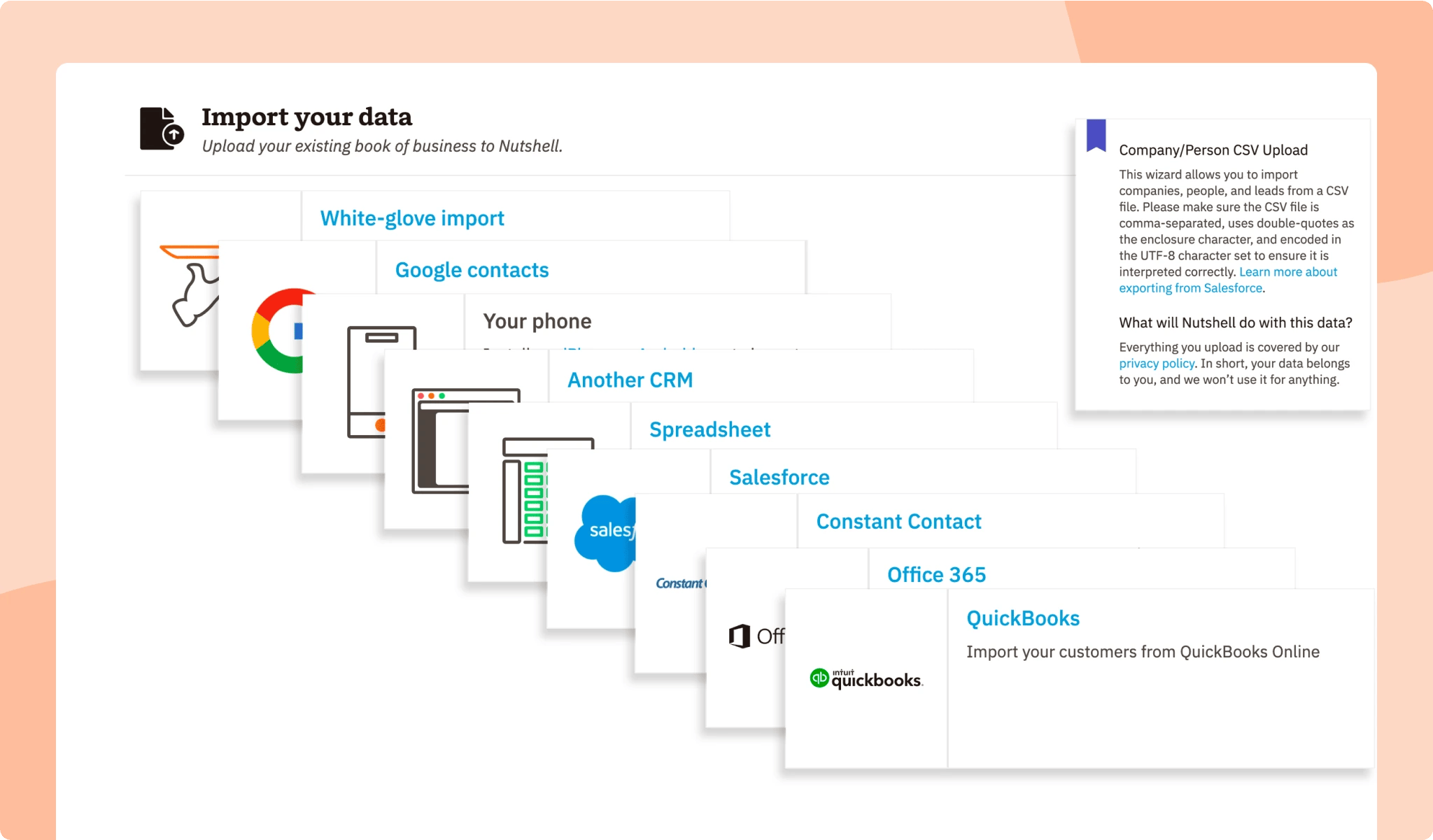
Credit: www.nutshell.com
Frequently Asked Questions
What Is Nutshell Crm Quickbooks Integration?
Nutshell CRM QuickBooks Integration connects your CRM with QuickBooks Online. It syncs customer data, leads, and invoices seamlessly. This saves time and reduces manual entry, improving business efficiency.
How To Import Quickbooks Customers Into Nutshell?
You can import QuickBooks customer lists into Nutshell in just a few clicks. This helps centralize customer management and enhances your sales and accounting workflows.
Can I Create Quickbooks Invoices From Nutshell Leads?
Yes, Nutshell allows you to create QuickBooks invoices directly from leads. This streamlines your invoicing process and ensures accurate billing without switching platforms.
Does Nutshell Sync Orders And Inventory With Quickbooks?
The integration supports syncing orders and inventory data between Nutshell and QuickBooks Online. This automation helps maintain accurate records and reduces errors in inventory management.
Conclusion
Nutshell CRM and QuickBooks integration simplifies your business tasks. Sync customer data easily between both platforms. Create invoices directly from Nutshell leads without extra steps. Automate workflows to save time and reduce errors. This integration helps keep your sales and accounting aligned. Try it now to improve your daily operations. Learn more about Nutshell CRM and its features here.

