
Are you wondering, “Is Monday CRM free?” If you’re looking to boost your team’s productivity with a smart, AI-powered CRM, it’s crucial to know what you get without paying a dime—and what features require a subscription.
Monday CRM offers powerful tools designed to simplify your sales process and automate tasks, but does that include a free plan? You’ll discover exactly what Monday CRM’s pricing looks like, what features come with the free options, and when you need to upgrade to a paid plan. Ready to find out if Monday CRM fits your budget and your business needs? Let’s dive in and clear up the confusion once and for all. Discover more about Monday CRM here: Monday CRM
Is Monday Crm Free? An Honest Overview
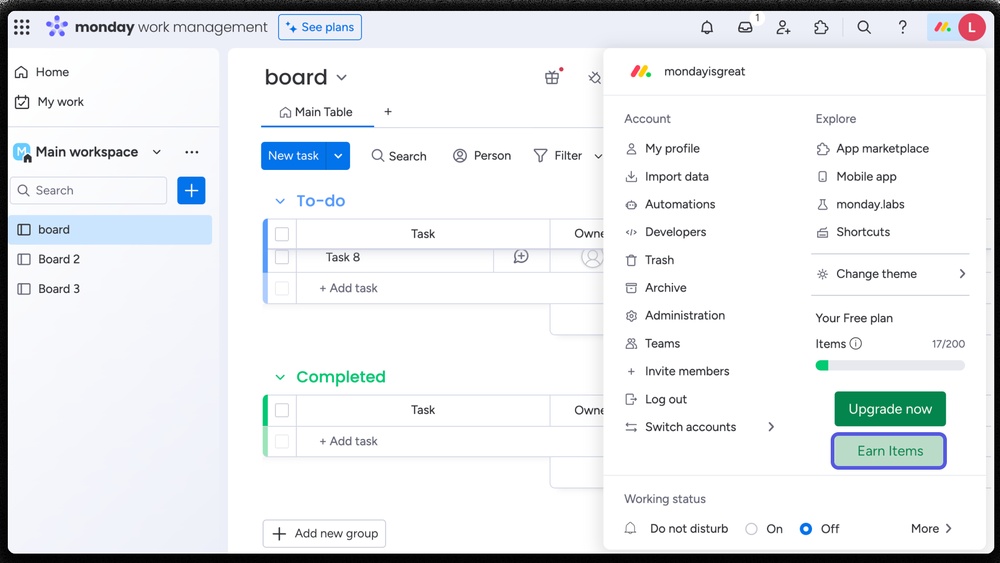
Monday CRM offers a powerful tool for managing customer relationships. Many wonder if this platform is free to use. The truth is, Monday CRM has free options but with important limits. Understanding what is included and what requires payment helps in making the right choice. This section explains the free plan, the difference between Monday CRM and Monday Work Management, and the trial period details.
Understanding Monday.com’s Free Plan: What’s Included And What’s Not
The free plan of Monday.com focuses on basic project and task management. It offers tools such as:
- Basic task tracking
- Communication tools
- Views like Table and Kanban
- Access to Workdocs
This plan works well for small teams or simple projects. However, full CRM features are not part of the free plan. To access advanced CRM tools, users must choose a paid plan.
Clarifying The Difference Between Monday Work Management And Monday Crm
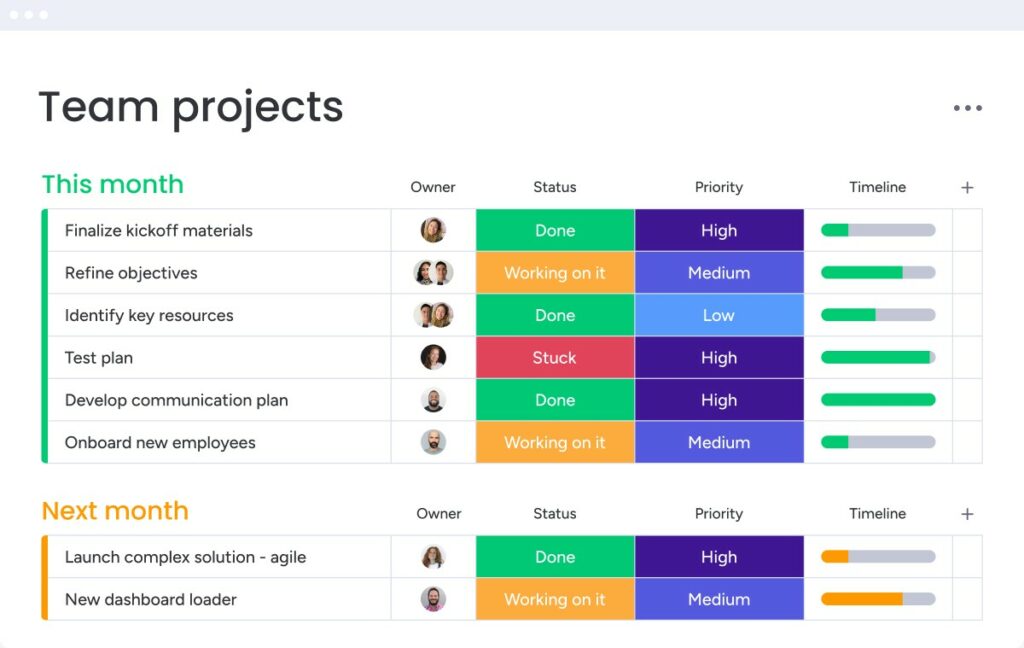
Monday Work Management is a broader platform for managing work tasks and projects. It includes features for team collaboration and workflow organization.
Monday CRM is built on this platform but adds specific tools for sales and customer relationship management. It includes:
- Lead tracking
- Sales pipeline management
- Automations tailored for CRM
The free plan mostly covers Monday Work Management. The CRM capabilities require a separate paid plan.
Duration And Limitations Of Monday Crm’s Free Trial
Monday CRM offers a 14-day free trial period for new users. This allows full access to CRM features without restrictions.
After the trial, users must select a paid plan to continue using CRM functions. The trial includes:
| Feature | Availability During Trial |
|---|---|
| Full CRM tools | Yes |
| Custom automations | Yes |
| Team collaboration | Yes |
| Unlimited users | No – depends on plan after trial |
The free trial helps teams test the CRM before buying. After 14 days, the CRM features stop unless paid plans are chosen.
Key Features Of Monday Crm And Their Benefits
Monday CRM offers a range of features designed to simplify customer management and boost sales efficiency. Each tool helps teams stay organized and work better together.
These features improve how businesses track contacts, automate tasks, collaborate, and customize workflows to fit unique needs. The benefits include saving time, reducing errors, and increasing team productivity.
Contact And Deal Tracking: Simplifying Customer Management
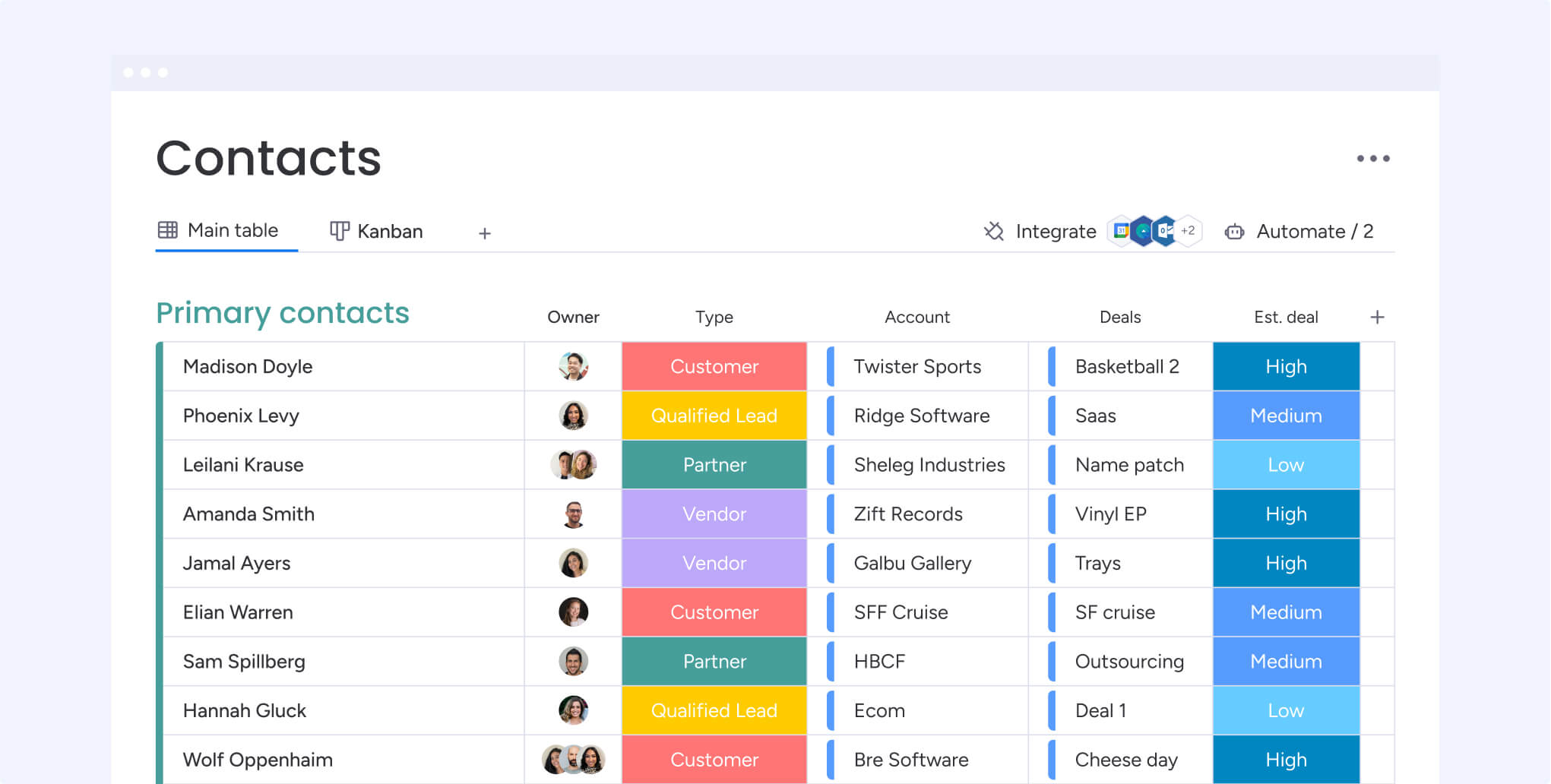
Monday CRM centralizes all customer information in one place. Users can easily add and update contacts, track deals, and monitor sales progress.
- Clear visibility of customer data and sales stages
- Quick access to contact history and communication logs
- Organized pipeline to manage deals and deadlines
This system helps sales teams focus on the right opportunities and improve customer relationships.
Automation Tools: Streamlining Sales Processes And Follow-ups
Automation in Monday CRM reduces manual work and keeps sales moving smoothly. It handles routine tasks like reminders, status updates, and follow-up emails.
- Automatic notifications for task deadlines and deal updates
- Scheduled emails to stay in touch with prospects
- Task creation triggered by specific sales events
These tools ensure no lead is forgotten and reduce the chance of human error.
Collaboration Features: Enhancing Team Communication And Efficiency
Teams use Monday CRM to share updates, files, and comments in real time. This keeps everyone informed and aligned on sales goals.
- Shared boards to track team progress
- Comments and mentions to discuss deals directly
- File attachments linked to contacts and projects
Improved communication cuts down on emails and meetings, speeding up decision-making.
Customizable Workflows: Tailoring Crm To Your Business Needs
Monday CRM adapts to different sales processes through customizable workflows. Users can set stages, forms, and automation rules that fit their style.
| Feature | Benefit |
|---|---|
| Custom deal stages | Match your unique sales cycle |
| Flexible form fields | Capture relevant customer info |
| Automation rules | Trigger actions based on conditions |
This flexibility helps teams stay organized and efficient no matter the industry.
Pricing And Affordability Breakdown
The pricing structure of Monday CRM offers options for different needs and budgets. Understanding the cost and features of each plan helps businesses decide the best fit. This section explains the paid plans, compares the free plan limits, and highlights what each tier offers in value.
Overview Of Monday Crm Paid Plans And Their Price Points
Monday CRM has several paid plans designed for growing teams. Prices start at $10 per user/month for the Basic features. Advanced plans with more tools and automation begin at $24 per user/month.
| Plan | Price (per user/month) | Main Features |
|---|---|---|
| Basic | $10 | Project & task management, communication tools, essential views |
| Standard & Pro | $24+ | Advanced automations, AI features, CRM-specific tools, integrations |
Comparing Free Plan Limitations To Paid Features
The free plan provides basic project and task management with limited views like Table and Kanban. It also includes communication tools and Workdocs.
- No dedicated CRM features
- Limited automation and integrations
- Basic collaboration tools only
To access full CRM functionality, including AI-powered automation and sales pipeline management, a paid plan is necessary.
Assessing Value: What You Get For Each Pricing Tier
Each pricing tier offers clear benefits:
- Free plan: Good for small teams handling simple projects.
- Basic plan ($10/user): Adds core CRM tools and improved collaboration.
- Standard & Pro plans ($24+/user): Provide powerful AI features, code-free automations, and custom workflows.
The paid plans deliver more than just features; they improve efficiency and team alignment. Businesses seeking growth and automation find strong value in the higher tiers.
Credit: support.monday.com
Pros And Cons Of Monday Crm Based On Real-world Usage
Monday CRM offers a mix of benefits and limitations in practical use. It is known for its ease of use and automation features, but users face some restrictions on the free plan. Understanding these pros and cons helps in choosing the right CRM solution for your team.
Advantages: User-friendly Interface And Robust Automation
Monday CRM stands out with its simple, clean interface. Users can quickly learn to navigate and manage tasks without steep learning curves.
- Intuitive dashboards make it easy to track sales pipelines and customer data.
- Drag-and-drop features simplify project updates and task assignments.
- AI-powered automation reduces manual work by automating routine tasks.
- Code-free automations let teams set triggers and actions without coding knowledge.
These features help teams save time and increase productivity.
Drawbacks: Free Plan Restrictions And Cost Considerations
The free plan of Monday CRM includes only basic project and task management tools. It offers limited views such as Table and Kanban and some communication tools.
| Feature | Free Plan | Paid Plans |
|---|---|---|
| CRM Functionality | Limited, no dedicated CRM features | Full CRM tools and integrations |
| Automation | Basic or none | Advanced AI and code-free automations |
| Views | Table, Kanban | More views including Timeline, Gantt |
| Users | Limited | Scalable for teams |
Paid plans start at around $10 per user. Teams seeking full CRM capabilities must upgrade.
User Feedback Highlights And Common Challenges
Users praise Monday CRM for its ease of setup and automation power. The interface receives positive notes for clarity and flexibility.
- Some users report the free plan limits growth as teams expand.
- Advanced features require paid plans, which can add up for larger teams.
- Learning to customize workflows takes time but is rewarding.
- Occasional syncing issues with third-party apps have been noted.
Overall, Monday CRM suits small to medium teams needing an easy tool with smart automation.
Who Should Consider Monday Crm?
Monday CRM offers flexible options for users with different needs. Its free plan suits basic task management and communication, while paid plans unlock full CRM features. Understanding who benefits from each option helps choose the right plan.
Ideal Users For The Free Plan And Its Limitations
The free plan is perfect for individuals and small groups with simple needs. It includes:
- Basic project and task management
- Communication tools for team collaboration
- Views like Table and Kanban for organizing work
- Access to Workdocs for documentation
Limitations of the free plan include:
- No access to advanced CRM features
- Limited automation and AI capabilities
- Restricted integrations and customization
- Smaller user limits compared to paid plans
This plan suits users needing simple task tracking without deep CRM tools.
Best Use Cases For Upgrading To Paid Plans
Paid plans are ideal for teams needing full CRM functionality. These use cases include:
- Managing complex sales pipelines
- Automating repetitive sales and marketing tasks
- Collaborating with larger teams across departments
- Using AI-powered insights to improve decision-making
- Integrating with other business software and tools
Paid plans start at $10 per user, offering more power and flexibility.
Recommendations For Students And Small Teams
Students and small teams can benefit from Monday CRM’s special offers:
- Students: Access to a free program with added features for education
- Small teams: Start with the free plan, then upgrade as needs grow
- Use the free plan for learning and light project management
- Consider paid plans for expanding teams or those needing CRM tools
This approach helps keep costs low while scaling capabilities over time.
Credit: monday.com
Conclusion: Is Monday Crm Worth It?
Monday CRM offers a user-friendly and AI-powered platform for managing customer relationships. It provides essential tools for teams to organize sales, track progress, and automate tasks. The question remains: does its value justify the cost? This section breaks down the key factors to help decide if Monday CRM fits your business needs.
Summarizing The Cost Vs Benefits
| Plan | Price | Key Features | Ideal For |
|---|---|---|---|
| Free Plan | $0 |
| Individuals, small teams, beginners |
| Paid Plans | Starting at $10/month |
| Growing teams, businesses needing CRM depth |
Free plans cover basic needs but lack full CRM functions. Paid plans add powerful automation and analytics, improving sales management and team collaboration.
Final Thoughts On Choosing Monday Crm For Your Business
Monday CRM suits teams that want simplicity and AI support. Small businesses may start on the free plan to test its interface and basic tools. For deeper CRM needs, paid plans provide more features and flexibility.
Consider your team’s size and sales process. If automation and tracking are vital, investing in a paid plan may save time and improve results. The platform’s ease of use reduces training effort.
Tips For Maximizing Monday Crm’s Features Regardless Of Plan
- Use Templates: Start with built-in templates to set up workflows fast.
- Automate Tasks: Even free plans allow simple automations to reduce manual work.
- Leverage Views: Switch between Table, Kanban, and Calendar to visualize work clearly.
- Regular Updates: Keep your CRM data current to maintain team alignment.
- Explore Integrations: Connect Monday CRM with tools like email and calendars.
- Train Your Team: Brief training sessions help team members use features effectively.
Proper use of Monday CRM improves productivity and sales management, no matter the plan.
Credit: monday.com
Frequently Asked Questions
Is Monday Crm Really Free?
Monday CRM offers a limited free plan for up to two users with basic CRM features. Full CRM access requires a paid plan.
How Long Can I Use Monday For Free?
You can use Monday’s free plan indefinitely with basic features for up to two users. Full CRM requires a paid plan.
Is There A Free Version Of Monday?
Monday offers a free plan for basic project management, but its CRM features require a paid subscription. The free version supports limited users and essential tools.
Is Monday.com Free For 2 People?
Monday. com offers a free plan for up to 2 users with basic project and task management features. Paid plans unlock advanced tools.
Conclusion
Monday CRM does not offer a free plan for full CRM features. You can try its basic project and task management tools on Monday.com’s free plan. This includes simple views like Table and Kanban, plus communication tools. For dedicated CRM functions, a paid plan is necessary. Teams get AI-powered automations and sales tools with these plans. Test the platform with a 14-day free trial to explore its capabilities. Learn more and choose the right plan at Monday CRM.

