

Are you torn between HubSpot and Hubstaff for your business needs? Choosing the right tool can feel overwhelming when both promise to boost your productivity and streamline your work.
But here’s the key: HubSpot focuses on marketing, sales, and customer relationship management, while Hubstaff zeroes in on time tracking and employee monitoring. Understanding these differences can save you time, money, and frustration. You’ll discover which platform fits your goals better, so you can make a confident decision and take your business to the next level.
Keep reading to find out which one truly matches your needs.
Hubspot Features
HubSpot offers a wide range of features designed to help businesses grow and manage their customer relationships. Its platform combines marketing, sales, and service tools into one easy-to-use system. Each feature works together to improve efficiency and customer satisfaction. Below is an overview of key HubSpot features that stand out for businesses of all sizes.
Marketing Automation
HubSpot’s marketing automation simplifies campaign management. It allows users to create email workflows that send messages based on customer behavior. Businesses can nurture leads automatically, saving time and effort. The tool also tracks campaign performance, helping to improve future marketing strategies.
Sales Tools
HubSpot provides sales tools to manage pipelines and close deals faster. It includes email tracking, meeting scheduling, and task automation. Sales teams can easily see where each prospect is in the buying process. This visibility helps prioritize tasks and boost productivity.
Customer Service
The customer service features help teams respond quickly to client needs. HubSpot supports ticketing, live chat, and knowledge base creation. These tools ensure customers get help when they need it. The system also tracks interactions to improve support quality over time.
Crm Capabilities
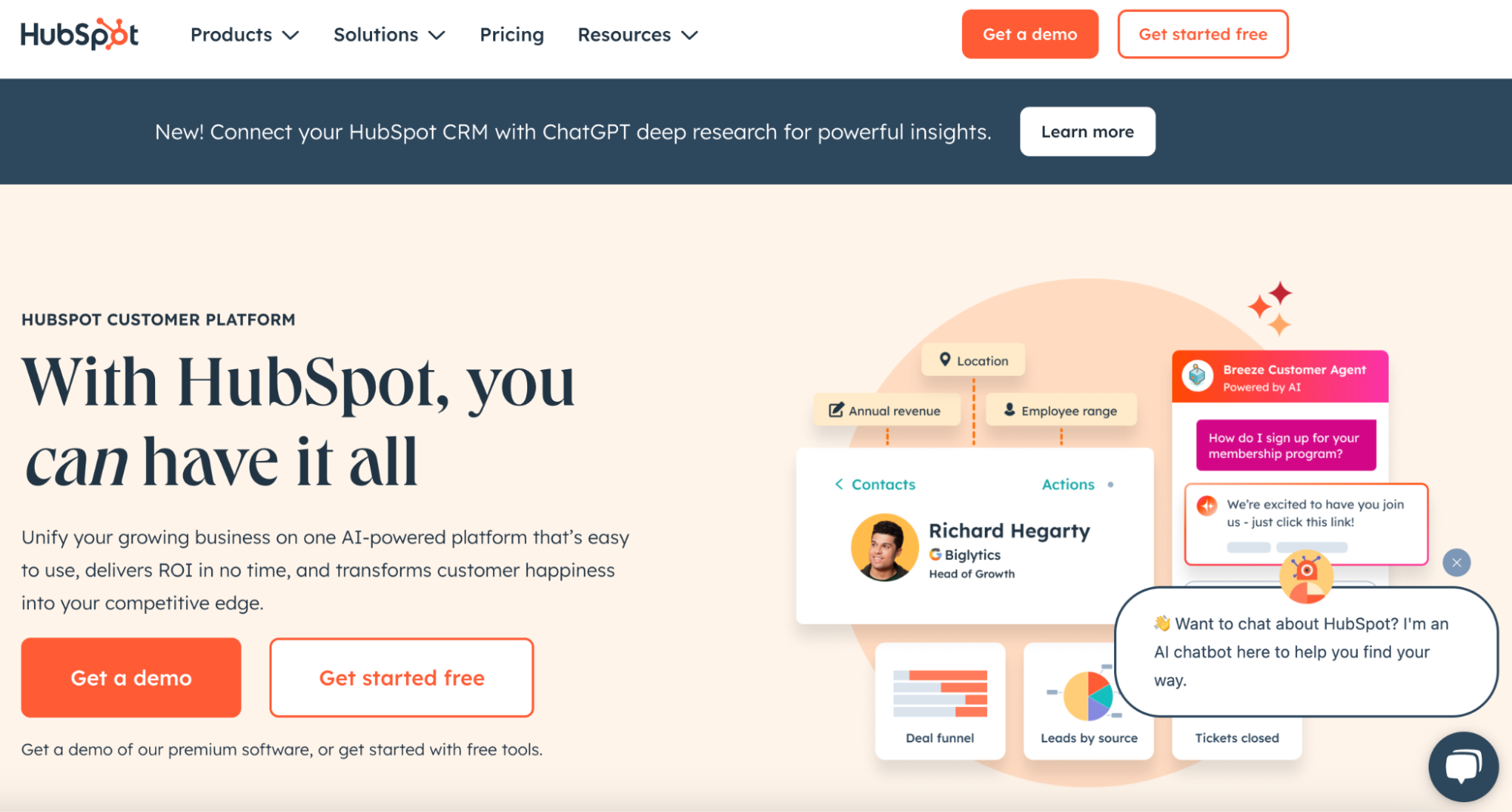
HubSpot’s CRM centralizes all customer data in one place. It offers contact management, deal tracking, and reporting tools. The CRM updates automatically with new information from sales and marketing activities. This ensures teams always have accurate and up-to-date data.
Ai-powered Enhancements
HubSpot uses AI to enhance its features and user experience. It offers predictive lead scoring to identify high-potential customers. AI also helps personalize email content and suggest next steps for sales teams. These enhancements improve efficiency and customer engagement.
Hubstaff Features
Hubstaff offers a robust set of features designed to help teams manage time and productivity effectively. It supports businesses with tools that improve work tracking and streamline operations. These features cater especially to remote teams and companies that value transparency and efficiency.
Time Tracking
Hubstaff provides accurate time tracking with a simple interface. Users can start and stop timers easily. This helps managers see how long tasks take. The tool records time automatically, reducing errors and manual input.
Employee Monitoring
Hubstaff monitors employee activity to ensure accountability. It captures screenshots, tracks app usage, and records URLs visited. These features help managers understand work patterns and address distractions.
Productivity Insights
Hubstaff delivers detailed reports on productivity. It shows which tasks consume the most time and which are most efficient. This data allows teams to adjust workflows and boost output.
Payroll Automation
Hubstaff automates payroll based on tracked hours. It calculates payments, including overtime and bonuses. This reduces payroll errors and saves administrative time.
Remote Work Support
Hubstaff is built for remote teams with tools for location tracking and online attendance. It supports different time zones and offers mobile apps. These features help teams stay connected and organized from anywhere.
Core Differences
Hubspot and Hubstaff serve different business needs. Understanding their core differences helps in choosing the right tool. Each platform focuses on unique features and user experience. These differences affect how teams work and manage tasks.
Primary Focus Areas
Hubspot is a customer relationship management (CRM) platform. It helps with marketing, sales, and customer service. Hubstaff focuses on time tracking and workforce management. It aims to improve team productivity and project tracking. Their core functions serve distinct business goals.
User Interface And Experience
Hubspot offers a clean, user-friendly interface. It guides users through sales and marketing workflows. Hubstaff’s interface centers on tracking time and employee activity. It provides simple tools for monitoring work hours. Both are easy to use but tailored to different tasks.
Integration Options
Hubspot supports many integrations with marketing and sales apps. It connects well with email, social media, and CRM tools. Hubstaff integrates with project management and accounting software. It links with apps for payroll and team collaboration. Their integrations reflect their distinct purposes.
Reporting And Analytics
Hubspot offers detailed reports on sales, marketing, and customer service. It tracks lead generation and campaign performance. Hubstaff provides reports on time usage and employee productivity. It helps managers monitor project progress and costs. Reporting features focus on different aspects of business.
Pricing Models
Understanding the pricing models of HubSpot and Hubstaff is key to choosing the right tool. Each platform offers different plans, fees, and contract terms. These factors impact your budget and long-term costs. This section breaks down the pricing models to help you compare.
Subscription Plans
HubSpot offers multiple subscription tiers for marketing, sales, and service hubs. Plans start with a free version and scale up to enterprise levels. Hubstaff provides pricing based on user seats with options for time tracking and workforce management. Both platforms allow monthly or annual billing.
Additional Fees
HubSpot may charge extra for onboarding, advanced features, and add-ons. Some important tools are locked behind higher-tier plans. Hubstaff’s fees usually cover all core features, but integrations or premium support might cost more. Watch out for charges beyond the base subscription.
Contract Terms
HubSpot often requires a minimum contract length, especially for premium plans. Early cancellation fees may apply. Hubstaff is more flexible with month-to-month agreements. This flexibility suits businesses that want to avoid long commitments or test the software first.
Scalability Costs
HubSpot’s costs rise as you add contacts or users, which can grow expensive quickly. Hubstaff pricing increases mainly with the number of users. Both platforms scale but consider how your business growth affects total costs. Budget for future needs to avoid surprises.
Business Growth Impact
Business growth depends on many factors. Choosing the right tools can improve your company’s success. Hubspot and Hubstaff serve different purposes. Both impact business growth in unique ways. Understanding their effects helps make better decisions.
Lead Generation
Hubspot focuses on attracting and capturing leads. It offers tools for email marketing, landing pages, and forms. These features help convert visitors into potential customers. Hubstaff does not provide lead generation tools. Its focus lies elsewhere, on team management and tracking.
Team Productivity
Hubstaff helps track employee time and activity. It shows how teams spend their work hours. This insight improves task management and accountability. Hubspot offers some productivity tools but mainly supports sales and marketing teams. Hubstaff’s features directly boost team efficiency.
Customer Engagement
Hubspot provides a CRM system to manage customer interactions. It stores customer data and tracks communication history. This helps businesses offer personalized service. Hubstaff does not manage customer relationships. Its tools focus on internal team operations.
Operational Efficiency
Hubstaff automates time tracking and project management. It reduces manual work and errors. Hubspot automates marketing and sales workflows. Both tools save time but in different areas. Combining them can improve overall operational efficiency.
Use Case Scenarios
Choosing between HubSpot and Hubstaff depends largely on the specific needs of your business. Each platform serves different purposes and suits distinct work environments. Understanding the use case scenarios helps identify which tool fits best for your operations.
Small Businesses
HubSpot offers a broad range of marketing, sales, and service tools. Small businesses benefit from its all-in-one platform to manage customer relationships and campaigns. Hubstaff focuses more on time tracking and productivity, which may be less critical for businesses without large teams.
Remote Teams
Hubstaff excels in tracking remote workers’ hours and monitoring activity. It helps managers ensure accountability and project progress. HubSpot provides communication and CRM features but lacks detailed time tracking, making Hubstaff better suited for remote team management.
Sales-driven Companies
HubSpot’s CRM and sales automation tools support lead generation and deal closing. Sales teams can track customer interactions and pipeline stages effectively. Hubstaff offers limited sales features and is not designed for managing customer relationships.
Service-oriented Businesses
HubSpot includes tools for customer service, ticketing, and knowledge base creation. Service teams can resolve issues faster and improve customer satisfaction. Hubstaff’s focus on productivity tracking adds value for teams needing performance insights but lacks service-specific features.
Integration Capabilities
Integration capabilities shape how well a tool fits into your existing workflow. HubSpot and Hubstaff offer different options to connect with other software and services. Understanding these options helps choose the right platform for your needs.
Third-party Apps
HubSpot supports thousands of third-party apps. It connects easily to popular tools like Gmail, Slack, and Salesforce. Hubstaff also integrates with many apps, focusing on productivity and project management tools. Both platforms allow users to extend their functionality without coding.
Custom Workflows
HubSpot excels in creating custom workflows. Users automate marketing, sales, and service processes with simple drag-and-drop tools. Hubstaff provides some automation but mostly for time tracking and task management. HubSpot’s workflows offer more flexibility for business processes.
Api Support
HubSpot offers a robust API for developers. It allows deep integration and custom app development. Hubstaff also provides API access, mainly for tracking data and project info. Both platforms enable businesses to build custom solutions, but HubSpot’s API is more comprehensive.
Platform Compatibility
HubSpot works well on web and mobile platforms, supporting Windows, Mac, iOS, and Android. Hubstaff also supports multiple platforms with dedicated desktop and mobile apps. Users can track time and manage tasks on any device with both tools.
Credit: hubstaff.com
User Feedback
User feedback plays a key role in understanding how Hubspot and Hubstaff perform in real-world use. It reveals the strengths and weaknesses from the perspective of actual users. This section explores user experiences, highlighting ease of use, customer support, feature limitations, and overall satisfaction.
Ease Of Use
Users find Hubspot intuitive with a clean, simple interface. Many appreciate its easy navigation and clear menus. Hubstaff also scores well for ease of use. Its time tracking and task management tools are straightforward. Some users mention a slight learning curve with advanced features. Both platforms offer mobile apps that users say are handy and responsive.
Customer Support
Hubspot users often praise the quick and helpful support team. They note multiple support channels, including live chat and email. Hubstaff provides solid customer service, though some users report slower response times. Many appreciate Hubstaff’s detailed help center and tutorials. Overall, Hubspot’s support receives higher marks in user reviews.
Feature Limitations
Hubspot’s free version has strong features but limits some advanced tools. Users mention costly upgrades to access essential functions. Hubstaff focuses on time tracking and productivity, but lacks full CRM features. Some users find the reporting options basic in Hubstaff. Both platforms require paid plans for full access, which users weigh carefully.
Overall Satisfaction
Hubspot users tend to be satisfied with its marketing and sales capabilities. They feel it streamlines workflows and improves team collaboration. Hubstaff users appreciate its accuracy in time tracking and ease in managing remote teams. Both platforms receive positive feedback but suit different needs. Choosing depends on whether users prioritize CRM or time management tools.
Alternatives To Consider
Choosing between HubSpot and Hubstaff is not the only option. Other tools offer unique features that fit different needs. Explore alternatives to find the best match for your business goals.
Other Crm Solutions
Several CRM platforms compete with HubSpot. Zoho CRM offers strong customization and affordability. Salesforce is powerful for large teams and complex workflows. Insightly provides easy project management with CRM features. These alternatives help manage customer relationships effectively.
Time Tracking Tools
Hubstaff focuses on time tracking, but other tools excel here too. Toggl Track offers simple and flexible time logging. Clockify is free and supports unlimited users and projects. Harvest combines time tracking with invoicing. These tools help improve productivity and billing accuracy.
Marketing Platforms
Marketing platforms enhance customer engagement beyond CRM capabilities. Mailchimp is popular for email marketing and automation. ActiveCampaign combines email, CRM, and sales automation. Sendinblue supports SMS marketing alongside emails. These platforms boost marketing efforts with easy-to-use features.
Employee Monitoring Software
Hubstaff includes employee monitoring, but other options exist. Time Doctor tracks work hours and offers distraction alerts. Teramind provides detailed activity monitoring and behavior analytics. ActivTrak focuses on user behavior and productivity insights. These tools help manage remote teams efficiently.
Credit: www.questera.ai

Credit: timespothq.com
Frequently Asked Questions
Who Is Hubspot’s Biggest Competitor?
HubSpot’s biggest competitor is Salesforce, offering comprehensive CRM and marketing automation solutions for businesses of all sizes.
What Are The Downsides Of Hubspot?
HubSpot can be costly as your business grows, with essential features behind expensive paywalls. It requires mandatory onboarding fees and locks users into year-long contracts. Its all-in-one design may limit flexibility for some businesses.
What Crm Is Better Than Hubspot?
Monday. com, Zoho CRM, and Freshsales often rank better than HubSpot for flexibility, pricing, and specialized features.
Does Hubspot Do Time Tracking?
HubSpot does not include built-in time tracking. Use third-party integrations like StopWatch for tracking time within HubSpot CRM.
Conclusion
Choosing between Hubspot and Hubstaff depends on your business needs. Hubspot excels in marketing, sales, and customer management. Hubstaff focuses on time tracking and team productivity. Both tools offer unique features to help your business run smoothly. Consider what tasks you want to improve.
Test each platform to see which fits best. Your choice will shape how your team works daily. Keep your goals clear and pick the right tool for success.

