
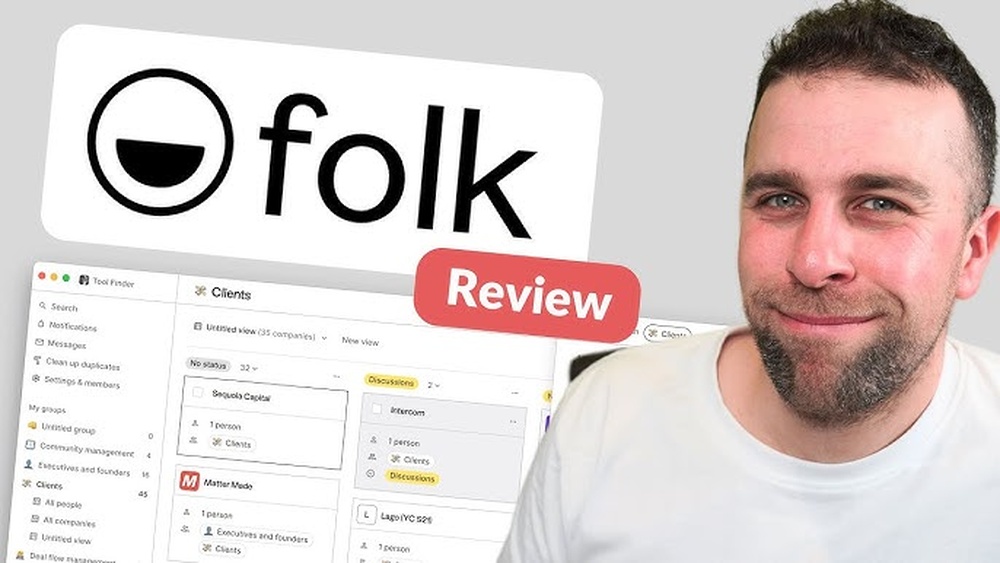
Looking for a CRM that truly works for you without overwhelming complexity? Folk CRM might be exactly what you need.
Designed to capture the full context of your relationships in one simple, easy-to-use platform, Folk helps you stay organized and focused on what matters most—building and maintaining connections. Its AI Assistants take over the busywork by learning from your data, so you can save time and avoid manual tasks. If you’re tired of clunky CRMs that feel more like a burden than a help, this Folk CRM Review will give you a clear picture of how this tool stands out. Whether you’re managing a small client list, networking, or just looking for a cleaner way to track contacts, Folk CRM might be the solution you’ve been searching for. Keep reading to find out if it fits your needs and how it compares to other options on the market.
Introduction To Folk Crm
Folk CRM is a simple, smart tool that helps you manage your contacts and relationships effectively. It collects all the important details about your connections in one place. Its AI Assistants use this data to handle routine tasks automatically. This makes managing relationships easier and less time-consuming.
Overview Of Folk Crm And Its Purpose
Folk CRM acts like a digital address book but with more power. It is designed to keep track of your contacts, notes, tags, and reminders in a clear and organized way.
- Contact Management: Stores full contact details and conversation history.
- Relationship Context: Captures important information about how you know each person.
- Automation: AI Assistants handle busywork like scheduling and follow-ups.
This CRM focuses on light relationship management rather than complex sales pipelines. It is perfect for users who want a clean, easy-to-use system for networking and small client groups.
Who Can Benefit From Using Folk Crm
Folk CRM suits individuals and small teams who need to keep track of people and tasks without dealing with complicated setups.
| User Type | How Folk CRM Helps |
|---|---|
| Freelancers | Organize client contacts and set reminders for follow-ups |
| Small Business Owners | Keep track of customer relationships and manage light client loads |
| Networkers | Maintain clean contact lists with notes and tags for easy recall |
| Teams without sales pipelines | Focus on relationship context without complex deal tracking |
This CRM fits those who want to avoid bulky software. It works best if managing deals or stages is not a priority.

Credit: www.youtube.com
Unique Features Of Folk Crm
Folk CRM stands out with its focus on simplicity and relationship management. It combines smart automation with an easy-to-use design. Users can manage contacts and relationships smoothly, without complexity. The unique features below highlight why Folk CRM fits small teams and networking needs well.
Intuitive Notion-like Interface For Easy Setup
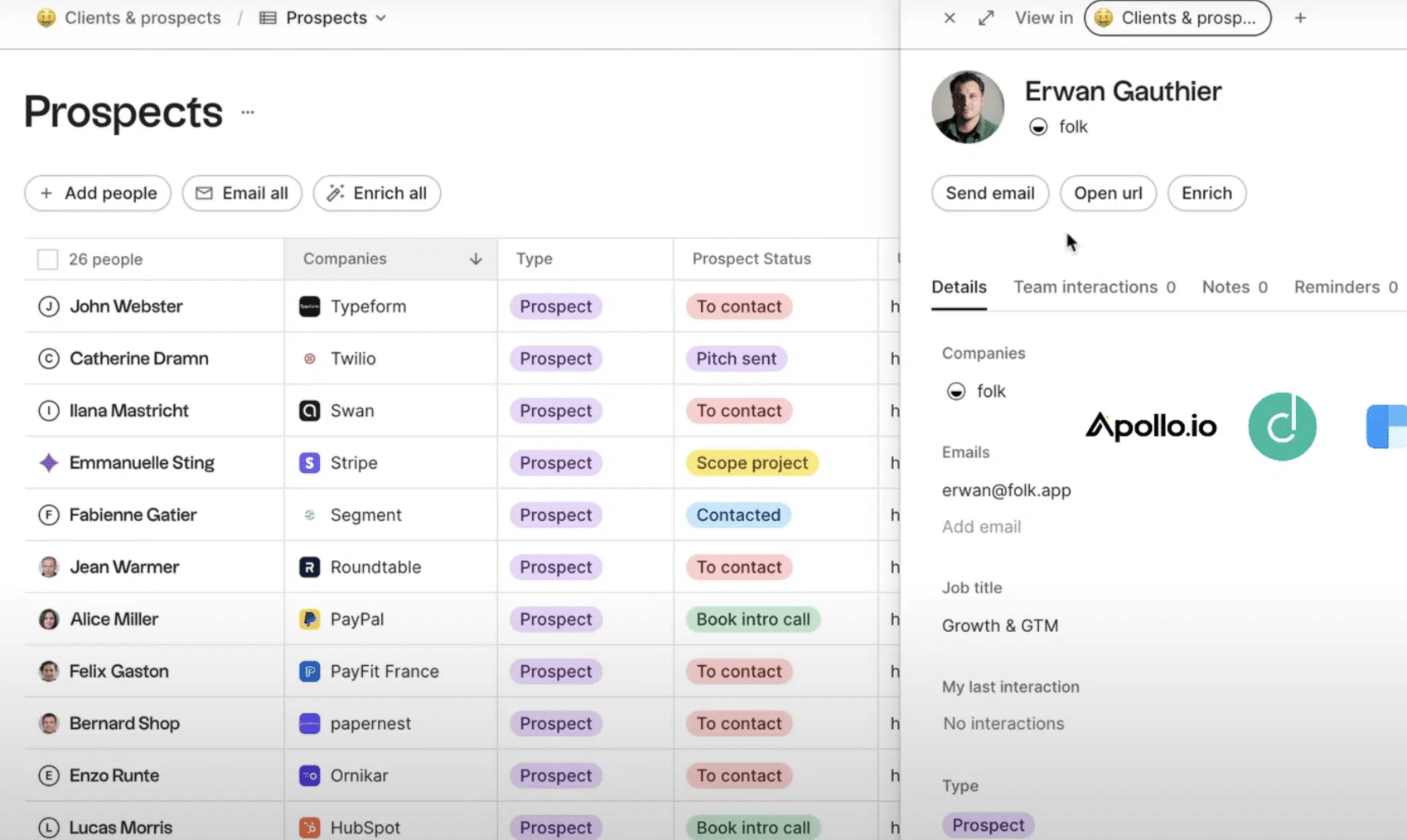
Folk CRM offers a clean, Notion-style interface. This lets users organize contacts quickly. The setup is simple and requires no technical skills. The layout feels familiar, reducing the learning curve. Users can easily add tags, notes, and reminders in a few clicks.
The interface helps keep all contact details in one place. This design supports faster navigation and better focus on relationships.
Automatic Contact Enrichment Via Browser Extension
A key feature is the automatic enrichment of contacts. Folk’s browser extension gathers public information from the web. It fills in contact details like job title, company, and social profiles automatically.
This saves time spent on manual data entry. The extension works quietly in the background, updating your contact list as you browse.
Strong Integrations With Google Workspace And Linkedin
Folk CRM connects well with popular tools like Google Workspace and LinkedIn. Syncing emails, calendars, and contacts is seamless.
| Integration | Benefits |
|---|---|
| Google Workspace | Email and calendar sync, easy invite scheduling, and contact updates |
| Import profiles, track connections, and enrich contact info |
These integrations reduce task switching and improve data accuracy.
Ai-powered Tools For Personalized Communication
Folk CRM uses AI tools to help personalize outreach. The AI learns from your contact data and interaction history. It suggests tailored messages and follow-up reminders.
This automation reduces busywork and keeps communication timely and relevant. Users can maintain stronger connections with less effort.
Relationship-focused Contact Management
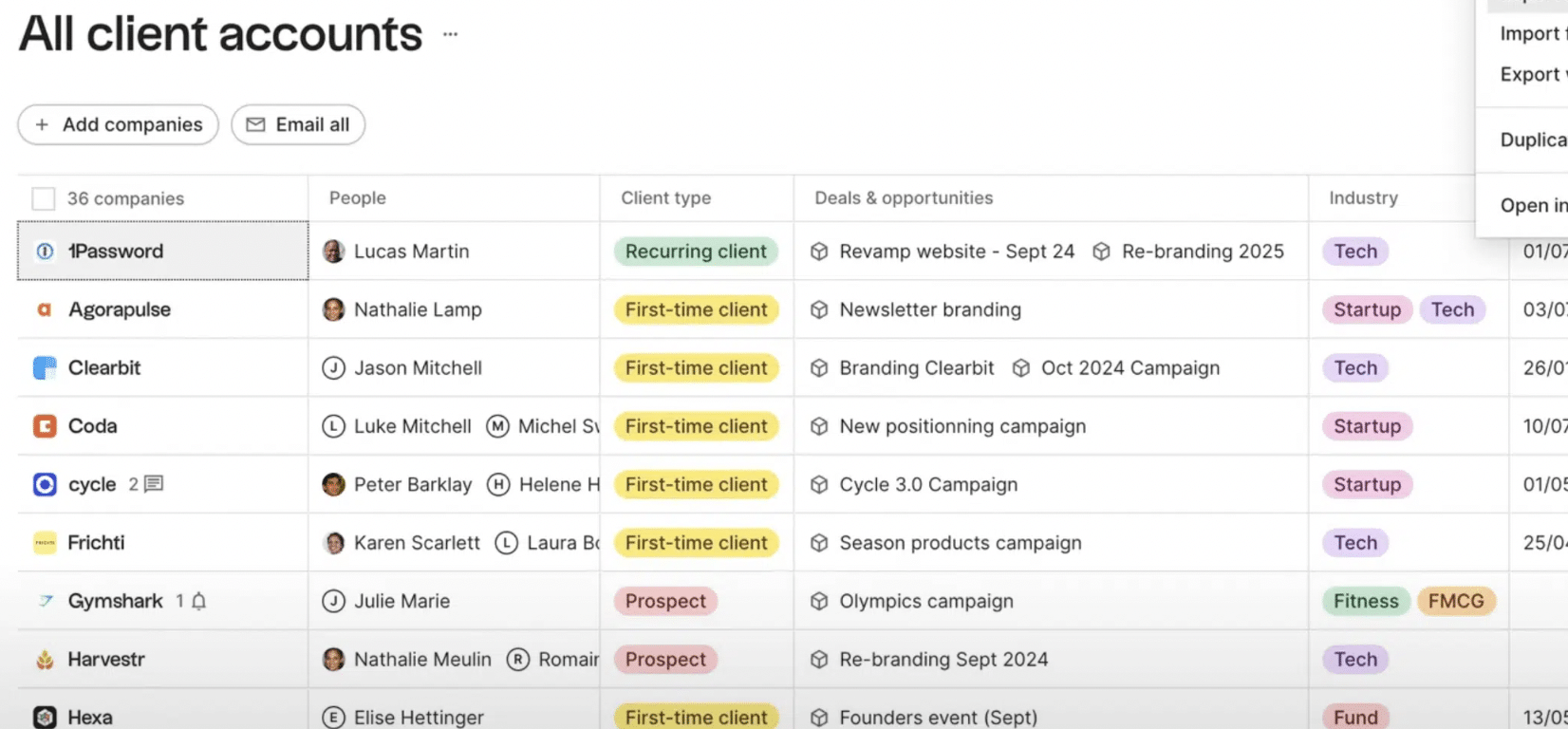
The core of Folk CRM is its relationship-centered design. It tracks not just names, but the full context of each connection. Users can add notes, tag contacts, and set reminders for follow-ups.
This focus supports better networking and client management. Folk CRM acts like a smart, digital address book that keeps relationships active and organized.
Pricing And Affordability Breakdown
The pricing structure of Folk CRM is designed to suit various user needs. Whether you are a solo professional or part of a growing team, the plans offer flexibility. Understanding these plans helps you decide which fits your budget and requirements.
Overview Of Folk Crm Pricing Plans
Folk CRM offers straightforward pricing with clear options. The plans focus on contact management and light relationship tracking. Each plan provides access to core CRM features with AI assistance to reduce manual work.
| Plan | Price (per user/month) | Main Features |
|---|---|---|
| Starter | $15 | Contact management, reminders, basic tags |
| Professional | $30 | Advanced tagging, AI automation, integrations |
| Enterprise | Custom pricing | Full customization, dedicated support, extra security |
Value For Money: What You Get At Each Price Point
Each price tier offers distinct benefits that match different user needs and budgets.
- Starter: Ideal for individuals or small teams managing contacts and simple tasks.
- Professional: Adds AI-powered automation and integration options for growing teams.
- Enterprise: Tailored solutions with enhanced features and support for larger organizations.
The pricing is competitive compared to similar CRM tools. Folk CRM’s simplicity saves time and effort, adding value beyond just cost. Users get a clean interface focused on relationship management without overwhelming features.
Pros And Cons Based On Real-world Usage
Folk CRM offers a unique approach to managing contacts and relationships. Users appreciate its simplicity and clean interface. It works well for light relationship management rather than complex sales pipelines. The following sections explore its advantages and limitations as reported by actual users.
Advantages: User-friendly Design And Seamless Integrations
Folk CRM shines with its simple and clean design. Users find it easy to navigate without steep learning curves. This makes it perfect for professionals who want quick access to their contacts.
- Intuitive Interface: A digital address book style with tags and reminders.
- Seamless Integrations: Connects smoothly with tools like email and calendars.
- AI Assistants: Automate routine tasks by learning from your contact data.
These features reduce busywork and improve organization for small client loads or networking efforts.
Limitations: Lack Of Mobile App And Advanced Automation
Users note a few drawbacks that impact daily use:
- No Dedicated Mobile App: Accessing Folk CRM on mobile browsers is less convenient.
- Limited Automation: Advanced workflows and triggers are missing.
- Basic Task Management: Some repetitive processes require manual input.
These issues may slow down users who need full-featured CRM capabilities on the go or require complex automation.
Deal Management Capabilities And Their Constraints
Deal tracking is minimal in Folk CRM. It focuses mainly on contact and relationship management.
| Feature | Strength | Limitation |
|---|---|---|
| Deal Stages | Simple status updates | No customizable pipelines |
| Sales Tracking | Basic overview | Lacks detailed reporting |
| Client Work Management | Good for light use | Not suited for complex projects |
Users managing ongoing sales or projects may find these constraints limiting for growth.
Ideal Users And Use Case Recommendations
Folk CRM fits well for users who need a simple, efficient way to manage relationships. It focuses on contact tracking and light relationship management. The CRM feels like a clean digital address book, enhanced with tags and reminders. Its AI assistants help reduce busywork by learning from your data.
This section explains who benefits most from Folk CRM and where it works best.
Why Freelancers And Small Teams Should Choose Folk Crm
Freelancers and small teams benefit from Folk CRM’s straightforward design. It helps manage a small number of contacts without overwhelming features. The tool keeps networking and client communication organized with easy tagging and reminders.
- Simple interface requires little training
- AI-powered automation saves time on routine tasks
- Great for managing personal and professional contacts
- Affordable and scalable for small workloads
Its lightweight nature suits professionals who want quick access to relationship details.
Best Scenarios For Using Folk Crm In Business
Folk CRM works best in these business scenarios:
| Scenario | Why Folk CRM Works |
|---|---|
| Networking Events | Capture contact info instantly with tags and notes |
| Small Client Management | Track client interactions without complex sales pipelines |
| Team Collaboration | Share contact details and reminders across a small team |
| Personal Relationship Tracking | Keep personal and business contacts organized in one place |
When To Consider Alternatives For Complex Crm Needs
Choose another CRM if your needs include:
- Managing detailed sales pipelines with multiple stages
- Handling large volumes of clients and deals
- Advanced marketing automation and analytics
- Deep integration with other business systems
Folk CRM lacks advanced deal tracking and marketing features. Larger teams needing robust reporting and automation should explore more complex tools.
Use Folk CRM for simple, contact-focused management. Switch if your business grows beyond basic relationship tracking.
Credit: salesdorado.com
Comparisons And Alternatives To Folk Crm
Folk CRM offers a simple way to manage contacts and relationships. It stands out for its clean design and AI-powered automation. This section compares Folk CRM with popular competitors and explores alternatives for users needing more advanced features.
How Folk Crm Stands Against Competitors Like Hubspot And Pipedrive
Folk CRM focuses on contact management and light relationship tracking. It works well for small teams and networking.
HubSpot and Pipedrive offer broader CRM functions, including sales pipelines and marketing tools.
| Feature | Folk CRM | HubSpot | Pipedrive |
|---|---|---|---|
| Contact Management | Strong, simple, with AI reminders | Comprehensive, integrates marketing and sales | Focus on sales pipelines and deals |
| Sales Pipeline | Limited | Advanced and customizable | Core feature, very flexible |
| Automation | AI automates busywork | Extensive workflows and sequences | Automation focused on sales tasks |
| Best for | Small client loads, networking | Growing businesses, marketing-heavy teams | Sales teams with deal tracking needs |
Folk CRM feels like a digital address book enhanced by AI.
HubSpot and Pipedrive provide more tools for managing complex sales processes.
Exploring Alternatives For Enterprise And Advanced Features
For enterprises or teams needing advanced CRM features, Folk CRM may fall short.
- Salesforce offers a unified platform for sales, marketing, and service.
- It includes AI tools like Einstein for predictive analytics and lead scoring.
- Scales easily from small teams to large enterprises.
Other alternatives include:
- Zoho CRM – customizable and affordable for mid-sized companies.
- Microsoft Dynamics 365 – integrates well with Microsoft tools and offers deep analytics.
- Freshsales – good for sales automation and AI-driven insights.
These options support deal stages, reporting, and complex workflows.
Folk CRM suits simple relationship tracking but lacks enterprise-grade tools.
Choose alternatives based on your business size and feature needs.
Conclusion: Is Folk Crm Right For Your Business?
Folk CRM offers a simple, clean way to manage contacts and relationships. It shines in organizing your network and automating routine tasks using AI. This CRM suits businesses focused on light relationship management rather than complex sales pipelines. Understanding its strengths and limits helps decide if it fits your needs.
Summarizing Folk Crm’s Strengths And Weaknesses
| Strengths | Weaknesses |
|---|---|
|
|
Final Thoughts On Boosting Business Efficiency With Folk Crm
Folk CRM works best for businesses valuing simplicity over complexity. It helps keep contacts organized and automates small tasks efficiently.
Small teams or solo professionals benefit most from its ease of use. The AI features reduce time spent on reminders and busywork.
Businesses needing detailed sales pipelines or advanced marketing tools may find Folk CRM too basic. For straightforward contact management and relationship tracking, it fits well.
Overall, Folk CRM can improve daily workflow by keeping your network clear and accessible. It lets you focus more on people, less on software.
Credit: salesdorado.com
Frequently Asked Questions
Is Folk Crm Good?
Folk CRM excels at simple contact management and relationship tracking. It suits small teams and networking but lacks advanced sales features. Its intuitive, Notion-like interface and strong integrations make it ideal for users needing easy, efficient CRM without complex workflows.
What Is The 1 Crm In The World?
Salesforce is the 1 CRM globally, leading with the largest market share, advanced AI features, and extensive customization options. It serves businesses of all sizes with a unified platform for sales, marketing, and customer service.
Who Are The Competitors Of Folk Crm?
Competitors of Folk CRM include HubSpot, Pipedrive, Zoho CRM, Salesforce, and Monday Sales CRM. These offer broader features for sales, marketing, and enterprise needs.
Is Folk Crm Free?
Folk CRM offers a free plan with basic contact management features. Paid plans unlock advanced tools and integrations.
Conclusion
Folk CRM offers a simple way to manage your contacts and relationships. It keeps all details in one place, making it easy to stay organized. The AI helps reduce repetitive tasks, saving you time daily. This tool fits well for small teams or individual users who focus on networking. It may not suit large businesses needing complex deal tracking. Try Folk CRM if you want a clean, easy-to-use contact manager. Learn more about Folk CRM by visiting this link.

