
Are you tired of juggling customer details, sales info, and projects across endless spreadsheets and sticky notes? Imagine having all that crucial data neatly organized in one place—where you can access it anytime, without the stress.
That’s exactly what Capsule CRM offers: a simple, powerful hub to bring your business brain under control. But here’s the secret to unlocking its full potential—integrations. By connecting Capsule CRM with the tools you already use, you streamline your workflow, save time, and never miss a beat with your customers. Whether it’s syncing your email, automating marketing tasks, or linking to accounting software, these integrations transform Capsule from just a CRM into your ultimate business assistant. Ready to see how Capsule CRM integrations can revolutionize your daily operations? Check out Capsule and discover the calm, clarity, and control your business deserves. Keep reading to learn the best ways to connect Capsule with your favorite apps—and watch your productivity soar.

Credit: www.stylefactoryproductions.com
Introduction To Capsule Crm Integrations
Capsule CRM helps businesses organize sales, projects, and customer data in one place. Its integrations connect Capsule with other tools to improve workflow and efficiency. Integrations reduce manual work and keep information updated automatically. This section explains what Capsule CRM is, the meaning of CRM integrations, and how integrations boost Capsule’s features.
What Is Capsule Crm And Its Core Purpose
Capsule CRM is a simple, smart tool for managing customer relationships. It stores sales leads, customer details, and project info in a clear, organized way. Capsule’s goal is to bring calm and control to business operations by reducing scattered notes and spreadsheets.
- Centralizes customer and sales data
- Tracks projects and tasks
- Supports small and medium businesses
- Easy to use with a clean interface
Understanding Crm Integrations: Definition And Benefits
CRM integrations connect Capsule CRM to other software and apps. This link allows data to flow smoothly between systems without manual input. Integrations can be with email, accounting, marketing, or support tools.
| CRM Integration | Benefits |
|---|---|
| Automatic data syncing | Reduces errors and saves time |
| Improved team collaboration | Shares up-to-date info across departments |
| Streamlined workflows | Makes processes faster and more efficient |
| Better customer insights | Combines data for clearer understanding |
How Integrations Enhance Capsule Crm’s Functionality
Integrations add new features and power to Capsule CRM. They connect Capsule with tools your business already uses. This creates a smooth experience and cuts down on switching apps.
- Email integration: Send, receive, and track emails directly inside Capsule.
- Accounting software: Sync invoices and payments to keep financial data accurate.
- Marketing tools: Automate campaigns using customer lists from Capsule.
- Customer support: Link support tickets with customer records for quick help.
These connections make Capsule a hub for your business activities. They keep data consistent and help you focus on growing your business.
Key Capsule Crm Integrations And Their Benefits
Capsule CRM connects with various tools to make your business run smoothly. These integrations help keep your contacts, emails, calendars, marketing, accounting, and workflows in one place. This saves time and reduces errors.
Using Capsule’s integrations, you can manage tasks better and focus on growing your business. Here are some key integrations and how they improve your daily work.
Google Integrations: Streamlining Contacts, Emails, And Calendars
Capsule links directly with Google apps to keep your work organized. It syncs contacts, emails, and calendars automatically.
- Contacts sync: Updates your Capsule contacts with Google Contacts instantly.
- Email integration: View emails in Capsule without switching apps.
- Calendar sync: Schedule meetings in Google Calendar and see them in Capsule.
This integration reduces manual data entry and keeps your information consistent across platforms.
Mailchimp Integration: Enhancing Email Marketing Campaigns
Connect Capsule with Mailchimp to improve your email marketing efforts. Sync Capsule contacts to Mailchimp lists easily.
- Send targeted campaigns based on Capsule data.
- Track campaign results directly in Capsule.
- Keep your marketing contacts up-to-date automatically.
This saves time and helps you build stronger customer relationships through personalized emails.
Zapier Integration: Automating Workflows Across Multiple Apps
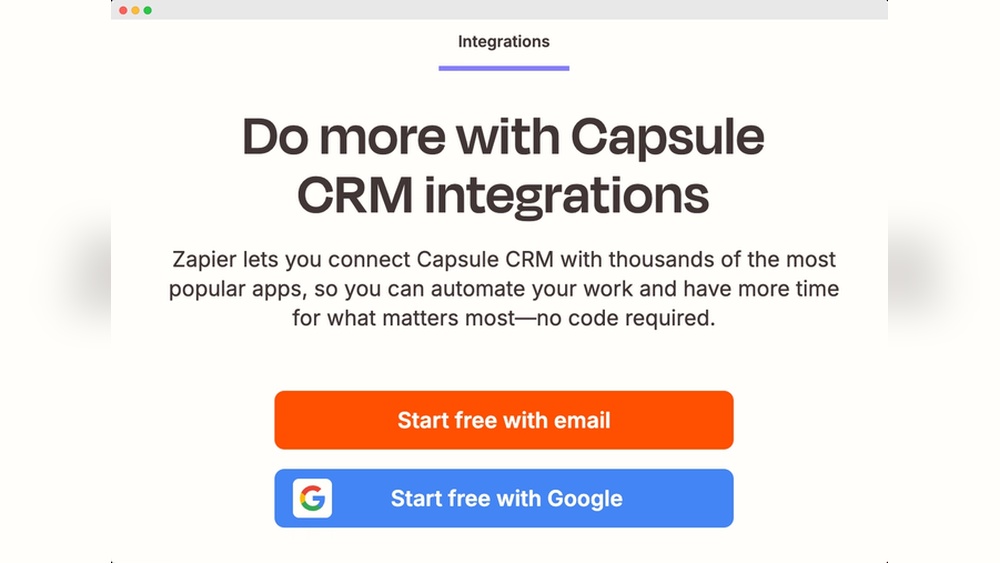
Zapier connects Capsule with thousands of other apps. It automates repetitive tasks without coding.
- Automatically add new Capsule contacts to other tools.
- Trigger actions in Capsule based on events in other apps.
- Create multi-step workflows to save time and avoid mistakes.
Zapier makes your apps work together smoothly, reducing manual work.
Xero Integration: Simplifying Accounting And Financial Management
Link Capsule with Xero for seamless accounting. Sync customer and invoice data between both platforms.
| Benefit | How It Helps |
|---|---|
| Customer Sync | Keep contacts updated in Xero and Capsule |
| Invoice Management | Create and track invoices easily |
| Financial Reporting | Access accurate sales and payment data |
This integration reduces errors and speeds up financial workflows.
Ai-powered Features: Leveraging Capsule Ai For Smarter Summaries
Capsule AI helps summarize customer data and interactions quickly. It creates clear summaries for your team.
- Analyze notes and emails automatically.
- Generate concise reports to understand customer status.
- Save time on manual data review.
AI features improve decision-making and keep your team informed.
Pricing And Affordability Of Capsule Crm Integrations
Capsule CRM offers flexible pricing plans to suit various business sizes. Understanding the cost of the CRM itself and the price of additional integrations helps control expenses. Many companies want to keep their CRM affordable while adding useful third-party tools.
Choosing the right plan and integrations impacts your budget directly. Let’s explore Capsule’s pricing, extra costs for integrations, and the value of free versus paid add-ons.
Overview Of Capsule Crm Pricing Plans
| Plan | Monthly Cost (per user) | Key Features |
|---|---|---|
| Free Plan | $0 | Up to 2 users, 250 contacts, basic sales pipeline |
| Professional Plan | $18 | Unlimited contacts, custom fields, task management |
| Teams Plan | $36 | Advanced reporting, multiple sales pipelines, team collaboration |
Each plan includes core CRM features. Higher-tier plans unlock more tools and support more integrations.
Cost Implications Of Adding Third-party Integrations
Many integrations with Capsule are free, but some require monthly fees. These fees depend on the third-party service provider.
- Free Integrations: Basic connectors like email syncing or calendar apps.
- Paid Integrations: Advanced tools such as accounting software or marketing automation.
Costs vary from $5 to $50+ per month based on features. Adding many paid integrations can increase the total spend significantly.
Consider integration costs in your CRM budget. Choose only tools that add clear value.
Free Vs Paid Integrations: What’s Worth The Investment
Free integrations help reduce expenses but may have limited features. Paid integrations offer more power and customization.
- Start with free options: Test core integrations to see if they meet your needs.
- Evaluate paid tools: Look for integrations that save time or increase sales.
- Balance cost and benefit: Avoid paying for features you won’t use regularly.
Invest in paid integrations only when they improve productivity or customer service significantly.
Pros And Cons Of Using Capsule Crm Integrations
Capsule CRM integrations bring both benefits and challenges. These connections link Capsule with other tools to help your business work smoothly. Understanding the pros and cons helps decide if Capsule fits your needs.
Advantages: Increased Efficiency, Data Accuracy, And Automation
Increased Efficiency: Integrations save time by syncing data automatically. No more manual entry across apps. Your team can focus on important tasks.
Data Accuracy: Automatic syncing reduces errors from manual updates. Customer details stay consistent across platforms, improving trust and communication.
Automation: Routine tasks like sending emails or updating records happen without human help. This speeds up workflows and keeps your business responsive.
- Centralizes customer info in one place
- Connects sales, projects, and support smoothly
- Improves team collaboration and task tracking
Limitations: Potential Integration Challenges And Learning Curve
Potential Integration Challenges: Linking Capsule with other apps may face technical issues. Some integrations require setup by IT or support teams.
Learning Curve: Teams need time to learn new workflows. Changes in processes can slow down work initially.
| Challenge | Impact | Solution |
|---|---|---|
| Compatibility issues | Data sync delays or errors | Test integrations before full use |
| Complex setup | Requires technical help | Use guides or professional support |
| User training | Slower adoption | Provide clear instructions and practice |
Real-world Usage Insights From Businesses In Austin, Texas And Beyond
Businesses in Austin use Capsule integrations to connect sales and accounting tools. This reduces manual work and keeps data accurate.
Small companies appreciate Capsule for its simple setup and clear interface. It helps them manage customers without extra stress.
Some larger firms note the need for custom setups to fit unique workflows. They balance integration benefits with initial adjustment time.
- Austin startups report faster sales cycles with email and calendar sync
- Local service providers rely on Capsule to track client projects and payments
- Companies outside Austin use Capsule with accounting apps like Xero for smooth finance management
Ideal Users And Scenarios For Capsule Crm Integrations
Capsule CRM integrations suit businesses aiming for streamlined customer management and efficient workflows. These integrations connect Capsule with other tools to keep data synced and automate tasks. Users gain a clear view of sales, projects, and customer service in one place. The integrations work best for specific types of businesses and teams.
Small And Medium-sized Businesses Seeking Simplicity And Efficiency
Small and medium-sized businesses benefit from Capsule’s simple, clean interface. Integrations help these businesses avoid juggling multiple apps and spreadsheets. They can:
- Keep all customer details in one tidy system
- Reduce manual data entry by syncing with email and calendar apps
- Track sales pipelines without complex setups
This simplicity saves time and lowers errors, making daily operations smoother.
Sales And Marketing Teams Looking To Centralize Customer Data
Sales and marketing teams rely on Capsule integrations to gather all customer info in one place. Benefits include:
- Unified view of customer interactions across channels
- Access to email templates and communication history within Capsule
- Improved targeting by linking marketing tools to CRM data
Centralized data helps teams respond faster and tailor their outreach.
Businesses Requiring Seamless Syncing Between Accounting And Crm
Capsule connects easily with accounting software, allowing smooth data flow between sales and finance. This syncing enables:
| Benefit | Details |
|---|---|
| Accurate invoicing | Customer and sales info flows directly to billing systems |
| Improved financial tracking | Real-time updates on payments and outstanding balances |
| Reduced data entry | Automatic sync prevents manual errors and saves time |
This integration suits businesses needing tight coordination between sales and accounting teams.
Organizations Focused On Automating Repetitive Tasks And Workflows
Capsule integrations support automation for routine tasks. Organizations can:
- Set up triggers to create tasks or reminders after customer interactions
- Automatically update records when deals progress
- Send follow-up emails without manual input
Automation frees staff to focus on higher-value activities and reduces missed opportunities.
Credit: capsulecrm.com
How To Optimize Your Capsule Crm Account With Integrations
Integrations connect Capsule CRM with other tools your business uses daily. They help automate tasks, reduce manual work, and keep information up to date. Optimizing your Capsule account with the right integrations saves time and improves team efficiency. Follow the steps below to set up popular integrations, maintain clean data, and customize workflows to fit your unique business needs.
Step-by-step Guide To Setting Up Popular Integrations
Setting up integrations in Capsule CRM is simple and fast. Follow these steps to connect your favorite apps:
- Log in to your Capsule CRM account.
- Go to the Settings menu and select Integrations.
- Choose the app you want to connect, such as Gmail, Xero, or Mailchimp.
- Click Connect and follow the on-screen instructions to authorize access.
- Configure integration options like syncing frequency and data fields.
- Test the integration by sending a test email or syncing sample data.
Repeat these steps for each integration you want to add. Popular integrations include:
| Integration | Purpose | Key Benefit |
|---|---|---|
| Gmail | Sync emails with contacts | Track customer communication easily |
| Xero | Sync invoices and payments | Keep financial data up to date |
| Mailchimp | Email marketing campaigns | Manage contacts and send targeted emails |
Best Practices For Maintaining Data Consistency And Accuracy
Data quality is key to reliable business insights. Use these tips to keep your Capsule CRM data accurate:
- Regularly review synced data for duplicates and errors.
- Set clear rules for data entry across all integrated apps.
- Use Capsule’s built-in duplicate detection tools often.
- Ensure that field mappings between apps match exactly.
- Schedule routine audits to clean and update records.
Consistent data helps your team trust the CRM and make better decisions.
Tips For Customizing Integration Workflows To Fit Your Business Needs
Every business works differently. Customize your Capsule CRM integrations to match your processes:
- Adjust sync settings to update data in real time or batch mode.
- Create custom fields in Capsule to capture unique information.
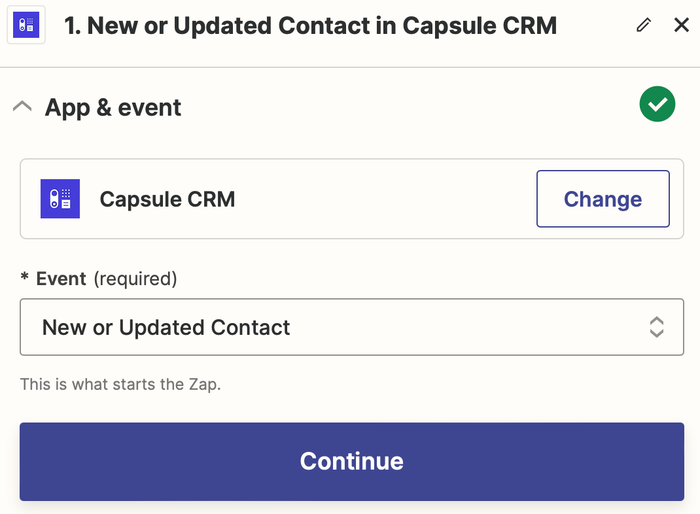
- Use automation tools like Zapier to trigger actions between apps.
- Set filters to sync only relevant data, reducing clutter.
- Test workflows regularly and tweak them based on team feedback.
Custom workflows reduce manual work and boost productivity across teams.

Credit: capsulecrm.com
Frequently Asked Questions
What Is Crm Integration?
CRM integration connects your CRM system with other apps to sync data and automate workflows seamlessly.
What Is The Difference Between Capsule Crm And Monday Crm?
Capsule CRM targets small to medium businesses with simple, efficient tools. Monday CRM offers advanced sales features and customization for larger teams. Capsule focuses on ease of use, while Monday emphasizes robust project and sales management capabilities. Both support integrations but serve different business needs.
What Is The Crm Integration?
CRM integration connects your CRM system with other software to sync data and automate workflows seamlessly. It improves efficiency and data accuracy.
How To Integrate With Crm?
Connect your CRM using APIs or integration tools like Zapier. Sync data, automate workflows, and link apps for seamless communication. Follow platform-specific setup guides to complete integration quickly and efficiently.
Conclusion
Capsule CRM integrations help keep your business organized and efficient. They connect your sales, projects, and customer data in one place. This reduces confusion and saves time every day. Using integrations also improves teamwork and communication across your business. You can easily sync emails, invoices, and other tools with Capsule. This makes managing customers and sales simpler and clearer. Explore how these integrations fit your needs and boost your workflow. Learn more about Capsule and its features here: Capsule CRM.

