
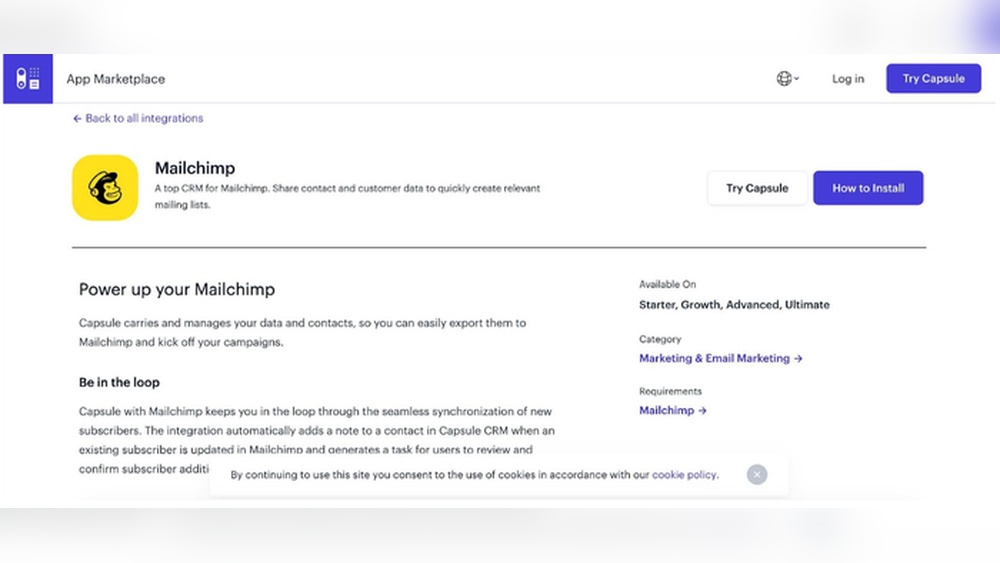
Are you tired of juggling your sales contacts and email marketing lists across multiple platforms? Imagine having all your customer details and marketing campaigns working together seamlessly, saving you time and reducing stress.
That’s exactly what Capsule CRM Mailchimp Integration offers. By connecting your Capsule CRM with Mailchimp, you can effortlessly sync contacts and launch targeted email campaigns without the hassle of manual data entry. This means you get clearer insights, better customer engagement, and more control over your business growth. Ready to transform how you manage your sales and marketing? Discover how Capsule can help you bring clarity and calm to your daily workflow. Keep reading to learn the simple steps to integrate Capsule CRM with Mailchimp and unlock powerful benefits for your business.

Credit: docs.gravityforms.com
Introduction To Capsule Crm Mailchimp Integration
Integrating Capsule CRM with Mailchimp helps businesses manage contacts and email marketing easily. This connection links your sales data with marketing tools. It creates a smooth flow of information between your customer database and email campaigns. The integration saves time and improves communication with customers.
Overview Of Capsule Crm And Mailchimp
Capsule CRM is a simple tool to organize sales, projects, and customer details in one place. It reduces chaos from scattered notes or spreadsheets. Capsule CRM offers clarity and control to run your business smoothly.
Mailchimp is a popular platform for creating and sending marketing emails. It helps businesses reach their audience with targeted campaigns. Mailchimp also tracks email performance and customer responses.
Purpose And Benefits Of Integrating Capsule Crm With Mailchimp
- Centralized Data: Sync contacts automatically between Capsule and Mailchimp.
- Efficient Marketing: Use updated customer lists for email campaigns without manual entry.
- Improved Accuracy: Reduce errors from duplicate or outdated contact details.
- Time-Saving: Automate contact management and campaign updates.
- Better Customer Insights: Access campaign data linked to customer records in Capsule.
How Integration Enhances Sales And Marketing Efforts
The integration strengthens sales and marketing by connecting customer data with email campaigns. Sales teams see how customers interact with emails, helping tailor follow-ups.
Marketing teams gain easy access to fresh contact lists from Capsule, improving campaign targeting. Campaign results feed back into Capsule, giving sales a clear picture of customer engagement.
| Sales Benefits | Marketing Benefits |
|---|---|
| Track email opens and clicks per contact | Send targeted campaigns to segmented contact lists |
| Use campaign data for personalized follow-ups | Automate contact syncing to avoid manual updates |
| Gain insight into customer interests and behavior | Measure campaign performance linked to CRM records |
Key Features Of Capsule Crm Mailchimp Integration
The Capsule CRM Mailchimp integration brings powerful tools to manage contacts and campaigns smoothly. It helps businesses keep customer data organized and marketing efforts efficient. This integration ensures your sales and marketing teams work together without confusion.
Automatic Sync Of Contacts Between Capsule Crm And Mailchimp
Contacts in Capsule CRM sync automatically with Mailchimp. This keeps your email lists up-to-date without manual effort. New contacts, updates, and changes flow seamlessly between both platforms.
- Real-time updates on contact details
- Eliminates duplicate entries and errors
- Saves time by reducing manual data entry
Seamless Campaign Data Feeding Into Customer Records
Campaign performance data from Mailchimp is directly added to Capsule CRM customer records. You can see opens, clicks, and other metrics inside Capsule.
This helps sales teams understand customer engagement and plan follow-ups better.
| Campaign Metric | Capsule CRM Record |
|---|---|
| Email Opens | Displayed under customer activity |
| Clicks | Linked to customer profile |
| Bounces | Flagged for review in CRM |
Two Integration Methods: Regular Integration And Webhook
The integration offers two ways to connect Capsule and Mailchimp:
- Regular Integration: Sync contacts and data at set intervals.
- Webhook Integration: Real-time updates triggered instantly by events.
Each method fits different business needs. Regular integration suits standard syncing. Webhook handles immediate data flow for fast actions.
User-friendly Setup And No-code Integration Options
Setting up the Capsule CRM and Mailchimp link requires no coding skills. The process is simple and guided, perfect for non-technical users.
- Step-by-step setup instructions
- Intuitive interface to connect accounts
- No need for developers or IT support
This ease of setup saves time and reduces errors, helping teams focus on their work.
How Each Feature Boosts Sales And Marketing
The Capsule CRM Mailchimp integration combines two powerful tools to enhance your sales and marketing efforts. Each feature works to make your campaigns smarter and your customer interactions more effective. This integration helps teams stay organized, saves time, and improves communication with customers.
Simplifying Contact Management To Improve Targeting
Capsule CRM centralizes all your customer information in one place. This makes it easy to organize and segment contacts based on their behavior and preferences. When contacts sync to Mailchimp, you can create targeted email campaigns that speak directly to each group.
- Centralized contacts: Avoid scattered data across spreadsheets or notes.
- Segmentation: Group contacts by sales stage, location, or interests.
- Accurate targeting: Send personalized messages that increase engagement.
This focus on clean contact management helps your marketing messages reach the right people at the right time.
Real-time Campaign Data For Informed Customer Engagement
The integration automatically feeds Mailchimp campaign data back into Capsule CRM. This real-time information shows how customers interact with your emails, such as opens and clicks.
| Feature | Benefit |
|---|---|
| Campaign open tracking | Know which contacts are interested in your content |
| Click tracking | Identify links that drive action |
| Updated contact records | Better understand customer behavior for follow-ups |
Use this data to adjust your messaging and timing, leading to stronger customer relationships and increased sales.
Flexible Integration Options To Suit Different Business Needs
Capsule and Mailchimp connect through two main methods: a regular integration and Zapier-powered automation.
- Regular integration: Direct syncing of contacts and campaigns between Capsule and Mailchimp.
- Zapier automation: Custom workflows connecting Capsule and Mailchimp with other apps.
This flexibility allows businesses to pick the setup that fits their size, budget, and workflow style. Whether simple or complex, the integration adapts to your needs.
Automation Of Workflows To Save Time And Reduce Errors
Automating the sync between Capsule and Mailchimp removes manual data entry. This reduces mistakes and frees up your team for high-impact tasks.
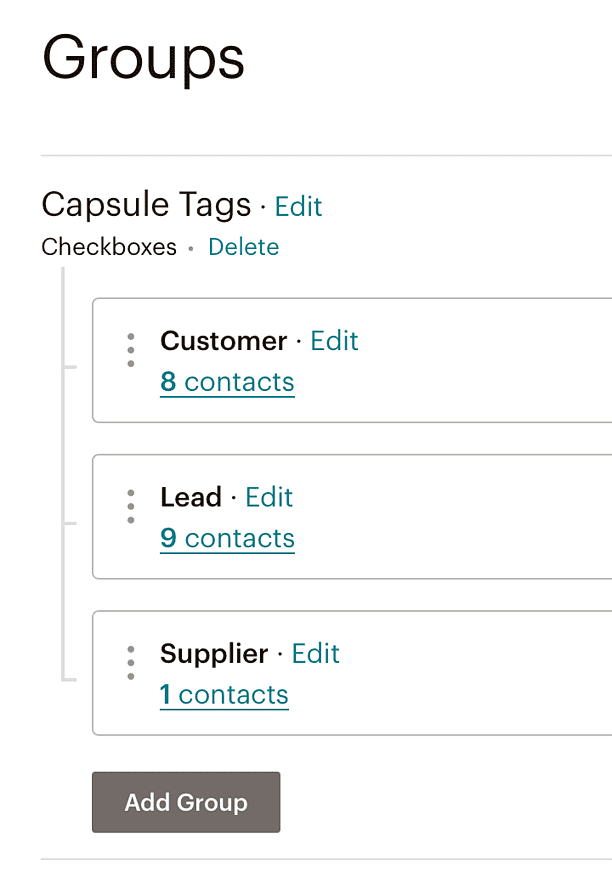
- Automatic contact updates: New leads in Capsule get added to Mailchimp lists instantly.
- Campaign data sync: Mailchimp results update Capsule records without manual input.
- Trigger-based actions: Use automation tools to send emails or alerts based on customer behavior.
Streamlined workflows mean faster responses and consistent communication, which boost customer satisfaction and sales.
Credit: capsulecrm.com
Pricing And Affordability Breakdown
The Capsule CRM and Mailchimp integration offers a cost-effective way to streamline sales and marketing. Understanding the pricing details helps you plan your budget wisely. This section breaks down the key costs involved with both platforms and related tools.
Capsule Crm Pricing Tiers And Free Plan Features
Capsule CRM offers simple pricing designed for small to medium businesses. Its plans focus on ease and value.
| Plan | Users | Monthly Cost (Billed Annually) | Key Features |
|---|---|---|---|
| Free Plan | Up to 2 users | $0 |
|
| Professional | Up to 3 users | $18/user |
|
| Teams | 4+ users | Custom pricing |
|
The free plan suits startups with minimal needs. Professional plan unlocks integration with Mailchimp and extended features.
Mailchimp Pricing Plans Relevant To Integration
Mailchimp offers scalable pricing for email marketing, fitting various business sizes.
| Plan | Monthly Cost | Audience Size | Integration Features |
|---|---|---|---|
| Free | $0 | Up to 500 contacts | Basic email templates, limited automations |
| Essentials | From $13 | Up to 50,000 contacts | Multi-step automations, A/B testing, 24/7 support |
| Standard | From $20 | Up to 100,000 contacts | Advanced audience insights, retargeting ads |
| Premium | From $350 | Unlimited contacts | Advanced segmentation, multivariate testing |
The free Mailchimp plan supports basic campaigns but limits contacts. Paid plans expand automation and audience size for better results.
Cost Implications Of Using Zapier Or Other Third-party Tools
Zapier connects Capsule CRM and Mailchimp with automated workflows. It simplifies integration but may add costs.
- Zapier Free Plan: 100 tasks/month, single-step Zaps.
- Starter Plan: $19.99/month, 750 tasks, multi-step Zaps.
- Professional Plan: $49/month, 2,000 tasks, advanced features.
Costs depend on automation volume. Heavy users benefit from paid plans to avoid task limits.
Other tools like Integromat or Automate.io offer alternatives but with similar pricing tiers.
Value Proposition: Roi From Enhanced Sales And Marketing Efficiency
Integrating Capsule CRM with Mailchimp improves team productivity and customer targeting.
- Automates contact syncing, reducing manual entry errors.
- Enables timely, personalized email campaigns.
- Provides sales insights via campaign data in CRM.
- Shortens sales cycles and boosts conversion rates.
The initial cost pays off through saved time and increased revenue. Businesses gain better control over customer journeys.
Efficient sales and marketing alignment drives stronger growth with manageable expenses.
Pros And Cons Based On Real-world Usage
The Capsule CRM Mailchimp integration offers a practical way to link customer data with email marketing. Users find benefits and challenges based on daily use. This section breaks down the key advantages and limitations and shares common user feedback. It also includes tips to ease setup and improve workflow.
Advantages: Increased Efficiency, Improved Data Accuracy, And Better Campaign Results
Integrating Capsule with Mailchimp saves time by reducing manual data entry. Contacts added in Capsule move automatically to Mailchimp lists. This increases efficiency and lets teams focus on strategy rather than data work.
Data accuracy improves because syncing avoids errors from copying information. Campaign data flows back into Capsule, giving a clear view of customer activity.
Better data and faster workflows lead to improved campaign results. Targeted emails reach the right contacts, boosting engagement and conversions.
| Advantage | Benefit |
|---|---|
| Increased Efficiency | Automatic syncing reduces manual work |
| Improved Data Accuracy | Less chance of errors or duplicates |
| Better Campaign Results | Targeted emails improve engagement |
Limitations: Potential Sync Delays And Learning Curve For Setup
Some users notice sync delays between Capsule and Mailchimp. Contacts or updates may take minutes or longer to appear. This can slow campaign planning.
The setup process has a learning curve. Configuring lists, tags, and sync rules requires some time and care. Users new to integrations may need support.
User Feedback And Common Challenges
- Delays in syncing contacts cause missed campaign targets.
- Complex tag management confuses some users.
- Occasional data mismatches need manual checking.
- Understanding which fields sync requires patience.
Users appreciate the integration but ask for clearer instructions and faster syncs.
Tips To Overcome Integration Hurdles
- Plan your contact lists carefully before syncing.
- Test with small groups to check sync behavior.
- Schedule syncs during low-activity times to reduce delays.
- Use Capsule’s support resources for setup guidance.
- Regularly review synced data to catch errors early.
Following these steps can smooth the integration experience and boost marketing success.

Credit: www.youtube.com
Ideal Users And Scenarios For Capsule Crm Mailchimp Integration
The Capsule CRM Mailchimp integration suits businesses needing better contact and email campaign management. It links sales and marketing tasks, making workflows smoother. This integration fits various users and business needs.
Small To Medium-sized Businesses Focused On Email Marketing
Small and medium businesses gain from combining Capsule CRM and Mailchimp. They keep customer data organized in Capsule, then launch targeted email campaigns via Mailchimp. This setup improves customer reach and engagement without complex tools.
- Manage contacts and mailing lists in one place
- Send personalized marketing emails easily
- Track email campaign results linked to customer records
- Save time by syncing contacts automatically
Sales Teams Seeking Streamlined Contact Management
Sales teams use Capsule to store detailed customer info. Integration with Mailchimp allows quick addition of new leads to email campaigns. It reduces duplicate work and helps keep sales and marketing aligned.
- Capture leads in Capsule CRM
- Sync contacts with Mailchimp campaigns
- Receive real-time updates on campaign performance
- Focus more on selling, less on data entry
Marketing Departments Needing Real-time Campaign Insights
Marketing teams benefit from seeing campaign data directly inside Capsule. This real-time insight helps them adjust strategies fast. They can understand which customers respond best to emails and plan follow-ups better.
| Feature | Benefit |
|---|---|
| Automatic syncing of campaign data | Instant feedback on email effectiveness |
| Customer activity tracking | Know who opened or clicked emails |
| Campaign performance reports | Data-driven marketing decisions |
Businesses Looking For Cost-effective, Automated Crm-marketing Solutions
Capsule and Mailchimp integration offers a low-cost way to automate marketing and CRM tasks. It removes manual syncing, saving hours each week. Automation helps small teams work smarter without adding staff.
- Automate contact syncing between CRM and email tools
- Reduce errors from manual data entry
- Save time on repetitive marketing tasks
- Maintain consistent customer communication effortlessly
Conclusion And Next Steps
The Capsule CRM Mailchimp integration brings your sales and marketing tools together. This creates a simple, effective way to manage contacts and run email campaigns. It reduces manual work and keeps your customer data organized. Understanding key benefits and how to start will help you make the most of this integration.
Summary Of Key Benefits And Features
- Seamless Contact Sync: Automatically add Capsule contacts to Mailchimp lists.
- Campaign Data Tracking: Mailchimp campaign results update directly in Capsule records.
- Improved Marketing Efficiency: Use customer data from Capsule to craft targeted email campaigns.
- Two Integration Options: Choose between a regular integration or webhook setup.
- Free Plan Friendly: Basic integration available without extra cost.
- Centralized Customer Management: Keep sales, projects, and customer service data in one place.
How To Get Started With Capsule Crm Mailchimp Integration
- Log in to your Capsule CRM account at capsulecrm.com.
- Navigate to the Integrations section in the settings menu.
- Select Mailchimp integration and choose your preferred connection method: regular integration or webhook.
- Follow the on-screen instructions to link your Mailchimp account securely.
- Set up contact sync preferences and campaign data flow rules.
- Test the integration by adding a contact and checking if it appears in Mailchimp.
Additional Resources And Support Options
Capsule offers detailed guides and help articles on integrating Mailchimp. Visit the official Capsule Mailchimp Integration Support page for step-by-step tutorials.
Use the following support channels for assistance:
| Support Channel | Details |
|---|---|
| Email Support | Contact support@capsulecrm.com for personalized help. |
| Live Chat | Available on the Capsule website during business hours. |
| Community Forums | Join discussions and ask questions in Capsule user forums. |
| Zapier Integration | Use Zapier for custom automation between Capsule and Mailchimp. |
Frequently Asked Questions
What Is Capsule Crm Mailchimp Integration?
Capsule CRM Mailchimp integration connects your CRM contacts with Mailchimp. It helps streamline email marketing campaigns and automates data syncing between both platforms efficiently.
How Do I Sync Contacts From Capsule To Mailchimp?
You can sync contacts by enabling the Mailchimp integration in Capsule. This automatically transfers contact details for targeted email campaigns without manual entry.
Can I Automate Email Campaigns Using This Integration?
Yes, the integration allows automatic creation and management of email campaigns in Mailchimp using Capsule CRM data, saving time and improving marketing accuracy.
Is The Capsule Mailchimp Integration Free To Use?
Capsule offers a free plan with basic Mailchimp integration features. Advanced syncing and automation might require paid plans or third-party tools like Zapier.
Conclusion
Integrating Capsule CRM with Mailchimp simplifies managing contacts and campaigns. It keeps your sales and marketing data organized in one place. You can easily sync contacts from Capsule to Mailchimp for email outreach. This integration helps you save time and reduce errors. It supports better communication with customers through targeted emails. The setup is straightforward and works even on a free plan. To explore how Capsule fits your business, visit Capsule today. Stay calm and in control while growing your customer relationships.

