
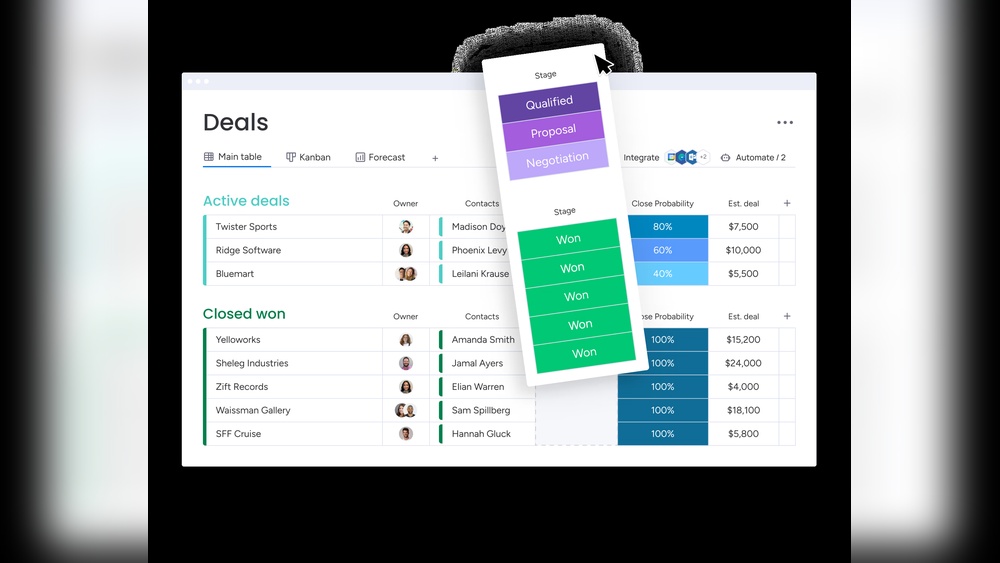
Looking for a CRM that truly fits your team’s needs without the hassle? Monday CRM might be exactly what you need.
It’s designed to help you manage your entire sales cycle—from first lead to closed deal—all in one easy-to-use, no-code platform. Imagine saving time with AI-powered tools that track customer conversations, draft emails for you, and automate repetitive tasks. Whether your team is small or large, monday CRM adapts to your workflow, helping you stay organized, boost sales, and build better customer relationships. Curious about how much monday CRM costs and which plan suits your business best? Dive into our detailed breakdown of Monday Com CRM Pricing to find the perfect fit for your team and start growing faster today.
Credit: support.monday.com
Introduction To Monday.com Crm And Its Purpose
Monday.com CRM is designed to help businesses manage customer relationships easily and efficiently. It combines AI-powered tools with a no-code platform to automate sales and improve communication. This CRM centralizes workflows, tracks leads, and aligns team projects to boost sales and productivity.
The platform suits teams of all sizes and offers a secure environment to handle customer data. It simplifies the entire sales cycle, from capturing leads to closing deals, making customer management smooth and clear.
Overview Of Monday.com Crm: Streamlining Customer Relationship Management
Monday.com CRM serves as an all-in-one solution for managing sales and customer relations without coding skills. Its key features include:
- Managing the entire sales cycle from lead to deal
- Automation of sales processes to save time
- AI tools to track customer communication and draft emails
- Customizable workflows tailored to business needs
- Unlimited contacts and sales pipelines
- Collaborative project and goal alignment for teams
- Highly secure platform ensuring data safety
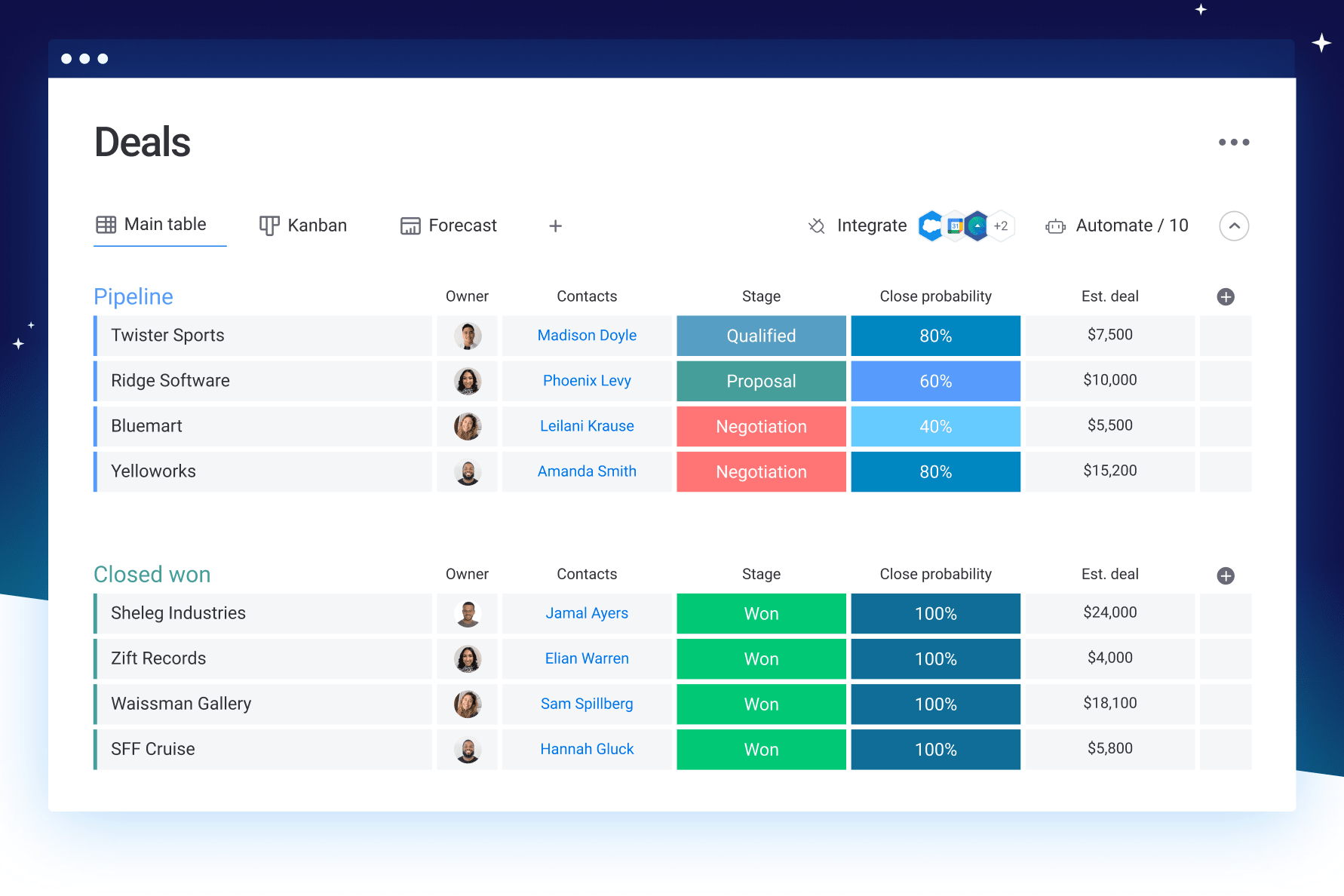
This CRM helps streamline tasks and improve transparency. Teams can easily monitor sales progress and customer interactions in one place.
How Monday.com Crm Helps Businesses Manage Leads And Sales Efficiently
The CRM uses automation and AI-powered features to enhance lead and sales management:
- Lead Tracking: Capture and organize leads automatically for easy follow-up.
- Communication Management: Track emails and messages to keep customer interactions clear.
- Email Drafting: Use AI to compose professional emails quickly.
- Sales Pipeline Automation: Automate repetitive tasks and move deals smoothly through stages.
- Project Alignment: Coordinate sales goals with team projects for better results.
These features save time, increase sales efficiency, and improve customer relationships.
| Plan | Price (per user/month) | Billing |
|---|---|---|
| Free Plan | $0 | Monthly |
| Basic Plan | $12 | Annually ($108) |
| Standard Plan | $14 | Annually ($144) |
| Pro Plan | $79.99 | Annually ($228) |
Key Features Of Monday.com Crm And Their Benefits
Monday CRM offers a rich set of features designed to streamline sales and customer management. These features help teams stay organized, improve communication, and close deals faster. Each tool is created to fit different business needs without requiring coding skills.
Unified Customer Communication Tracking: Enhancing Transparency And Collaboration
Track every message, call, and email in one place. This unified view lets teams see all customer interactions clearly.
- Improves transparency by sharing communication history with all team members.
- Boosts collaboration as sales and support teams stay informed.
- Reduces missed messages and follow-ups, leading to better customer care.
Ai-powered Tools: Automating Email Drafting And Lead Generation For Faster Sales
AI features help automate routine tasks like writing emails and finding new leads. This saves time and speeds up sales.
- Automates email drafting with smart suggestions, reducing manual work.
- Generates lead information automatically, helping teams focus on closing deals.
- Increases efficiency by handling repetitive tasks.
Customizable Pipelines And Deal Stages: Tailoring Crm To Fit Unique Business Needs
Adjust sales pipelines and deal stages to match your business process. This flexibility helps track progress clearly.
- Create multiple pipelines for different products or teams.
- Customize deal stages to reflect your sales steps accurately.
- Visualize progress easily with drag-and-drop boards.
Centralized Client Information Management: Saving Time And Reducing Busywork
Store all client data and notes in one spot. This central hub cuts down on searching for information.
- Access client details quickly to prepare for meetings and calls.
- Reduce busywork by keeping data organized and updated automatically.
- Enhance team coordination by sharing client info seamlessly.
Integration Capabilities: Connecting Monday.com Crm With Other Business Tools
Connect Monday CRM with tools like email, calendars, and marketing software. This creates a smooth workflow.
- Sync data automatically across platforms to avoid duplicate entries.
- Use existing apps without switching between systems.
- Enhance productivity by linking CRM with your favorite business tools.
Detailed Breakdown Of Monday.com Crm Pricing Plans
Understanding the pricing structure of Monday.com CRM helps teams pick the best plan for their needs. Each plan offers unique features and tools suited for different business sizes and goals. This guide explains key details about the Free, Basic, Standard, and Pro plans, plus billing options.
Free Plan: Features And Limitations For Small Teams Or Beginners
The Free Plan is designed for individuals or very small teams starting with CRM. It allows basic sales tracking and contact management without any cost.
- Manage leads and contacts with simple tools
- No-code customization options are limited
- Basic automation features available
- Suitable for up to 2 users
- Limited storage and integrations
This plan fits small teams or beginners who want to explore CRM capabilities without investment.
Basic Plan: Benefits And Ideal Use Cases At $12 Per User Monthly
The Basic Plan costs $12 per user per month when billed annually. It suits small businesses ready for more automation and customization.
- Includes all Free Plan features
- Allows unlimited free viewers
- Offers simple automation and integration features
- Provides 5 GB file storage per user
- Ideal for teams needing basic workflow automation
This plan helps small teams improve sales processes with minimal cost.
Standard Plan: Enhanced Functionality And Value At $14 Per User Monthly
The Standard Plan is priced at $14 per user per month billed annually. It offers advanced tools for growing teams focused on collaboration and tracking.
- All Basic Plan features included
- Advanced automation with more actions
- Timeline and Gantt views for project management
- Dashboards to track multiple projects
- Increased file storage and integration limits
This plan supports teams managing complex sales cycles and multiple pipelines.
Pro Plan: Advanced Features For Growing Businesses At $79.99 Per User Monthly
The Pro Plan costs $79.99 per user monthly and targets businesses needing robust CRM capabilities.
- Includes all Standard Plan features
- Advanced reporting and analytics
- Custom permissions for team roles
- Time tracking and formula columns
- Higher limits on automations and integrations
- Priority customer support
This plan suits businesses requiring detailed insights and strong process control.
Annual Vs. Monthly Billing: Cost Savings And Flexibility
| Billing Option | Price per User (Basic Plan) | Price per User (Standard Plan) | Price per User (Pro Plan) | Benefits |
|---|---|---|---|---|
| Annual Billing | $12 (billed $108 yearly) | $14 (billed yearly) | $79.99 (monthly) | Lower monthly cost, upfront payment |
| Monthly Billing | Higher monthly rate | Higher monthly rate | Same as annual | More flexibility, pay month-to-month |
Choosing annual billing saves money but requires full payment upfront. Monthly billing offers payment flexibility but at a higher monthly cost. Teams can select based on budget and commitment.

Credit: monday.com
Pros And Cons Of Monday.com Crm Based On Real-world Usage
Monday.com CRM offers a robust platform designed to manage sales and customer relationships efficiently. Users appreciate its advanced features, but some face challenges depending on their business size and familiarity with the tool. This section explores the key advantages and limitations based on actual user experience.
Advantages: User-friendly Interface, Customizability, And Ai Integration
- User-Friendly Interface: The platform features an intuitive layout. It allows users to navigate easily without deep technical skills. Clear dashboards and visual workflows help teams track sales progress smoothly.
- Customizability: No-code customization lets businesses tailor CRM to their specific needs. Users can create unique pipelines, automate processes, and adjust views without coding knowledge.
- AI Integration: AI tools support sales teams by tracking customer communication and drafting emails automatically. These features save time and improve lead generation accuracy.
Limitations: Pricing For Small Businesses And Learning Curve For New Users
| Aspect | Details |
|---|---|
| Pricing for Small Businesses |
|
| Learning Curve for New Users | New users sometimes find the platform complex at first. Understanding all features and automations takes time. Training or tutorials can help reduce this hurdle. |
Customer Feedback Highlights: Common Praises And Criticisms
- Common Praises:
- Easy to customize workflows without coding.
- AI tools improve sales communication efficiency.
- Good integration of project and sales management.
- Secure platform suitable for all team sizes.
- Common Criticisms:
- Pricing plans can be expensive for small businesses.
- Initial setup and learning require effort and patience.
- Some users want more advanced reporting features.
Who Should Choose Monday.com Crm?
Monday.com CRM suits businesses needing a simple yet powerful tool to manage sales. It fits teams wanting customizable workflows and automation to save time. This CRM helps improve team collaboration and track sales easily.
Its AI features assist in managing customer communication, making it ideal for those who want smarter, faster sales processes. The platform adapts well to different business sizes and needs.
Ideal Businesses: Small To Medium Enterprises Looking For Customizable Crm Solutions
Small to medium enterprises (SMEs) benefit most from Monday.com CRM. It offers a no-code platform that allows teams to tailor the CRM to their unique sales process without technical skills.
- Flexible customization for specific business needs
- Automation tools to reduce manual tasks
- Centralized management of leads, customers, and sales
- Secure environment suitable for growing companies
SMEs gain better control over their sales pipeline and improve customer relationships using this platform.
Use Cases: Sales Teams Needing Efficient Lead Management And Automation
Sales teams benefit from Monday.com CRM’s focus on lead management and automation. The CRM tracks communication and helps draft emails using AI, saving valuable time.
- Automate follow-ups and reminders
- Track every lead’s status clearly
- Use AI to analyze customer data and improve outreach
- Streamline sales workflows without coding knowledge
This CRM helps sales teams close deals faster and stay organized.
Scenarios Where Monday.com Crm Excels: Managing Multiple Pipelines And Collaborative Sales Processes
Monday.com CRM works well for teams handling multiple sales pipelines and complex sales processes. It supports collaboration by aligning projects and goals across teams.
| Scenario | How Monday.com CRM Helps |
|---|---|
| Multiple pipelines | Manage unlimited pipelines in one place, avoiding mix-ups |
| Collaborative sales | Share updates and goals, improving team communication |
| Workflow automation | Automate repetitive tasks and alerts, keeping teams focused |
Teams experience smoother coordination and better sales tracking with this CRM.
Conclusion: Is Monday.com Crm Pricing Worth It?
Monday.com CRM offers flexible pricing plans designed to fit different business needs. Each plan provides valuable features that help teams manage sales and customer relationships efficiently. The pricing reflects the platform’s powerful AI tools, automation, and customization options. Understanding the value in each plan can help decide if the cost matches your business goals and size.
Summary Of Value Offered By Each Pricing Plan
| Plan | Price (per user/month) | Key Features |
|---|---|---|
| Free | $0 |
|
| Basic | $12 (billed annually) |
|
| Standard | $14 (billed annually) |
|
| Pro | $79.99 (billed annually) |
|
Final Recommendations Based On Business Size And Needs
Small businesses or startups may find the Free or Basic plans sufficient. These plans cover essential CRM functions and basic automation.
Growing businesses can benefit from the Standard plan. It offers AI tools that improve customer communication and sales tracking.
Large teams or companies needing advanced security and automation should consider the Pro plan. It supports complex workflows and high data protection.
Tips For Maximizing Roi With Monday.com Crm
- Start with a trial or Free plan to test core features.
- Automate repetitive tasks to save time and reduce errors.
- Use AI tools for better customer insights and communication.
- Customize the platform with no-code options to fit your sales process.
- Train your team to use Monday CRM efficiently for better adoption.
- Review usage regularly to adjust plans and features as your business grows.
Credit: monday.com
Frequently Asked Questions
How Much Does Monday Crm Cost?
Monday CRM offers a Free plan and paid plans: Basic at $12, Standard at $14, and Pro at $79. 99 per user monthly. Annual billing provides discounts.
Can Monday.com Be Used As A Crm?
Yes, Monday. com can be used as a CRM. It helps manage leads, track customer communication, and automate sales processes efficiently.
Is Monday.com Free For 2 People?
Monday. com offers a free plan for up to 2 users. It includes basic features suitable for small teams.
Is Monday Crm Worth It?
Monday CRM offers an intuitive, customizable platform that streamlines sales and customer management. It saves time and boosts productivity effectively.
Conclusion
Monday CRM offers flexible pricing to fit different business needs. The free plan helps beginners start without costs. Paid plans add more features and automation for growing teams. Each plan supports better sales tracking and customer management. The platform’s AI tools save time and improve communication. Choose a plan that matches your team size and goals. Visit this link to explore Monday CRM pricing details. Make managing sales easier and more efficient with the right plan for you.

