
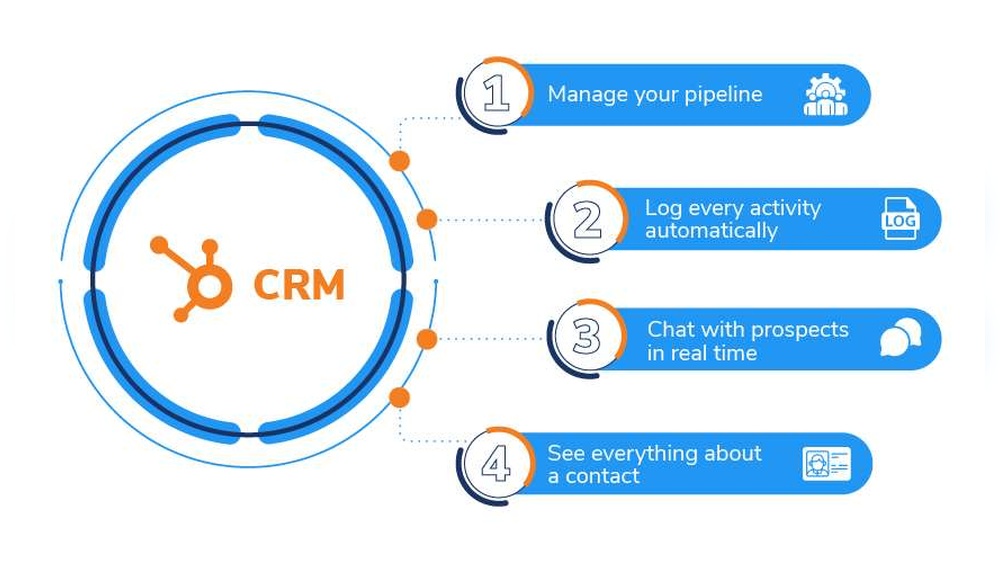
If you’re running a startup or small business, managing your customer relationships efficiently can make all the difference. Imagine having all your customer data neatly organized in one place, with smart AI tools helping you understand and act on it effortlessly.
That’s exactly what Hubspot CRM offers — a powerful, easy-to-use platform designed to boost your sales, marketing, and customer service without the hassle of complicated setups or expensive fees. Best of all, it’s completely free with no expiration date, so you can focus on growing your business without worrying about hidden costs. Ready to discover how Hubspot CRM can transform your daily workflow and help you close deals faster? Dive into the benefits and see why this tool is a game-changer for businesses like yours. Explore Hubspot CRM here: https://saaslabpro.com/hubspot
Introduction To Hubspot Crm And Its Purpose
HubSpot CRM helps startups and small businesses manage their customer data in one place. It simplifies tasks for sales, marketing, and customer service teams. This tool boosts productivity and helps close deals faster. Unlike many tools, HubSpot CRM is free to use forever, making it ideal for growing companies.
What Is Hubspot Crm?
HubSpot CRM is software that organizes and tracks all customer interactions. It stores contacts, manages leads, and supports sales processes. The CRM automates routine tasks and keeps data easy to access. This system replaces spreadsheets, reducing errors and saving time.
- Stores customer information securely
- Tracks emails, calls, and meetings
- Automates follow-up reminders
- Supports sales pipeline management
How Hubspot Crm Supports Business Growth
The CRM helps businesses grow by improving team efficiency and customer relationships. It simplifies communication between teams and customers. Sales reps spend less time on admin work and more on selling. Marketing teams can target customers better using organized data.
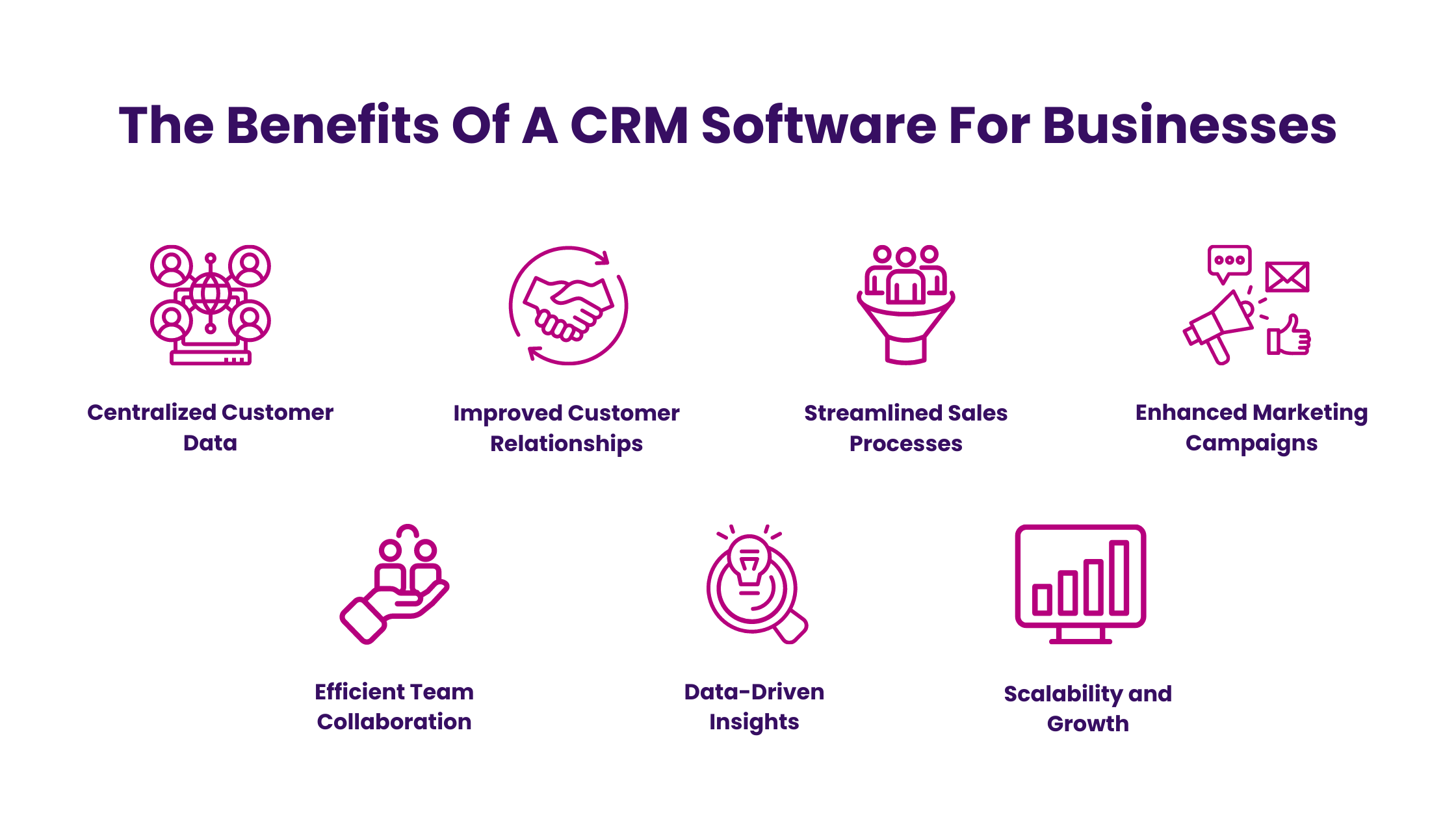
- Centralizes customer information
- Automates sales and marketing tasks
- Enables better decision-making with clear data
- Improves customer experience through timely follow-ups
With these features, businesses can close deals faster and increase revenue.
Overview Of Hubspot’s All-in-one Platform
HubSpot offers more than just CRM. It is an all-in-one platform that includes marketing, sales, and customer service tools. These tools work together smoothly to give a full view of customer journeys.
| HubSpot Tool | Purpose | Key Benefits |
|---|---|---|
| CRM | Manage contacts and sales pipeline | Organizes data, automates tasks |
| Marketing Hub | Run email campaigns and ads | Generates leads, tracks engagement |
| Sales Hub | Automate sales processes | Closes deals faster, tracks performance |
| Service Hub | Support customers and manage tickets | Improves customer satisfaction |
This unified platform saves time and improves team collaboration.
Credit: arissainternational.com
Key Features That Make Hubspot Crm Unique
HubSpot CRM stands out for its powerful features designed to help startups and small businesses manage customer relationships efficiently. It offers a complete solution that brings sales, marketing, and customer service teams together on one easy-to-use platform.
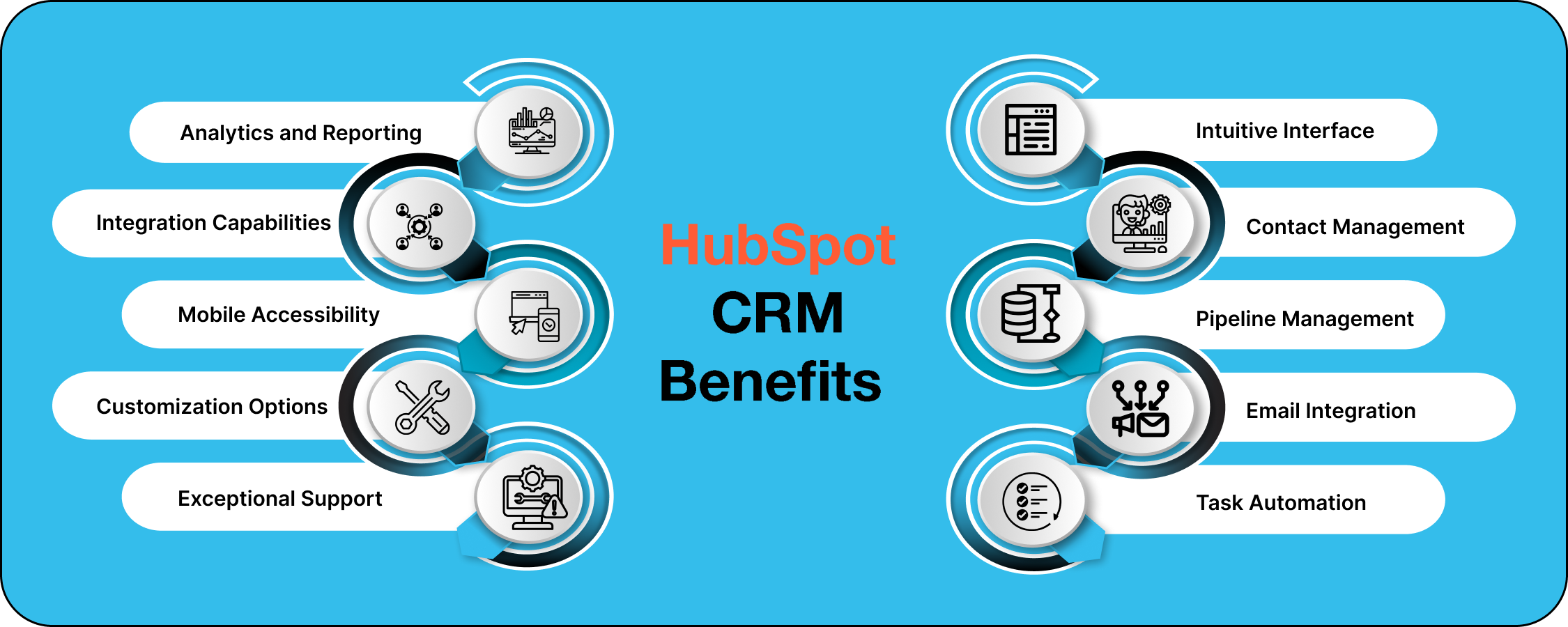
The CRM centralizes data, automates sales tasks, integrates marketing tools, improves customer support, and provides AI insights. These features reduce manual work and help teams close deals faster.
Centralized Database For Seamless Team Collaboration
HubSpot CRM stores all customer data in one place. This centralized database allows teams to access real-time information anytime. Sales, marketing, and support teams can see the same customer details, preventing data silos.
- Shared contact records
- Real-time activity tracking
- Easy data updates and management
This setup improves communication and keeps everyone on the same page.
Sales Automation To Accelerate Deal Closures
HubSpot CRM automates repetitive sales tasks to save time. It helps teams focus on closing deals faster by reducing manual work.
- Automated email sequences
- Task reminders and follow-ups
- Deal pipeline management
Automation ensures no lead is forgotten and every opportunity is tracked.
Marketing Tools Integration For Streamlined Campaigns
The CRM integrates smoothly with marketing tools. This helps run campaigns that are targeted and easy to manage.
- Email marketing and tracking
- Lead capture forms
- Social media scheduling
All marketing activities link directly to contact records, giving better insight into campaign performance.
Customer Service Features To Enhance Support Efficiency
HubSpot CRM offers built-in customer service tools. These features help respond to customer issues quickly and effectively.
- Ticketing system to track requests
- Knowledge base for self-service
- Live chat and chatbots
Support teams can solve problems faster and improve customer satisfaction.
User-friendly Interface And Ease Of Use
The interface is simple and intuitive. New users can start quickly without extensive training.
- Clean dashboard with clear navigation
- Drag-and-drop customization
- Mobile app for access on the go
HubSpot CRM focuses on usability to keep teams productive.
Ai-powered Insights For Smarter Decision Making
HubSpot uses AI to analyze data and deliver actionable insights. This helps teams make better decisions based on real trends.
- Predictive lead scoring
- Sales forecasting
- Behavioral analytics
AI tools provide clear guidance on where to focus efforts for best results.
Pricing And Affordability Breakdown
HubSpot CRM offers flexible pricing plans to suit startups and small businesses. The focus lies on affordability without losing essential features. This section breaks down the pricing tiers, features, and how HubSpot compares to other CRM solutions.
Hubspot Crm’s Free Tier And Its Capabilities
The free tier of HubSpot CRM is a solid choice for new businesses. It is 100% free with no expiration date, unlike limited free trials from competitors.
- Manage contacts, companies, deals, and tasks
- Organize customer data on one platform
- Basic email tracking and notifications
- Integration with Gmail and Outlook
- Limited reporting and dashboard features
This tier supports unlimited users and up to 1 million contacts, making it ideal for startups needing to grow without upfront costs.
Professional And Enterprise Plan Features
HubSpot’s paid plans offer more advanced tools tailored to growing businesses:
| Plan | Key Features | Starting Price (per month) |
|---|---|---|
| Professional |
| $500 |
| Enterprise |
| $1,200+ |
These plans scale with your business needs and provide automation to save time.
Cost Comparison With Other Crm Solutions
HubSpot CRM’s pricing is competitive compared to popular CRM tools:
| CRM | Free Plan | Starting Paid Plan | Key Advantage |
|---|---|---|---|
| HubSpot | Yes, unlimited users | $500/month | Strong free tier, easy to use |
| Salesforce | No | $25/user/month | Robust analytics and reporting |
| Zoho CRM | Yes, limited users | $14/user/month | Affordable for small teams |
HubSpot’s free tier offers more features than many paid competitors.
Value For Money: Balancing Features And Pricing
HubSpot CRM delivers great value by combining ease of use with essential features.
- Free tier covers basic CRM needs without cost
- Paid plans offer powerful automation and reporting
- Pricing reflects the depth of tools and support
- Ideal for startups investing gradually in CRM
Businesses gain a strong foundation at no cost and can upgrade as they grow. This balance of features and pricing supports sustained growth.
%20(1)-1.png)
Credit: www.newbreedrevenue.com
Pros And Cons Based On Real-world Usage
HubSpot CRM is popular among startups and small businesses. It helps organize customer data and automates sales, marketing, and support tasks. Users report both benefits and limitations after using it in daily operations. This section explores those real-world pros and cons.
Advantages: Increased Productivity And Scalability
HubSpot CRM boosts productivity by automating routine tasks. Sales and marketing teams spend less time on manual data entry. The platform centralizes customer information, making it easier to track interactions.
- Automation: Email sequences, task reminders, and deal tracking reduce workload.
- Scalability: The CRM grows with your business, adding features as needed.
- Integration: Works well with other tools, improving workflow efficiency.
Many users find that HubSpot CRM helps close deals faster and manage customer relationships better.
Limitations: Free Plan Constraints And Feature Gaps
The free plan covers basic CRM needs but has limits. It lacks advanced analytics and some marketing automation features.
| Feature | Free Plan | Paid Plans |
|---|---|---|
| Contact & Lead Management | Included | Included + Advanced Options |
| Marketing Automation | Very limited | Full Access |
| Reporting & Analytics | Basic | Advanced |
| Customer Support | Limited | Priority Support |
Some users feel the free plan is good for starting but outgrows it quickly.
User Feedback On Interface And Support
The interface is simple and clean. Many users praise its ease of use, especially beginners.
- Navigation: Intuitive menus and dashboards.
- Learning Curve: Minimal, thanks to clear design.
- Support: Mixed reviews — helpful but sometimes slow on free plans.
Overall, users say the CRM saves time but expect faster support with paid subscriptions.
Comparing Hubspot Crm’s Strengths And Weaknesses
| Strengths | Weaknesses |
|---|---|
|
|
Specific Recommendations For Ideal Users And Scenarios
HubSpot CRM suits various business types and needs. Understanding which users benefit most helps in choosing the right CRM tool. This section highlights ideal users and situations where HubSpot performs best.
Best Fit For Startups And Small Businesses
Startups and small businesses gain much from HubSpot CRM’s free plan. It offers essential tools without cost, making it ideal for limited budgets.
- Simple setup: Easy to install and use with minimal training.
- Unified customer data: Keeps all contacts and interactions in one place.
- Automation: Automates repetitive tasks, saving time for small teams.
- Scalability: Grows with your business as needs increase.
This CRM helps small teams manage leads, track deals, and improve customer communication efficiently.
Why Mid-sized Companies Benefit From Hubspot Crm
Mid-sized companies enjoy HubSpot’s combination of power and ease of use. It supports growing sales and marketing teams with advanced features.
| Feature | Benefit for Mid-Sized Companies |
|---|---|
| Contact Management | Handles large databases with ease and keeps data organized. |
| Sales Pipeline Tracking | Visualizes deal stages to improve forecasting and follow-ups. |
| Marketing Automation | Enables targeted email campaigns and lead nurturing. |
| Integrations | Connects with popular tools to streamline workflows. |
These features allow mid-sized teams to boost productivity and close deals faster.
When To Consider Hubspot Over Competitors Like Salesforce
Choose HubSpot CRM over Salesforce when ease of use is a priority. HubSpot has a clean, simple interface that reduces learning time.
- Lower cost: Free tier with no expiration and affordable upgrades.
- All-in-one platform: Combines sales, marketing, and service tools.
- Minimal setup: Ready to use quickly without complex customization.
- Strong support: Extensive tutorials and a helpful community.
HubSpot fits businesses needing a fast, straightforward CRM solution without complex features.
Scenarios Where Hubspot Crm Maximizes Sales And Marketing Efficiency
HubSpot CRM shines in scenarios requiring streamlined workflows and clear data insights.
- Lead Management: Tracks and scores leads to prioritize sales efforts.
- Deal Automation: Automates follow-ups and reminders for faster deal closure.
- Marketing Campaigns: Runs targeted email campaigns and measures performance.
- Customer Support: Logs interactions to provide better service and retention.
- Data Reporting: Offers easy-to-understand reports for decision-making.
These scenarios improve team coordination and reduce manual tasks, boosting overall efficiency.
Credit: insidea.com
Frequently Asked Questions
What Are The Benefits Of Hubspot Crm?
HubSpot CRM centralizes sales, marketing, and service tools, automates tasks, improves team collaboration, and boosts productivity. It offers a user-friendly interface and scalable solutions for business growth.
What Are The 5 Benefits Of Crm?
CRM boosts customer relationships by centralizing data for easy access. It automates sales and marketing tasks. CRM enhances team collaboration and communication. It improves customer retention with personalized service. CRM provides analytics to drive smarter business decisions.
What Are The Pros And Cons Of Hubspot?
HubSpot offers an easy-to-use, all-in-one CRM with powerful sales, marketing, and service tools. It improves team collaboration and automation. Pricing can be high for advanced plans. Some features have a learning curve, and customization options may be limited for complex needs.
Why Is Hubspot Better Than Salesforce?
HubSpot offers an easy-to-use, all-in-one CRM with affordable AI features. It boosts sales, marketing, and support efficiency better than Salesforce.
Conclusion
HubSpot CRM helps you keep all customer data in one place. It saves time by automating many daily tasks. Your team can work smarter and close deals faster. Easy-to-use tools improve your sales and marketing efforts. It fits well for startups and small businesses alike. No expiration, no cost—just a simple way to grow. Discover how HubSpot can support your business growth today by visiting https://saaslabpro.com/hubspot. Give your customer data the care it deserves.

