
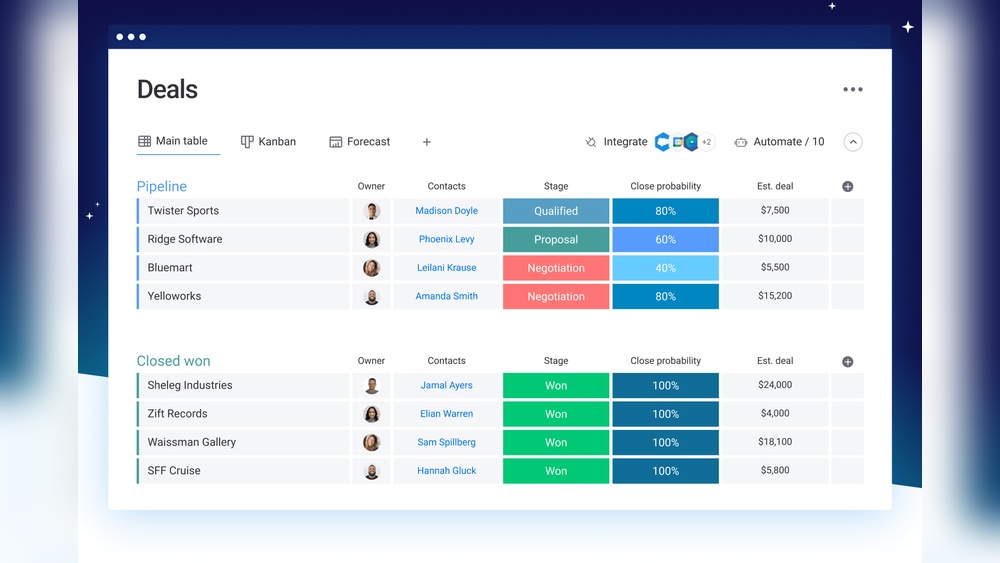
Looking for a CRM that your whole team will actually enjoy using? Monday.Com CRM might just be what you need.
It’s designed to be easy and intuitive, with AI-powered features and no-code automations that help you save time and close deals faster. Whether you want to streamline your sales process or keep your projects on track, Monday CRM adapts to your workflow without the usual headaches. Curious to see if it’s the right fit for you? Keep reading this Monday.Com CRM review to discover how it can transform your team’s productivity and help your business grow.
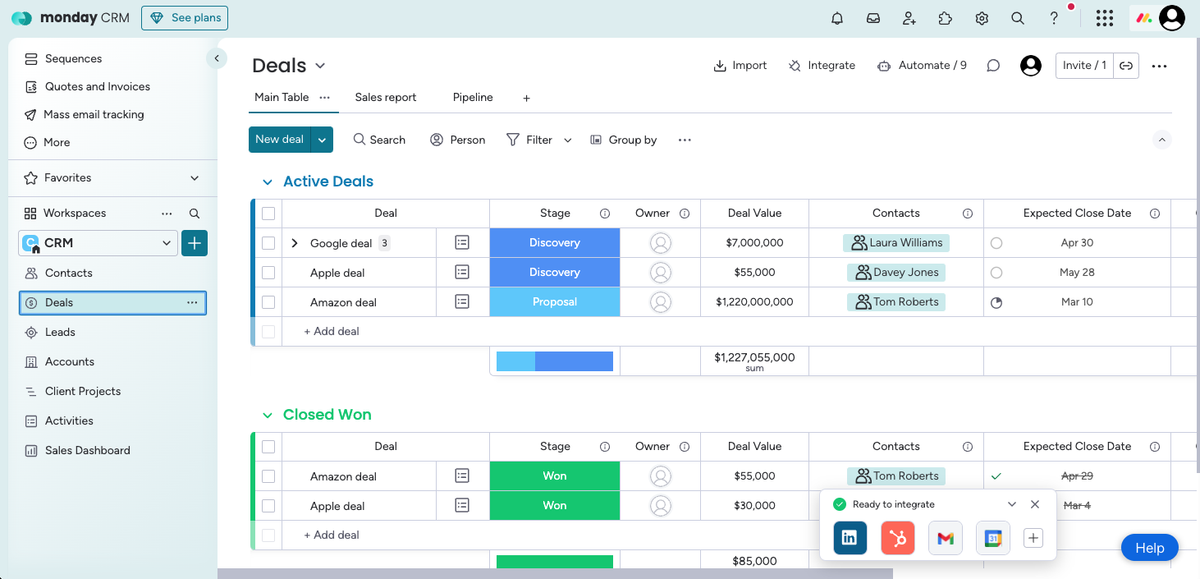
Credit: www.techradar.com
Introduction To Monday.com Crm
Monday.com CRM stands out as a flexible, user-friendly platform designed to streamline sales and customer management. It combines intuitive design with powerful features to help teams manage their sales processes smoothly. This introduction explains what Monday.com CRM offers and why sales teams prefer it.
Overview Of Monday.com Crm And Its Purpose
Monday.com CRM is built to simplify customer relationship management. It organizes contacts, tracks deals, and automates repetitive tasks, all in one place. The platform uses AI to enhance productivity without needing coding skills.
Key features include:
- Visual dashboards for clear sales tracking
- Customizable pipelines to fit different sales workflows
- AI-powered automation to save time
- Collaboration tools for team communication
- Integration with popular apps and services
The main purpose is to help teams grow faster by reducing manual work and improving deal visibility. It supports better decision-making through data and real-time updates.
Why Choose Monday.com Crm For Sales Teams?
Sales teams benefit from Monday.com CRM due to its simplicity and adaptability. It requires no technical background, making it easy for anyone to start using immediately.
| Benefit | Description |
|---|---|
| Ease of Use | Drag-and-drop interface lets teams customize workflows quickly. |
| AI and Automation | Automates reminders and updates, reducing manual errors. |
| Team Collaboration | Shared boards and communication features keep everyone aligned. |
| Sales Visibility | Clear deal tracking helps prioritize high-value opportunities. |
| Customization | Flexible templates adapt to various sales strategies. |
Choosing Monday.com CRM means gaining a tool that grows with your team. It improves organization and cuts down on wasted time. Sales teams can focus more on closing deals and less on managing data.
Key Features That Make Monday.com Crm Unique
Monday.com CRM stands out with features designed to simplify sales and team management. Its focus on flexibility, automation, and collaboration helps teams stay organized and efficient. Each feature supports different aspects of the sales process, making it easier to customize and control workflows.
Customizable Workflows For Tailored Sales Processes
Monday.com CRM allows users to create custom workflows that fit their unique sales steps. Teams can adjust stages, set priorities, and add fields to match their business needs. This flexibility makes managing leads and deals smoother and more efficient.
- Create specific pipelines for different products or services
- Adjust workflows without coding knowledge
- Track progress with clear, personalized stages
Automation Capabilities To Save Time And Reduce Manual Tasks
With built-in automation tools, Monday.com CRM reduces repetitive work. Users can set triggers to automate actions like sending emails, updating statuses, and assigning tasks. This saves time and lowers the chance of errors.
- Auto-assign leads to sales reps
- Send follow-up reminders automatically
- Update deal stages based on activity
Real-time Collaboration And Shared Workspaces
The CRM offers shared workspaces where teams can work together in real time. Comments, file sharing, and notifications keep everyone on the same page. This feature encourages teamwork and faster decision-making.
- Collaborate directly on deals and projects
- Receive instant updates on changes
- Share documents within the platform
Visual Sales Pipeline With Multiple View Options
Monday.com CRM provides a visual sales pipeline with several views like Kanban, timeline, and charts. These views help users understand deal status and sales performance at a glance.
| View Type | Purpose |
|---|---|
| Kanban | Track deals by stages with drag-and-drop ease |
| Timeline | Plan sales activities over time |
| Charts | Visualize sales data and team performance |
Integration With Popular Tools For A Unified Workflow
Monday.com CRM connects with many popular apps. This integration helps create a unified workflow by syncing data across platforms. Teams avoid switching apps and maintain consistent information.
- Connect email, calendar, and marketing tools
- Sync data with project management software
- Use APIs for custom integrations
User-friendly Interface Suitable For All Skill Levels
The interface is clean and intuitive, designed for users of all skill levels. Simple navigation and clear layouts make onboarding quick. No advanced training is required to start managing sales effectively.
- Drag-and-drop features for easy use
- Clear labels and helpful tooltips
- Responsive design for desktop and mobile
Pricing And Affordability Breakdown
Understanding the pricing of Monday.com CRM helps decide if it fits your budget. This section breaks down the plans, compares costs with other CRMs, and weighs features against price.
Overview Of Monday.com Crm Pricing Plans
Monday.com CRM offers several pricing plans suited to different business needs. Pricing is typically per user, billed monthly or annually. Here is a simplified overview:
| Plan | Price (per user/month) | Main Features |
|---|---|---|
| Basic | $10 | Contact management, simple automations, basic integrations |
| Standard | $20 | Advanced automations, integrations, sales pipeline management |
| Pro | $30 | AI-powered sales insights, custom dashboards, enhanced analytics |
| Enterprise | Custom pricing | Tailored solutions, priority support, advanced security |
Annual billing often offers a discount of around 18%. The plans scale well from small teams to large enterprises.
Cost Comparison With Other Popular Crms
Monday.com CRM pricing sits in the mid-range compared to popular CRMs. Below is a comparison of monthly costs per user for standard plans:
| CRM | Standard Plan Price | Key Feature Highlight |
|---|---|---|
| Monday.com CRM | $20 | AI-powered automations and code-free customization |
| Pipedrive | $15 | Simple sales pipeline with easy setup |
| Zoho CRM | $18 | Strong integration options and AI assistant |
| Salesforce | $25 | Comprehensive CRM with extensive features |
Monday.com offers a competitive price for the features and AI capabilities it provides.
Value For Money: Features Vs. Price
Monday.com CRM balances cost with powerful features:
- AI-powered automations reduce manual work and speed up sales cycles.
- Code-free customization allows teams to tailor workflows without developers.
- Intuitive interface makes adoption easy for all skill levels.
- Integration capabilities connect with popular tools like email, calendars, and more.
The Pro plan, while pricier, adds advanced analytics and custom dashboards that boost sales insights.
For small teams, the Basic and Standard plans offer good entry points with solid features.
Overall, Monday.com CRM provides good value by combining modern AI tools with affordable pricing.
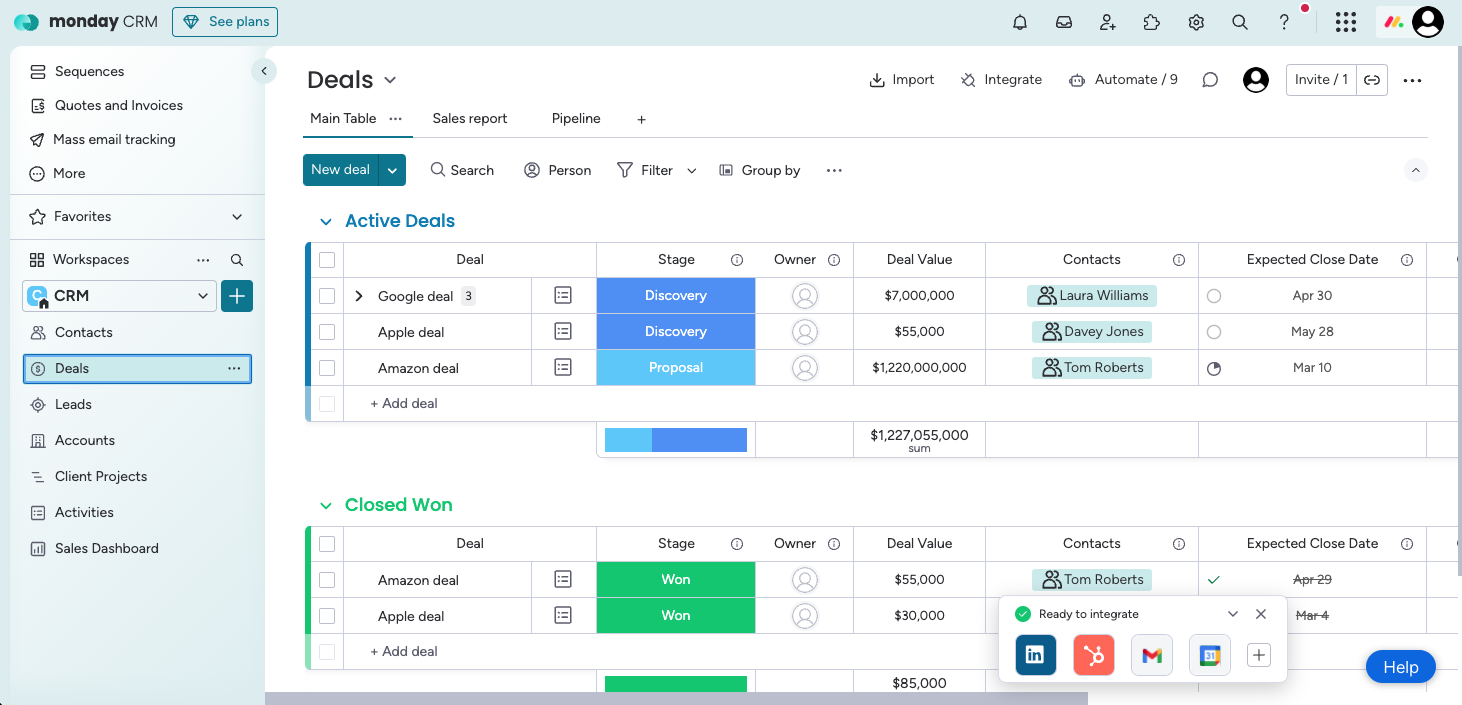
Credit: www.techradar.com
Pros And Cons Based On Real-world Usage
Monday.com CRM offers a mix of powerful features and some drawbacks based on actual user experience. It serves teams needing a flexible, easy-to-use CRM with strong automation. Yet, some users find challenges with learning the system and missing advanced features.
Advantages: Flexibility, Automation, And Ease Of Use
Flexibility stands out as Monday.com CRM adapts to many business types. Users can customize dashboards and workflows without coding skills.
- Drag-and-drop interface simplifies project and sales tracking.
- Highly customizable boards fit various sales processes.
Automation saves time by handling repetitive tasks like sending notifications and updating deal stages. The built-in AI helps predict sales trends and prioritize leads.
- Code-free automations trigger actions based on conditions.
- AI-powered insights improve decision-making speed.
Ease of Use is a key strength. New users can quickly start managing contacts and deals. The clean design reduces clutter and guides workflows smoothly.
Limitations: Potential Learning Curve And Feature Gaps
Some users report a learning curve with advanced features. Although basic tasks are easy, mastering automation and integrations takes time.
- Complex setups require patience and trial.
- Documentation helps but can be overwhelming initially.
Certain feature gaps exist compared to specialized CRMs. For example, deep sales forecasting and advanced reporting tools are limited.
- Reports lack granular customization options.
- Missing some native integrations with popular third-party apps.
User Feedback And Common Challenges
Users appreciate Monday.com CRM’s visual clarity and flexibility. Teams enjoy the AI-driven automation that reduces manual work.
Common challenges include:
- Adjusting to the interface and finding advanced features.
- Managing complex workflows requiring multiple automations.
- Occasional delays in customer support responses.
Many users recommend using training resources and starting with simple boards before scaling up complexity.
| Pros | Cons |
|---|---|
| Highly flexible and customizable | Steep learning curve for advanced features |
| Powerful AI and automation tools | Limited advanced reporting and integrations |
| Intuitive, user-friendly interface | Support response times vary |
Who Should Use Monday.com Crm?
Monday.com CRM suits teams needing a simple, flexible system to manage sales and projects. It blends AI-driven automation with a user-friendly interface. This CRM helps teams stay organized and focused on closing deals.
Its design supports collaboration and adaptability, making it a solid choice for certain business types and team sizes. Below are key groups that benefit most from Monday.com CRM.
Ideal For Small To Mid-sized Sales Teams
Small and mid-sized sales teams find Monday.com CRM especially useful. Its intuitive tools help track leads, deals, and customer interactions without complexity.
- Easy setup and customization save time.
- AI features automate routine tasks.
- Clear dashboards show sales progress.
- Affordable pricing fits smaller budgets.
The CRM scales well as teams grow but keeps processes simple enough for daily use. Sales reps can focus on selling instead of managing software.
Best Fit For Creative Agencies And Collaborative Teams
Creative agencies benefit from Monday.com CRM’s strong collaboration tools. It supports multiple users working on projects and client communications.
- Visual boards keep everyone on the same page.
- File sharing and comments improve teamwork.
- Custom workflows adapt to agency processes.
- Automation reduces manual updates.
Teams can manage both creative projects and client sales in one place. This reduces the need for multiple apps and streamlines communication.
When To Consider Alternatives For Larger Enterprises
Larger enterprises may find Monday.com CRM less suited for very complex needs. Its simplicity can limit advanced features required at scale.
| Considerations | Monday.com CRM | Enterprise Alternatives |
|---|---|---|
| Complex Sales Processes | Basic automation and pipelines | Advanced customization and integrations |
| Large User Base | May require multiple licenses | Enterprise pricing and support |
| Data Security & Compliance | Standard protections | Enhanced security and compliance tools |
| Reporting & Analytics | Good for small teams | Robust, customizable reports |
For enterprises needing extensive integrations or specialized compliance, other CRM solutions may offer better fit.
Tips To Maximize Sales With Monday.com Crm
Monday.com CRM offers tools that help sales teams work smarter and faster. Using its features well can improve sales results. Focus on automation, workflow customization, and integrations to get the most out of this platform.
Leveraging Automation To Accelerate Sales Cycles
Automation in Monday.com CRM reduces repetitive tasks. It frees up time for your sales team to focus on closing deals. Set up automation to:
- Send follow-up emails automatically after meetings.
- Assign leads to team members based on specific rules.
- Update deal stages without manual input.
These steps speed up the sales process and reduce errors.
Customizing Workflows To Match Your Sales Strategy
Customize your sales workflows in Monday.com CRM to fit your team’s unique approach. Use the drag-and-drop interface to create stages such as:
- Lead capture
- Qualification
- Proposal
- Negotiation
- Closing
Track each deal’s progress clearly. This helps your team stay organized and focused.
| Workflow Stage | Purpose |
|---|---|
| Lead Capture | Gather potential customer information |
| Qualification | Determine if the lead fits your target market |
| Proposal | Present your product or service offer |
| Negotiation | Discuss terms and pricing |
| Closing | Finalize the sale and sign contract |
Using Integrations To Streamline Data And Communication
Monday.com CRM connects with many apps your team already uses. Integrations keep data synced and communication smooth. Popular options include:
- Email platforms like Gmail or Outlook
- Communication tools such as Slack or Microsoft Teams
- Marketing apps like Mailchimp or HubSpot
Integrations reduce the need to switch between apps. Sales data stays up to date everywhere.
Use integrations to:
- Automatically log emails and calls
- Receive real-time notifications about deal updates
- Share files and notes directly within your sales boards
This boosts team collaboration and keeps sales moving forward.
Conclusion: Is Monday.com Crm The Right Choice To Boost Your Sales?
Monday.com CRM offers a smart, easy-to-use platform designed to help sales teams work faster and smarter. Its AI-powered features and code-free automations simplify managing deals and customer interactions. Choosing the right CRM depends on your business size, sales process complexity, and need for automation. This section breaks down the key benefits and considerations, helping decide if Monday.com CRM fits your sales goals.
Summary Of Key Benefits And Considerations
| Benefits | Considerations |
|---|---|
|
|
Final Recommendations Based On Business Needs
Small Teams benefit from Monday.com CRM’s simple setup and automation. It streamlines sales tasks and improves team communication.
Growing Businesses gain value from AI features and scalable workflows that adapt as sales processes evolve.
Complex Sales Cycles might need additional integrations or more specialized CRM tools.
- Evaluate your sales process complexity.
- Consider budget and expected ROI.
- Test Monday.com CRM with a trial to explore features.
- Assess team readiness to adopt new software.
Monday.com CRM suits teams seeking an AI-first, user-friendly platform with customizable automations. Match its strengths to your business goals for best results.

Credit: www.rosemet.com
Frequently Asked Questions
Is Monday.com Good As A Crm?
Monday. com is a good CRM for small to mid-sized teams. It offers customizable workflows, strong integrations, and easy automation. It suits creative teams and agencies needing flexibility and collaboration. Its user-friendly interface helps manage sales processes efficiently without complex setups.
Is Monday Crm Better Than Salesforce?
Monday CRM suits small to mid-sized businesses with flexible workflows and lower costs. Salesforce fits larger enterprises with advanced features. Choose based on your company size and needs.
Is Monday.com Better Than Excel?
Monday. com excels in team collaboration, project management, and automation. Excel is better for complex data analysis and calculations. Choose Monday. com for dynamic workflows and real-time updates. Use Excel for detailed number crunching and standalone data tasks. Each tool fits different business needs.
What Is Better, Monday Or Hubspot?
Monday. com suits teams needing flexible project management and customization. HubSpot excels in marketing, sales, and CRM automation. Choose Monday for workflow adaptability; select HubSpot for comprehensive inbound marketing and sales tools. The best option depends on your business size, goals, and budget.
Conclusion
Monday.com CRM offers a user-friendly platform that fits many business needs. It helps teams manage sales and projects with ease. The AI features and automation save time daily. Custom workflows let you tailor the system to your style. Small and mid-sized businesses find it especially useful. Try Monday.com CRM to see if it suits your team’s workflow. Learn more and start improving your sales process here: Monday.com CRM.

