
Are you struggling to decide between Zapier and HubSpot for your business? You’re not alone.
Both tools offer powerful ways to streamline your work, but they serve very different purposes. Zapier is like a master connector, linking your favorite apps to automate repetitive tasks effortlessly. Meanwhile, HubSpot acts as an all-in-one CRM powerhouse, designed to bring your customer data, marketing, sales, and service into one easy-to-use platform. If you want your data organized, your customer relationships managed smarter, and your workflows automated without juggling multiple tools, understanding the key differences between these two can save you time and money. Ready to discover which one fits your unique needs? Keep reading to find out how Zapier and HubSpot stack up—and why HubSpot’s free CRM might be exactly what your startup or small business needs. Explore HubSpot here: HubSpot CRM for Startups & Small Businesses
Credit: www.cmarix.com
Introduction To Zapier And Hubspot
Automation tools simplify business tasks and improve efficiency. Zapier and HubSpot are two popular platforms helping businesses automate processes. Both serve different but important roles in managing workflows and customer relationships. Understanding each tool’s purpose helps choose the best fit for your needs.
Overview Of Zapier: Purpose And Core Functionality
Zapier is an automation platform designed to connect apps and automate workflows. It links over 3,000 apps, letting users create “Zaps” — automated sequences triggered by specific events.
- Focuses on task automation across different software
- Requires no coding skills
- Automates repetitive tasks like data entry, notifications, and file transfers
- Supports integration with popular apps like Gmail, Slack, and Trello
Zapier saves time by reducing manual work and improving workflow efficiency.
Overview Of Hubspot: All-in-one Crm And Marketing Platform
HubSpot is a complete CRM platform built for startups and small businesses. It unifies customer data and offers tools for marketing, sales, and customer service.
| Key Features | Description |
|---|---|
| CRM | Manages contacts and tracks customer interactions on a single platform |
| Marketing Tools | Email marketing, social media management, and lead generation |
| Sales Tools | Pipeline management and sales automation |
| Customer Service | Ticketing system and customer support features |
HubSpot’s free CRM is available without time limits and helps businesses grow by keeping data organized and accessible.
Why Comparing Zapier And Hubspot Matters For Automation
Both platforms improve automation but serve different roles. Zapier excels in connecting various apps to automate tasks across systems.
HubSpot focuses on managing customer relationships and marketing within one platform.
- Zapier is ideal for linking multiple apps and automating diverse workflows
- HubSpot works best for handling sales, marketing, and customer service in one place
- Choosing the right tool depends on your business needs and automation goals
Understanding these differences helps businesses pick the right automation strategy.
Key Features Of Zapier
Zapier stands out as a powerful automation tool designed to connect apps and simplify workflows. It streamlines daily tasks by linking thousands of applications without requiring coding skills. Its features help businesses save time and reduce errors by automating repetitive actions.
Below are the core features that make Zapier a popular choice for automation across various platforms.
App Integration Capabilities: Connecting Thousands Of Apps Effortlessly
Zapier supports integration with over 3,000 apps, including popular tools like Gmail, Slack, Trello, and more. This vast app library allows users to create connections between apps that normally do not communicate with each other.
- Connect apps instantly without technical setup
- Supports web apps, cloud services, and SaaS tools
- Enables data transfer between different platforms automatically
This extensive integration network helps teams unify their software ecosystem, ensuring smoother data flow and fewer manual updates.
Workflow Automation: Simplifying Repetitive Tasks Across Platforms
Zapier automates routine tasks to save time and reduce human error. Users build “Zaps,” which are workflows that trigger actions in one app based on events in another.
Common automation examples include:
- Saving email attachments to cloud storage
- Creating tasks in project management apps from form submissions
- Posting notifications to team chats for new sales leads
These automated workflows run in the background, freeing users to focus on higher-value work.
User-friendly Interface: Making Automation Accessible For All Skill Levels
Zapier offers a clean, intuitive interface that guides users through the automation process step-by-step. No coding knowledge is required.
- Drag-and-drop editor to build workflows easily
- Pre-built templates for common use cases
- Clear setup instructions and real-time error checks
This design ensures even beginners can create effective automations quickly, making productivity improvements accessible to all.
Key Features Of Hubspot
HubSpot offers a powerful set of tools tailored for startups and small businesses. It handles customer relationship management and streamlines marketing, sales, and service processes. The platform unifies all customer data in one place, making management simple and efficient. HubSpot’s tools help businesses manage the entire customer lifecycle, from lead capture to post-sale service.
Comprehensive Crm Tools: Managing The Entire Customer Lifecycle
HubSpot’s CRM tools organize all customer information clearly. It tracks interactions across sales, marketing, and support. Users can view contact details, communication history, and deal stages in one dashboard.
- Store unlimited contacts with no expiration date
- Automated data capture reduces manual entry
- Real-time updates keep teams aligned
- Customizable pipelines to match business needs
This unified system improves communication and speeds up decision-making.
Marketing Automation Suite: Driving Targeted Campaigns And Lead Nurturing
The marketing automation tools let businesses create focused campaigns easily. They nurture leads by sending personalized emails and tracking engagement.
| Feature | Benefit |
|---|---|
| Email Marketing | Design and send tailored emails to segmented contacts |
| Lead Scoring | Identify hottest leads based on behavior and interactions |
| Workflows | Automate follow-ups and drip campaigns for engagement |
| Landing Pages | Create conversion-optimized pages without coding |
These tools help convert prospects into customers smoothly and efficiently.
Sales And Customer Service Modules: Streamlining Business Operations
HubSpot’s sales and service modules simplify daily operations for teams. Sales reps can track deals, set reminders, and monitor performance.
- Sales Hub: Manage pipelines, automate tasks, and generate quotes.
- Service Hub: Handle customer tickets, feedback, and knowledge bases.
These modules improve team productivity and enhance customer satisfaction.
Pricing And Affordability Comparison
Understanding pricing and affordability helps businesses choose the right tool. Zapier and HubSpot serve different needs with distinct pricing models. This section breaks down their costs and values for various users.
Zapier Pricing Tiers And Value For Automation Needs
Zapier offers a tiered pricing plan focused on automation volume and features. These include:
- Free Plan: Limited to 100 tasks per month and 5 Zaps (automations).
- Starter Plan: $19.99/month, 750 tasks, multi-step Zaps, and filters.
- Professional Plan: $49/month, 2,000 tasks, custom logic, and auto-replay.
- Team Plan: $299/month, 50,000 tasks, collaboration features.
- Company Plan: $599/month, 100,000+ tasks, enterprise-grade features.
Zapier pricing suits businesses needing scalable automation. Small firms benefit from free or starter plans. Larger companies require advanced plans for complex workflows.
Hubspot Pricing Structure: Free And Paid Plans Explained
HubSpot CRM offers a 100% free plan with no expiration. It includes contact management, deal tracking, and email integration.
Paid plans add marketing, sales, and service tools:
| Plan | Starting Price | Key Features |
|---|---|---|
| Starter | $45/month | Email marketing, live chat, meeting scheduling |
| Professional | $800/month | Marketing automation, custom reporting, workflows |
| Enterprise | $3,200/month | Advanced analytics, custom objects, predictive lead scoring |
HubSpot’s free plan fits startups and small businesses well. Paid plans scale for growing businesses needing more marketing and sales power.
Cost-benefit Analysis Based On Business Size And Requirements
Small Businesses and Startups:
- HubSpot’s free CRM offers great value with no cost.
- Zapier’s free plan supports basic task automation.
- HubSpot’s starter plan adds marketing tools for $45/month.
Medium-Sized Businesses:
- Zapier’s professional plan offers advanced automation at $49/month.
- HubSpot professional plan is costlier but combines CRM with marketing.
- Choice depends on whether automation or all-in-one CRM is priority.
Large Enterprises:
- Zapier’s company plan suits high-volume automation needs.
- HubSpot enterprise plan covers extensive CRM and sales operations.
- Higher investment but broad feature sets justify pricing.
Zapier suits businesses focused on connecting apps and automating tasks. HubSpot serves those seeking a full CRM with marketing and sales tools.
Pros And Cons Based On Real-world Usage
Understanding the strengths and weaknesses of Zapier and HubSpot helps you choose the right tool. Both serve different purposes in automation and customer management. Real users share insights on what works well and what can be challenging.
Advantages Of Using Zapier For Task Automation
- Wide App Integration: Connects with over 3,000 apps easily.
- Simple Workflow Creation: No coding needed to build automated tasks.
- Flexible Automation: Automates repetitive tasks across different platforms.
- Time Saver: Reduces manual work for small businesses and startups.
- Customizable Triggers: Allows precise control over when automations run.
Zapier is a focused tool for linking apps and speeding up workflows.
Limitations And Challenges Faced With Zapier
- Limited CRM Features: Not designed for full customer relationship management.
- Cost Can Rise Quickly: Higher usage needs a paid plan that can be expensive.
- Complex Setups: Some advanced automations need technical knowledge.
- Delay in Task Execution: Some automations run with a lag depending on plan.
Zapier works best for automation, but not as a complete CRM solution.
Strengths Of Hubspot’s Integrated Platform
- All-in-One Solution: Combines CRM, marketing, sales, and service tools.
- Free CRM Forever: No expiration or hidden costs on the free plan.
- Unified Customer Data: Keeps all customer information in one place.
- AI Features: Helps understand and manage customer data easily.
- Ease of Use: Designed for startups and small businesses without tech teams.
HubSpot helps manage the entire customer lifecycle in one platform.
Potential Drawbacks Of Hubspot For Certain Users
- Can Be Overwhelming: Many features may confuse new users.
- Pricing for Advanced Features: Full suite access can be costly.
- Less Flexible Automation: Not as many app integrations as Zapier.
- Customization Limits: Some users find the platform less adaptable.
HubSpot suits those needing an integrated CRM but may not fit all budgets or needs.
Ideal Users And Use Cases For Each Platform
Choosing between Zapier and HubSpot depends on your business needs and goals. Each platform serves different purposes and user types. Understanding their ideal users and use cases helps make the right decision.
When To Choose Zapier: Best Scenarios For Dedicated Automation
Zapier works best for businesses needing flexible automation across many apps. It connects over 3,000 applications, making it perfect for task automation without complex coding.
- Automating repetitive tasks between different software
- Small businesses or startups using multiple tools
- Teams needing quick workflows like email alerts, data sync, or social media posting
- Users who want to customize specific processes without full CRM features
Zapier’s strength lies in dedicated automation. It simplifies workflows and saves time by linking apps easily.
When Hubspot Is The Right Fit: Comprehensive Crm And Marketing Needs
HubSpot suits businesses focused on managing customer relationships and marketing in one system. Its free CRM centralizes customer data and supports sales, marketing, and service teams.
- Startups and small businesses wanting unified customer management
- Companies needing built-in marketing automation and lead tracking
- Teams requiring sales pipeline management and customer support tools
- Businesses aiming to avoid multiple software and keep data consistent
HubSpot offers a complete platform with AI features to analyze data and improve customer interaction.
Hybrid Approaches: Combining Zapier And Hubspot For Enhanced Automation
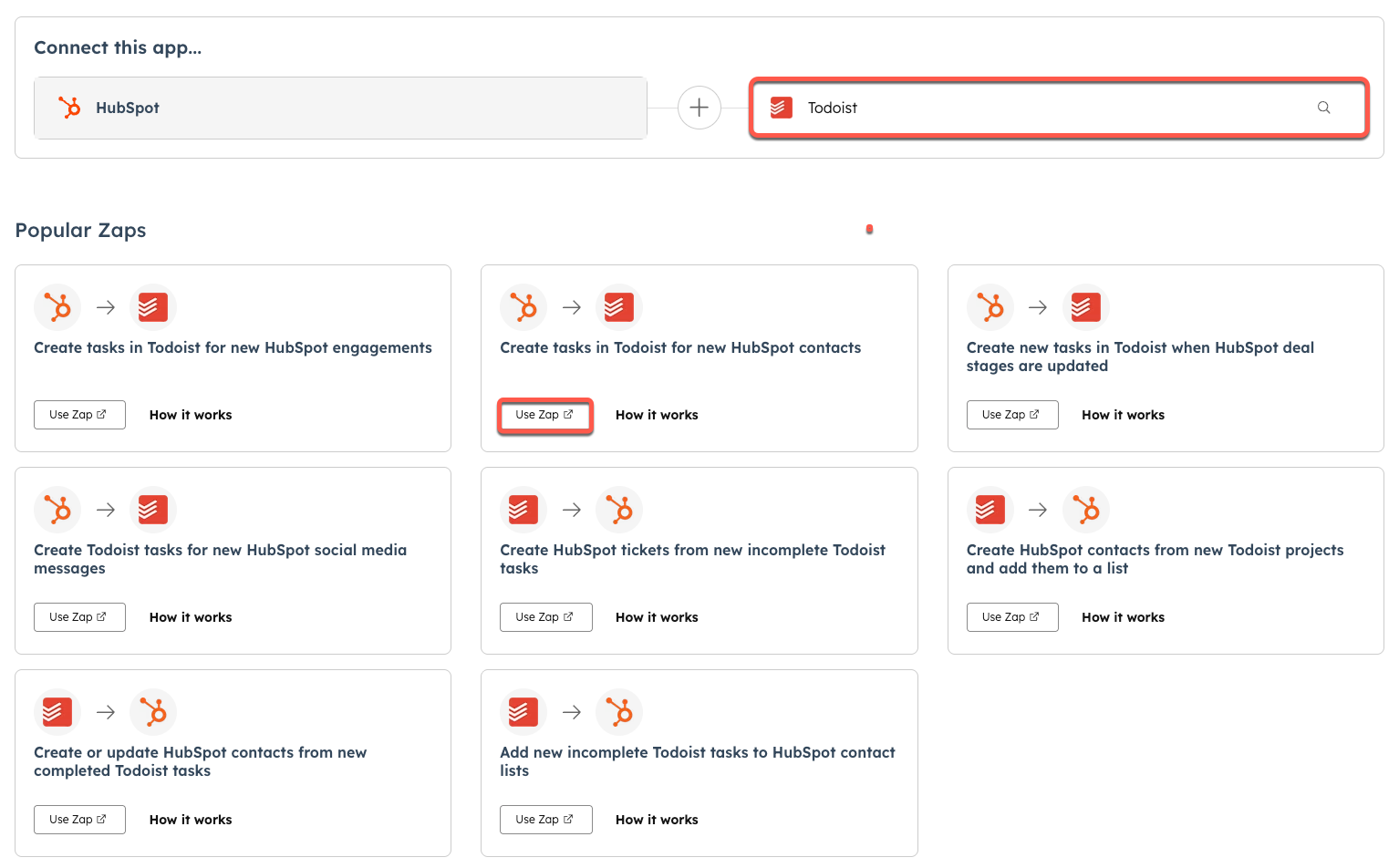
Some businesses benefit from using both platforms together. Zapier extends HubSpot’s capabilities by connecting it with apps HubSpot does not support natively.
- Use HubSpot for CRM, marketing, and sales management
- Use Zapier to automate workflows involving non-HubSpot apps
- Create custom integrations and multi-step workflows
- Enhance reporting and data transfer between tools
Combining these tools provides flexibility and power in automation and customer management.
Conclusion: Making The Smart Automation Choice
Choosing between Zapier and HubSpot depends on your business needs. Both platforms offer automation, but serve different purposes. Understanding their differences helps pick the right tool to boost productivity and grow your business.
Summary Of Key Differences And Strengths
| Feature | HubSpot | Zapier |
|---|---|---|
| Primary Function | All-in-one CRM, marketing, sales, customer service | Connects apps to automate workflows and tasks |
| Automation Focus | Customer lifecycle management | Cross-app workflow automation |
| Ease of Use | User-friendly interface for startups and small businesses | Simple setup for multi-app integrations |
| Free Plan | 100% free CRM with no expiration | Free plan with limited tasks per month |
| Best For | Businesses needing an integrated CRM and marketing platform | Businesses needing to automate across many apps |
Guidance On Selecting The Best Tool For Your Business Goals
Define your business priorities clearly. HubSpot suits companies wanting a centralized system for customer data and marketing. It helps manage leads, sales, and support smoothly in one place.
Zapier works well for businesses needing flexible automation across multiple apps. It connects various tools to automate repetitive tasks without changing existing systems.
- Choose HubSpot if customer relationship management is key.
- Pick Zapier for multi-app workflow automation.
- Consider your budget and technical skills.
- Test free plans to feel the interface and features.
Future Trends In Automation And How These Platforms Evolve
Automation will grow smarter with AI and machine learning. HubSpot integrates AI to analyze customer data and improve marketing efforts. Zapier keeps expanding app connections and adds AI features for smarter workflows.
Both platforms focus on ease of use and integration. Expect deeper AI insights, better user interfaces, and more powerful automation tools soon.
Businesses should watch how these platforms evolve. Staying updated helps use automation to save time and improve customer experiences effectively.
Credit: knowledge.hubspot.com
Credit: www.cmarix.com
Frequently Asked Questions
What Is The Difference Between Zapier And Hubspot?
HubSpot is an all-in-one CRM and marketing platform. Zapier focuses on automating workflows by connecting multiple apps. HubSpot manages customer lifecycle; Zapier streamlines app integrations and task automation.
Do People Still Use Zapier?
Yes, many people still use Zapier to automate workflows by connecting various apps efficiently. It remains popular for its ease and versatility.
Who Is Hubspot’s Biggest Competitor?
HubSpot’s biggest competitors include Zoho, Salesforce, ActiveCampaign, Freshworks, and Pipedrive. These platforms offer CRM, marketing, and sales tools.
Is There Anything Better Than Zapier?
Celigo and Make offer strong alternatives to Zapier with advanced automation and integration features. Choice depends on specific business needs.
Conclusion
Choosing between Zapier and HubSpot depends on your business needs. Zapier connects many apps to automate tasks easily. HubSpot combines CRM, marketing, and sales in one platform. For startups and small businesses, HubSpot offers a free CRM that keeps customer data organized. It helps you manage sales and marketing without extra tools. Explore HubSpot’s features to see if it fits your workflow. Learn more about HubSpot’s CRM software for small businesses here. Simple tools can make your work smoother and save time.

