
Are you struggling to choose between Pipedrive and ClickUp for your business? Both tools promise to boost your productivity, but they serve different purposes.
Pipedrive shines as a sales-focused CRM, helping you track leads and close deals faster. ClickUp, on the other hand, is an all-in-one project management platform designed to keep your team organized and on schedule. Which one fits your unique needs better?
You’ll discover a clear comparison that highlights their strengths and weaknesses, so you can make a confident choice that drives your success. Keep reading to find out which tool will truly transform how you work.
Pipedrive Basics
Pipedrive is a customer relationship management (CRM) tool designed for sales teams. It helps users manage sales processes and close deals efficiently. This platform is simple to use and focuses on organizing sales activities.
Understanding Pipedrive basics is key to comparing it with ClickUp. Pipedrive shines in handling sales pipelines, automation, and reporting. These features support sales teams in tracking progress and improving productivity.
Sales Pipeline Focus
Pipedrive centers on visual sales pipelines. Users can see all deals in different stages clearly. This setup helps salespeople prioritize tasks and follow up on leads. The drag-and-drop interface makes moving deals easy and fast.
Automation Features
Pipedrive offers automation to reduce manual work. It can send emails, set reminders, and update deal statuses automatically. These features save time and prevent mistakes. Automation keeps sales teams on track without extra effort.
Reporting Tools
Pipedrive provides detailed reports on sales activities and results. Users can track their performance and identify trends. Reports help managers make informed decisions. The clear data visualization supports better planning and forecasting.
Credit: www.fahimai.com
Clickup Essentials
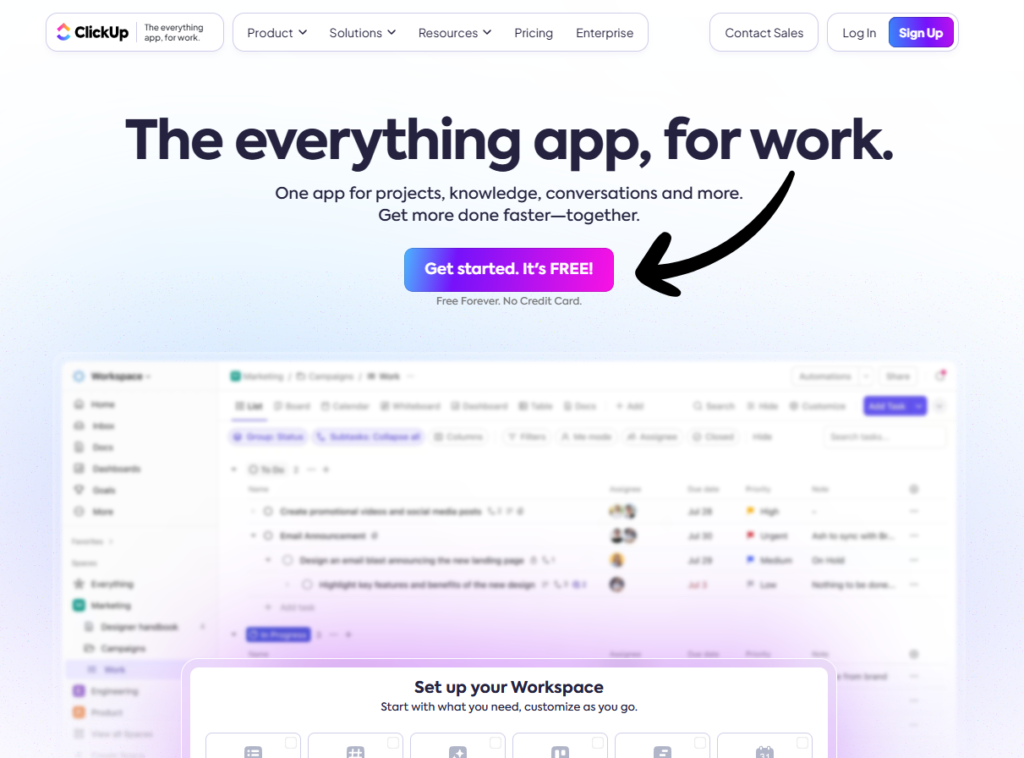
ClickUp Essentials covers the key features that make this platform versatile. It blends project management with CRM functions and team collaboration. This mix helps teams stay productive and organized in one place. Simple design and clear tools make it easy for all users. Let’s explore the main parts of ClickUp Essentials.
Project Management Core
ClickUp offers strong project management tools to plan and track work. Users can create tasks, set deadlines, and assign jobs to team members. Visual boards and lists help teams see progress at a glance. Time tracking and goal setting keep projects on schedule. These features help teams manage tasks efficiently and meet deadlines.
Crm Capabilities
ClickUp includes basic CRM features for managing customer relationships. Users can track leads, deals, and contact details in one system. It supports sales pipelines to help monitor progress easily. While not as deep as dedicated CRMs, ClickUp covers essential sales needs. This makes it a good choice for small businesses or teams wanting simple CRM tools.
Collaboration Tools
ClickUp provides multiple tools to boost team collaboration and communication. Comments and mentions keep discussions clear and organized around tasks. File sharing and document editing happen directly in the platform. Notifications ensure team members stay updated on changes and deadlines. These features help reduce emails and keep work connected.
Feature Comparison
Comparing features of Pipedrive and ClickUp reveals their unique strengths. Both platforms offer tools to help teams work better. Understanding their main features helps choose the right tool.
This section looks closely at key functions each platform provides. Focus areas include task tracking, sales management, customization, and communication. The comparison highlights what each tool does best.
Task And Project Tracking
ClickUp excels in task and project tracking with detailed views. It offers lists, boards, and timelines to manage work clearly. Users can set priorities and deadlines easily. Pipedrive focuses less on project tracking and more on sales tasks. It lacks the rich project views that ClickUp provides.
Sales And Lead Management
Pipedrive is built for sales teams to manage leads and deals. It provides a clear sales pipeline and automation to speed up work. ClickUp includes some sales features but is not focused on them. Pipedrive’s tools for tracking customer interactions are more advanced.
Customization Options
ClickUp offers many ways to customize workflows, statuses, and dashboards. Users can tailor the platform to fit different team needs. Pipedrive allows customization mainly in sales pipelines and fields. It is simpler but less flexible outside sales processes.
Communication Tools
ClickUp integrates chat, comments, and notifications to keep teams connected. It supports real-time collaboration within tasks and projects. Pipedrive has basic communication features focused on sales notes and emails. It relies more on external tools for team communication.
Pricing Plans
Choosing the right pricing plan matters for any business. Both Pipedrive and ClickUp offer multiple options to fit various needs and budgets. Understanding their pricing tiers helps you decide which tool provides the best features for your money.
Pipedrive Pricing Tiers
Pipedrive offers four main pricing plans. The Essential plan starts at $14 per user each month. It covers basic sales pipeline features. The Advanced plan costs $24 per user monthly and includes email automation. The Professional plan at $49 adds revenue forecasting and team goals. The highest tier, Enterprise, is custom-priced and offers premium support and security.
Clickup Pricing Options
ClickUp has three main pricing levels plus a free version. The Free plan allows unlimited users with limited storage. The Unlimited plan costs $5 per user monthly, adding unlimited storage and integrations. The Business plan at $12 per user monthly offers advanced reporting and automation. The Business Plus and Enterprise tiers provide more features for larger teams and are priced accordingly.
Value For Money
Pipedrive suits teams focused on sales with clear CRM tools. Its higher tiers add useful automation and reporting. ClickUp shines for teams needing project management and CRM in one platform. Its lower price points offer flexibility for small teams. Consider your team size and required features to find the best value between these two options.
User Experience
User experience plays a key role in choosing between Pipedrive and ClickUp. Both tools aim to simplify work but offer different approaches. Understanding how each platform feels and functions helps users pick the best fit.
Interface Design
Pipedrive features a clean and focused interface. Its layout centers on the sales pipeline, making tracking deals simple. The design uses clear visuals and minimal distractions. ClickUp offers a more complex interface. It combines tasks, docs, and goals in one place. Users can customize views, but this may feel overwhelming at first.
Ease Of Use
Pipedrive is easy to learn for sales teams. Its step-by-step process guides users through pipelines. Basic features work out of the box. ClickUp requires more time to master. Its many functions need setup before use. Users with simple needs may find ClickUp too detailed.
Customer Support Quality
Pipedrive provides fast and helpful customer support. It offers live chat and a knowledge base. ClickUp also has strong support options. It includes tutorials, webinars, and a community forum. Both platforms respond quickly to user questions.
Integrations And Automation
Integrations and automation are key for boosting productivity in business tools. Both Pipedrive and ClickUp offer ways to connect with other apps and automate tasks. These features save time and reduce manual work. Let’s explore how each platform handles integrations and automation.
Third-party Integrations
Pipedrive connects with many popular apps like Gmail, Slack, and Mailchimp. These integrations help sync data and keep communication smooth. ClickUp supports a wide range of tools too, including Google Drive, Zoom, and Dropbox. Both platforms make it easy to link your favorite apps. This helps teams work without switching between different software.
Workflow Automation
Pipedrive offers automation for sales tasks such as follow-ups and deal tracking. You can set rules to trigger actions automatically. ClickUp also provides automation but focuses more on project workflows. It lets you automate task assignments, status updates, and reminders. Both platforms reduce repetitive work and keep processes moving efficiently.
Zapier And Ai Tools
Zapier works with both Pipedrive and ClickUp to connect hundreds of other apps. This expands automation possibilities beyond built-in features. You can create custom workflows that suit your needs. AI tools are also supported, helping analyze data and suggest next steps. These integrations make it easier to manage tasks and sales with less effort.
Ideal Use Cases
Choosing the right tool depends on your team’s needs and tasks. Both Pipedrive and ClickUp serve distinct purposes. Understanding their ideal use cases helps in making the right choice. This section explores which teams benefit most from each platform.
Best For Sales Teams
Pipedrive excels as a sales-focused CRM. It offers a clear view of sales pipelines and stages. Sales teams can track leads, manage contacts, and automate follow-ups. The interface is simple and designed for sales workflows. This makes closing deals faster and easier.
ClickUp has some CRM features but is less specialized for sales. Its strength lies elsewhere, making Pipedrive the better choice for pure sales management.
Best For Project Teams
ClickUp shines in project management and team collaboration. It helps organize tasks, set deadlines, and track progress. Teams can customize workflows and use multiple views like boards, lists, and calendars. It supports different project styles and team sizes.
Pipedrive lacks advanced project tools. It focuses mainly on sales activities. For managing complex projects with many team members, ClickUp stands out.
Suitability For Startups And Smbs
Startups and small businesses need flexible, cost-effective tools. Pipedrive is great for startups focused on building sales pipelines quickly. It offers easy setup and clear sales insights.
ClickUp suits SMBs requiring both project management and light CRM features. It scales well as teams grow and projects multiply. Both tools provide affordable plans for smaller budgets.
Pros And Cons
Choosing between Pipedrive and ClickUp depends on your business needs. Each tool offers unique advantages and some drawbacks. Understanding these pros and cons helps you pick the right platform.
Strengths Of Pipedrive
Pipedrive excels in managing sales pipelines clearly and simply. It offers strong automation to save time. The interface is user-friendly, making it easy to learn. It has robust reporting tools that track sales performance well. Pipedrive integrates smoothly with many other apps. It suits small and medium sales teams perfectly. The mobile app keeps sales updates on the go.
Strengths Of Clickup
ClickUp is an all-in-one project management tool with CRM features. It helps organize tasks, deadlines, and team communication in one place. The platform offers many customization options for workflows. It supports multiple views like lists, boards, and calendars. ClickUp works well for teams handling diverse projects. It includes document sharing and goal tracking. The app adapts to different industries and team sizes.
Limitations To Consider
Pipedrive focuses mainly on sales, so project management features are limited. Its customization options are fewer compared to ClickUp. Reporting can be complex for new users. ClickUp’s wide feature set may overwhelm beginners. It can be slower with large amounts of data. Some users find the interface less intuitive. Both tools require time to set up properly.
Alternatives To Consider
Choosing the right tool for your business can be challenging. Both Pipedrive and ClickUp offer solid features, but some users need different options. Several alternatives provide unique functions for sales and project management. These tools may suit your team’s style and goals better. Explore these popular choices to find what fits best.
Monday.com Overview
Monday.com is a versatile work platform. It supports project tracking and team collaboration. Users can customize workflows without coding skills. It offers visual boards and automation features. This tool works well for growing teams. It helps manage projects and customer relationships together. Pricing plans are flexible for small to large businesses.
Zoho Crm Features
Zoho CRM focuses on sales and marketing automation. It helps track leads and customer data in one place. The software includes email marketing, analytics, and AI-powered predictions. Users can integrate Zoho with many apps easily. It suits businesses needing detailed sales reporting. Its interface is simple and user-friendly.
Other Project And Crm Tools
Many other tools combine project management and CRM. Trello offers simple boards for task organization. Asana helps teams plan and track work progress. HubSpot CRM provides free sales and marketing features. Salesforce is a powerful option for large enterprises. Each tool has strengths for different business needs. Testing a few can reveal the best match.

Credit: www.youtube.com

Credit: www.youtube.com
Frequently Asked Questions
What Is The Difference Between Clickup And Pipedrive?
Pipedrive focuses on sales pipeline and CRM features, while ClickUp offers comprehensive project management with some CRM tools.
Is There Anything Better Than Clickup?
ClickUp excels as an all-in-one project management tool. Some prefer monday. com for simpler, larger team projects. Choice depends on specific needs.
Is Clickup Good As A Crm?
ClickUp offers basic CRM features suitable for small teams and startups. It combines project management with lead tracking but lacks advanced CRM tools. For complex sales pipelines, dedicated CRMs like Pipedrive perform better. Use ClickUp if you want integrated task and customer management in one platform.
Is Pipedrive Good For Project Management?
Pipedrive suits basic project management but lacks advanced features. For complex projects, use ClickUp or dedicated tools.
Conclusion
Choosing between Pipedrive and ClickUp depends on your needs. Pipedrive suits sales teams focused on pipeline management. ClickUp works well for teams needing project and task organization. Both offer useful automation and integration features. Consider your team size, budget, and workflow preferences.
Try free trials to see which fits best. Clear goals help pick the right tool. Both platforms can improve productivity when used properly. Your decision should match how your team works daily.

