
Choosing the right tool to manage your work can be tricky, especially when you hear about two big names: Pipedrive and Asana. You might be wondering which one fits your needs better.
Are you looking to boost your sales and keep track of leads? Or do you want to organize projects and collaborate with your team more smoothly? This guide will help you understand the key differences between Pipedrive and Asana. By the end, you’ll know exactly which one suits your style and goals, making your daily work easier and more productive.
Keep reading to find out which tool can truly transform the way you work.
Credit: asana.com
Sales Vs Project Focus
Comparing Pipedrive and Asana involves examining their core features. Each tool serves different purposes but overlaps in some functions. Understanding key features helps choose the right tool for your needs.
Task Management And Collaboration
Asana excels in task management with clear task lists and deadlines. It supports multiple users working on projects together. Users can comment, share files, and update progress in real time. Pipedrive offers basic task tracking focused on sales activities. It lacks deep collaboration features found in Asana. Teams using Pipedrive often pair it with other tools for teamwork.
Lead And Deal Tracking
Pipedrive specializes in lead and deal tracking. It offers a visual sales pipeline that is easy to manage. Users can follow deals from start to finish with reminders. Asana does not provide built-in CRM features. It requires integrations to track leads or sales effectively. Pipedrive is best suited for sales teams needing focused deal management.
Workflow Customization
Both platforms allow workflow customization but differ in complexity. Asana supports flexible project templates and automated rules for tasks. Users can create detailed workflows for various projects. Pipedrive offers pipeline customization with stages tailored to sales processes. Its automation focuses mainly on sales task reminders and updates. For complex project workflows, Asana provides more advanced options.
Key Features Comparison
User experience and interface play a vital role in choosing between Pipedrive and Asana. Both tools offer different approaches to managing tasks and workflows. Understanding their ease of use, task assignment options, and visual design helps pick the right fit for your team.
Ease Of Use
Pipedrive offers a clean, sales-focused interface. It is simple for new users to navigate. The dashboard highlights deals and contact management clearly. Asana has a more complex layout with many features. It may take time for beginners to learn. The task and project views in Asana are versatile but can feel overwhelming.
Task Assignment Limitations
Asana allows only one person per task. Teams with shared responsibilities may find this restrictive. Creating duplicate tasks can cause confusion. Pipedrive focuses on sales pipelines, so task assignments are less detailed. It does not support multiple users on a single task either. Both tools require workarounds for team collaboration on tasks.
Visual Workflow Design
Pipedrive uses a pipeline style that visually tracks sales stages. This design is straightforward and intuitive for sales teams. Asana offers more flexible workflow views including lists, boards, and timelines. It suits projects with complex steps and dependencies. The visual tools in Asana help map tasks clearly but add to the interface complexity.
User Experience And Interface
Integration capabilities play a key role in choosing the right tool for your team. Both Pipedrive and Asana offer ways to connect with other apps and services. These connections help streamline workflows and improve productivity. Understanding how each platform handles integration reveals which fits your needs best.
Pipedrive And Asana Sync
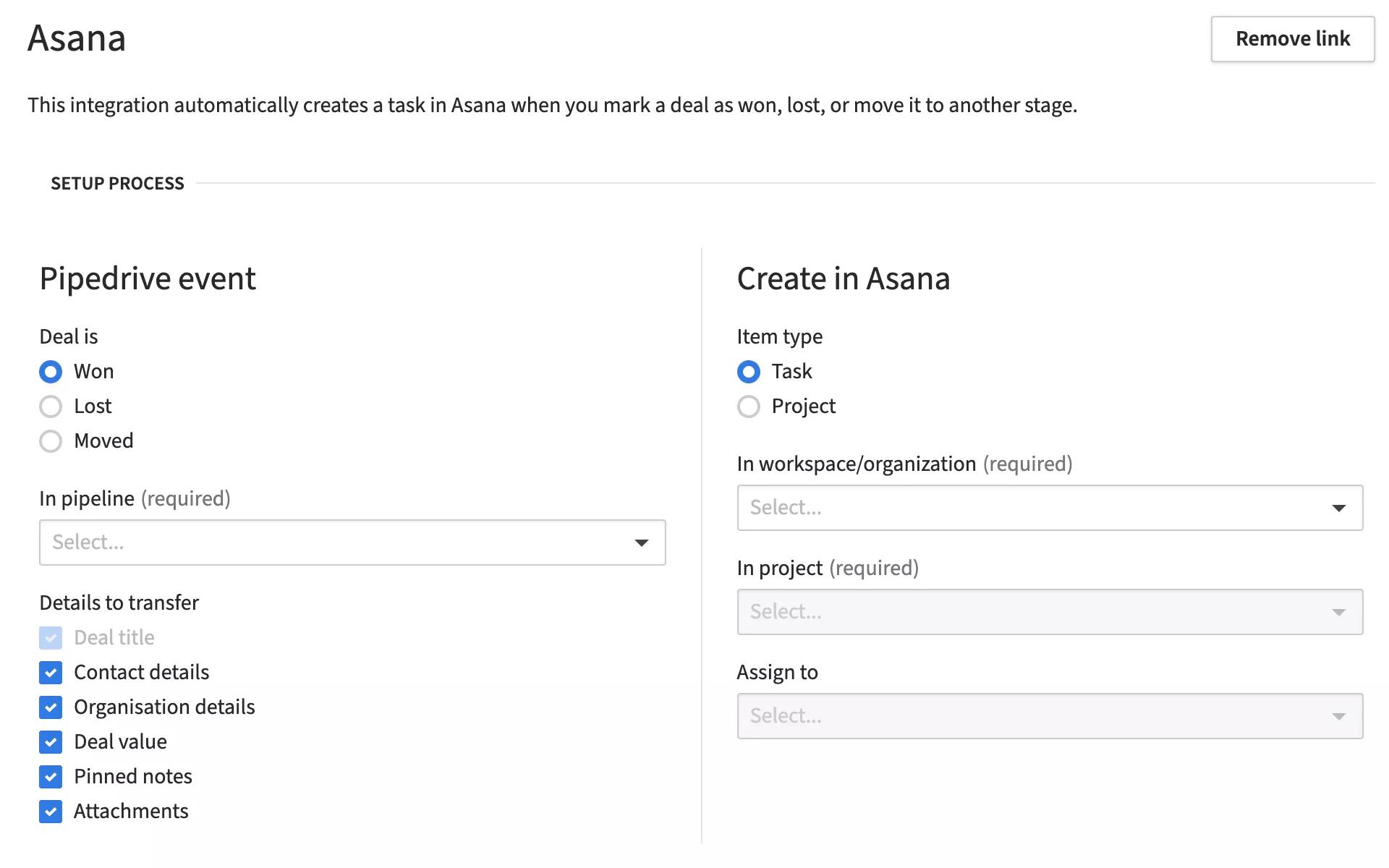
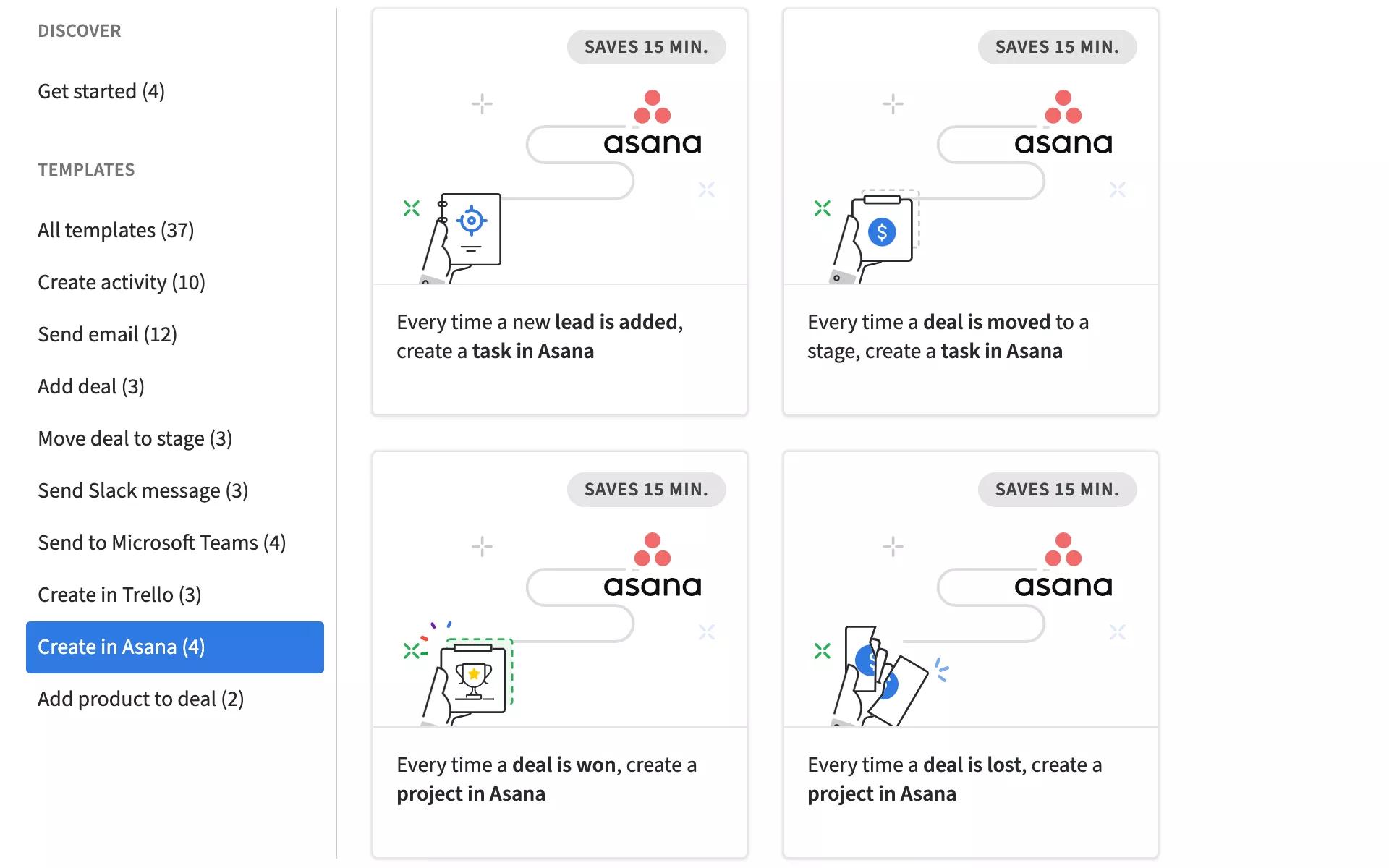
Pipedrive and Asana can sync to share information between sales and project teams. This sync allows deals in Pipedrive to create tasks in Asana automatically. Teams stay updated without switching apps. The sync reduces manual work and keeps projects aligned with sales progress. It works through third-party services or native connectors.
Third-party App Support
Both tools support many third-party apps. Pipedrive connects easily with email, calendar, and communication apps. Asana offers broad support for file sharing, communication, and reporting tools. Each platform has a marketplace full of integrations. These allow users to customize their workflow with apps they already use. This flexibility helps teams work more efficiently.
Marketing Automation Tools
Pipedrive includes some marketing automation features but relies on integrations for more complex tasks. It connects well with popular marketing tools to run email campaigns and lead nurturing. Asana lacks built-in marketing automation but integrates with many marketing platforms. Both platforms require external tools for full marketing automation. This setup fits teams that prefer using specialized marketing software.
Integration Capabilities
Choosing between Pipedrive and Asana depends largely on pricing and the value each offers. Both platforms serve different purposes but overlap in task and project management features. Understanding their cost structure helps decide which fits your budget and needs better.
Cost Comparison
Pipedrive’s plans start with an affordable basic tier. This suits small sales teams focused on managing deals. Prices rise with added features like automation and analytics.
Asana’s pricing begins higher, reflecting its robust project management tools. It offers a free plan with limited features, ideal for small teams or personal use. Paid plans unlock more advanced capabilities.
Overall, Pipedrive tends to be less expensive for sales-focused users. Asana costs more but supports complex project workflows better.
Feature Access By Plan
Pipedrive’s basic plan covers lead and deal management. The advanced plans add email integration, reporting, and workflow automation.
Asana’s free plan includes task creation, basic dashboards, and limited collaboration. Premium and Business plans open timelines, advanced search, and custom rules.
Users wanting simple sales tracking may find Pipedrive’s entry-level plan sufficient. Teams needing detailed project planning will benefit from Asana’s higher-tier features.
Pricing And Value
Choosing the right tool depends on your team’s size and work style. Both Pipedrive and Asana offer unique features that cater to different team needs. Understanding which platform fits your team helps improve productivity and collaboration.
Small Business Use Cases
Small businesses need simple, clear tools to manage tasks and sales. Pipedrive offers an easy way to track leads and close deals. Asana helps organize daily tasks and projects with clear deadlines. Both tools support small teams, but Pipedrive is stronger for sales activities. Asana works well for task tracking and team communication.
Complex Project Needs
Teams managing many tasks and deadlines need advanced tools. Asana provides detailed project views and timeline features. It allows teams to assign multiple tasks and track progress closely. Pipedrive lacks deep project management features. It focuses more on sales pipelines than complex project workflows. For projects with many moving parts, Asana often suits better.
Sales-driven Teams
Sales teams require tools built to manage leads and deals efficiently. Pipedrive is designed specifically for this purpose. It offers pipeline visualization and automation for sales processes. Asana does not focus on sales but on project tasks. Teams focused on sales growth find Pipedrive more helpful. It simplifies tracking contacts, deals, and communications.
Credit: asana.com
Suitability For Teams
Enhancing productivity is vital for teams managing projects and sales pipelines. Both Pipedrive and Asana offer tools to boost efficiency. Each platform targets different needs but can complement each other well. Understanding how to use them together can help teams work smarter and faster.
Combining Pipedrive And Asana
Pipedrive focuses on managing sales leads and deals. It tracks contacts and sales progress clearly. Asana helps organize projects and tasks across teams. It supports collaboration and deadline tracking effectively. Using both tools together covers sales and project work. Teams can sync data between Pipedrive and Asana. This reduces manual updates and errors. It ensures sales and project teams stay aligned. Combining these tools streamlines workflows and saves time.
Using Wikis And Sops
Wikis and Standard Operating Procedures (SOPs) improve team consistency. Asana allows creating project documentation and SOPs inside the platform. This keeps instructions and guidelines easy to find. Pipedrive lacks built-in wiki features but can link to external documents. Clear SOPs guide teams on best practices and processes. They reduce confusion and errors in daily tasks. Keeping SOPs updated in Asana supports better team training. Using wikis also helps new members get up to speed fast.

Credit: www.pipedrive.com
Frequently Asked Questions
What Is The Difference Between Asana And Pipedrive?
Asana focuses on project management and team collaboration. Pipedrive specializes in sales CRM and lead management. Asana handles complex workflows; Pipedrive streamlines sales pipelines. Both serve different business needs and can integrate for enhanced productivity.
Is Anything Better Than Asana?
Trello, Monday. com, and ClickUp often outperform Asana in customization and pricing. Choice depends on your team’s specific needs.
Is Pipedrive Good For Project Management?
Pipedrive offers basic project management features but focuses mainly on sales CRM. For complex projects, tools like Asana suit better.
What Are The Disadvantages Of Asana?
Asana limits task assignment to one user, causing confusion in teamwork. Its pricing can be high for small teams. The interface may feel complex for beginners. Advanced features sometimes require additional integrations, increasing costs.
Conclusion
Choosing between Pipedrive and Asana depends on your team’s main needs. Pipedrive suits sales teams focused on managing leads and deals. Asana works well for project tracking and team collaboration. Both tools offer customizable workflows but serve different purposes. Consider your priorities: sales management or project coordination.
Test each platform to see which fits your workflow best. Simple, clear tools help your team work better and finish tasks on time.

