

Choosing the right tool to manage your emails and sales pipeline can feel overwhelming. You want something that not only fits your budget but also helps you grow your business smoothly.
That’s why comparing Mailchimp and Pipedrive matters. Both are popular, but they serve different purposes and come with unique features. If you’re wondering which platform suits your needs better, this guide will walk you through everything you need to know.
By the end, you’ll be ready to pick the one that works best for your goals—and make your marketing and sales efforts more effective. Keep reading to discover which tool can truly boost your business.

Credit: www.pipedrive.com
Mailchimp And Pipedrive Overview
Mailchimp and Pipedrive are popular tools for business growth. Both serve different but related purposes. Understanding their strengths helps businesses choose the right platform. This overview explains their main features and ideal users.
Mailchimp focuses on email marketing and audience engagement. Pipedrive centers on managing sales pipelines and customer relationships. Comparing these tools highlights their unique benefits.
Core Features Comparison
Mailchimp offers email campaign creation, automation, and audience segmentation. It includes templates, analytics, and A/B testing tools. Users can manage contacts and track email performance easily.
Pipedrive provides sales pipeline management, deal tracking, and activity reminders. It offers visual sales pipelines, contact management, and reporting features. Automation helps streamline sales workflows and follow-ups.
Mailchimp excels at marketing communications. Pipedrive is built for sales process organization. Both support integrations with other business tools for added functionality.
Target Users And Use Cases
Mailchimp suits marketers, small businesses, and e-commerce stores. It helps reach customers with targeted campaigns and grow email lists. Users want simple tools to create and send emails quickly.
Pipedrive fits sales teams and businesses focused on closing deals. It supports lead management and sales forecasting. Ideal for teams needing clear pipeline visibility and task tracking.
Choosing between them depends on your main goal. Use Mailchimp to boost marketing efforts. Use Pipedrive to improve sales management and customer follow-up.
Pricing Structures
Pricing structures play a crucial role when choosing between Mailchimp and Pipedrive. Both platforms offer different plans and billing methods that suit various business sizes and needs. Understanding these pricing models helps in making a cost-effective decision.
Subscription Plans And Costs
Mailchimp provides several subscription tiers based on the number of contacts and features. Its Free plan allows up to 500 contacts with basic tools. Paid plans start with Essentials, Standard, and Premium, increasing in price and features. Costs rise as the contact list grows.
Pipedrive uses a per-user monthly subscription model. Plans include Essential, Advanced, Professional, and Enterprise. Each step adds more CRM and sales tools. The pricing is fixed per user, making it easy to predict monthly costs. Pipedrive does not charge based on contacts but on user seats.
Hidden Fees And Contact Counting
Mailchimp counts all contacts, including unsubscribed or inactive ones, in its pricing. This can cause unexpected charges if contact lists are not cleaned regularly. Extra fees may apply for advanced features like add-ons or premium templates.
Pipedrive charges no extra fees based on contacts. It focuses on active users instead. This approach helps avoid surprises in billing. Some advanced features may require higher-tier plans but do not add hidden costs based on contacts.
Email Marketing Capabilities
Email marketing is a key tool for businesses to connect with customers. Both Mailchimp and Pipedrive offer email marketing features. They help you create campaigns, target the right audience, and automate messages. Understanding their email marketing capabilities is important to choose the best tool for your needs.
This section compares Mailchimp and Pipedrive in two main areas: campaign creation and templates, plus automation and segmentation.
Campaign Creation And Templates
Mailchimp offers a wide variety of email templates. Users can pick from many designs or build one from scratch. The drag-and-drop editor is simple to use. It helps create attractive emails without coding. Pipedrive focuses more on sales and CRM but includes basic email templates. The selection is smaller, and customization options are limited compared to Mailchimp. For businesses needing rich and flexible email designs, Mailchimp provides more choices and ease of use.
Automation And Segmentation
Mailchimp has strong automation tools. It can send emails based on customer actions, like signing up or making a purchase. Users can create workflows to nurture leads automatically. Segmentation options let you target specific groups by behavior, location, or interests. Pipedrive includes automation mainly tied to sales processes. It can trigger emails after deals update or new contacts add. Segmentation is possible but less detailed than Mailchimp’s options. For advanced automation and detailed audience targeting, Mailchimp offers more powerful features.
Crm And Sales Tools
CRM and sales tools play a vital role in managing customer relationships and boosting sales efforts. Choosing the right platform can streamline your sales process and improve team efficiency. Both Mailchimp and Pipedrive offer CRM and sales features but focus on different aspects.
Mailchimp is known mostly as an email marketing tool, but it also provides basic CRM capabilities. Pipedrive, on the other hand, centers around sales pipeline management and detailed deal tracking. Understanding their strengths helps decide which suits your business needs.
Lead Management Features
Mailchimp allows users to collect and organize leads through signup forms and audience segmentation. It supports tagging and grouping contacts to target campaigns better. However, its lead management remains simple and best for small-scale marketing.
Pipedrive offers robust lead management with customizable fields and lead scoring. It helps sales teams prioritize leads and follow up effectively. The platform tracks lead activity and communication history in one place, making it easier to manage prospects.
Pipeline And Deal Tracking
Mailchimp lacks a dedicated sales pipeline tool. It focuses more on email campaign performance than tracking deals. Users can view basic customer data but not manage sales stages or deal progress.
Pipedrive excels in pipeline and deal tracking. It provides a visual sales pipeline that shows deals at each stage. Users can drag and drop deals to update status and forecast sales easily. Notifications and reminders keep the team on track to close deals faster.
Integration And Compatibility
Integration and compatibility play a vital role in choosing between Mailchimp and Pipedrive. Both platforms aim to fit smoothly into your existing tools and workflows. A strong integration framework ensures your marketing and sales efforts work together without extra hassle.
Third-party Apps
Mailchimp supports hundreds of third-party apps across different categories. It connects easily with tools for social media, analytics, content management, and more. This wide app ecosystem lets you extend Mailchimp’s functionality to suit your needs.
Pipedrive also offers a solid set of integrations but focuses more on sales and CRM-related apps. It links well with communication tools, lead generation apps, and productivity software. This helps sales teams keep data synced and workflows smooth.
Ecommerce Platform Support
Mailchimp integrates with major ecommerce platforms like Shopify, WooCommerce, and BigCommerce. It helps you send targeted emails based on customer behavior and purchase history. These connections enhance your email marketing campaigns.
Pipedrive, while not ecommerce-focused, can connect with some ecommerce tools through third-party services. It mainly supports sales tracking and customer management for online stores. The ecommerce integration is less extensive compared to Mailchimp.
User Experience And Support
User experience and support shape how effectively you use Mailchimp and Pipedrive. Both tools offer unique designs and support options. These factors influence your daily work and problem-solving speed.
Interface And Ease Of Use
Mailchimp has a clean and simple interface. Its dashboard shows key features clearly. Users can create campaigns with drag-and-drop tools. Navigation is intuitive, helping beginners start fast.
Pipedrive focuses on sales pipeline management. Its interface is visual and task-oriented. Dragging deals through stages feels natural. The layout is uncluttered, reducing confusion during busy days.
Both platforms offer mobile apps. Mailchimp’s app suits checking campaign stats. Pipedrive’s app helps track sales on the go. Each tool fits different user needs in design and workflow.
Customer Service Quality
Mailchimp provides support via email and chat. Paid plans unlock phone support. Their help center has guides and tutorials. Response times vary but are generally quick.
Pipedrive offers 24/7 support on higher plans. Live chat and email support respond fast. They also provide webinars and a knowledge base. Users praise helpful and friendly support staff.
Support quality impacts how fast you fix issues. Mailchimp suits users needing marketing help. Pipedrive’s support is ideal for sales-focused teams. Both companies update resources to aid users continuously.
Why Businesses Switch
Many businesses start with Mailchimp for email marketing. Over time, needs change. Companies often look for tools that fit better. Switching to Pipedrive is common. The reasons vary but focus on efficiency and growth.
Business owners want tools that save time and simplify tasks. Some find Mailchimp limiting as their business grows. Others need stronger sales and customer management features. Pipedrive offers solutions that meet these evolving demands.
Common Mailchimp Pain Points
Mailchimp’s pricing can become expensive for growing lists. The automation features feel basic for some users. Managing contacts and leads can be tricky. Reporting tools may not provide enough detail. Customization options sometimes fall short. User interface updates confuse long-time users. Support response times may be slow during busy periods.
Advantages Of Pipedrive
Pipedrive focuses on sales pipeline management. It offers clear visual pipelines to track deals. The CRM integrates well with email marketing. Automation helps save time on repetitive tasks. Customizable reports give better insights into sales. The interface is simple and easy to learn. Customer support is responsive and helpful. Many businesses find Pipedrive fits their needs better as they grow.
Top Alternatives To Mailchimp
Many businesses seek alternatives to Mailchimp to better fit their marketing goals. Some want simpler tools, while others need more advanced features or ecommerce support. Choosing the right platform depends on your specific needs and experience level. Below are top alternatives to Mailchimp, each excelling in different areas.
Best For Beginners And Simplicity
MailerLite stands out for ease of use and a clean interface. It offers a generous free plan, making it perfect for those new to email marketing. The platform focuses on simplicity without sacrificing essential features. Users can create campaigns quickly and manage subscribers with minimal effort.
Constant Contact is another beginner-friendly option. Its drag-and-drop editor and helpful support make email creation straightforward. The platform suits small businesses that want reliable email tools without complexity.
Ecommerce-focused Solutions
Klaviyo is tailored for ecommerce businesses. It integrates deeply with Shopify and other online stores. Klaviyo offers powerful segmentation and targeting based on customer behavior. This helps increase sales through personalized email campaigns.
Omnisend combines email and SMS marketing for ecommerce brands. It supports omnichannel communication to engage customers effectively. The platform’s automation tools simplify the process of sending timely offers and updates.
Advanced Automation And Crm Options
ActiveCampaign provides robust automation and CRM features. It suits medium-sized businesses with complex marketing needs. Users can build sophisticated workflows to nurture leads and boost conversions.
Brevo (formerly Sendinblue) includes both email marketing and CRM tools. It offers SMS marketing and a strong free plan. Brevo helps users manage contacts and automate campaigns within one platform.
All-in-one Marketing Platforms
HubSpot combines email marketing, CRM, and sales tools in one system. It supports growth by aligning marketing and sales teams. HubSpot’s free tier gives access to many powerful features with easy upgrades available.
GetResponse offers email marketing, landing pages, and webinar hosting. This makes it ideal for businesses that want to run multiple marketing efforts from a single platform. Its automation and funnel-building tools add extra value.
Choosing The Right Tool For 2025
Choosing the right tool for 2025 means thinking about your business goals and growth. The market changes fast, and your software should keep up. Both Mailchimp and Pipedrive offer strong features, but the best choice depends on your specific needs. Planning ahead ensures your marketing and sales efforts stay smooth and effective.
Assessing Business Needs
Start by listing what your business requires. Do you need a tool mainly for email marketing or for managing sales pipelines? Mailchimp excels in email campaigns and audience segmentation. Pipedrive focuses on customer relationship management and sales tracking. Consider the size of your team and your budget. Also, think about the level of automation you want. Clear needs help avoid paying for extra features you won’t use.
Future-proofing Your Marketing Stack
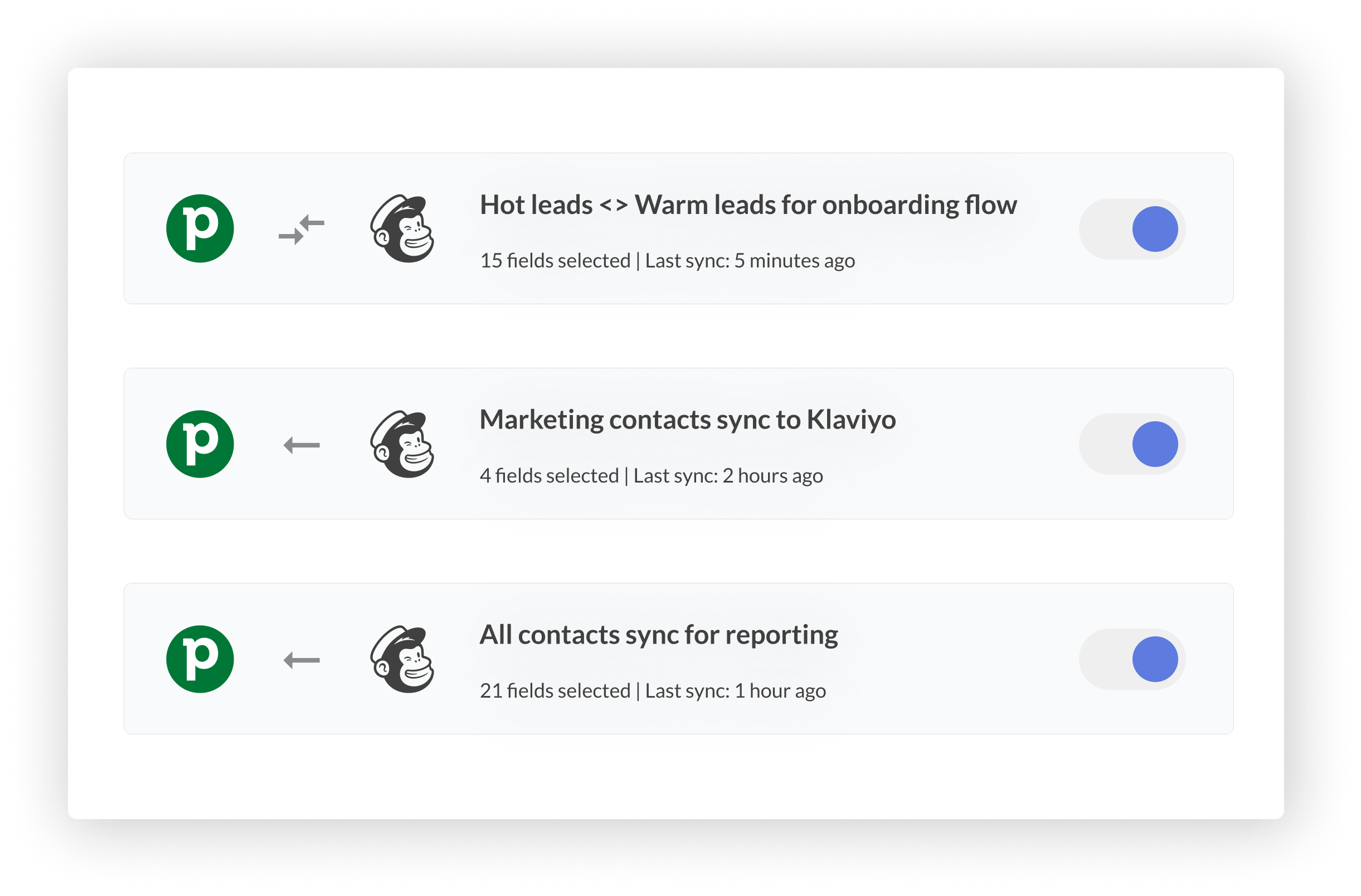
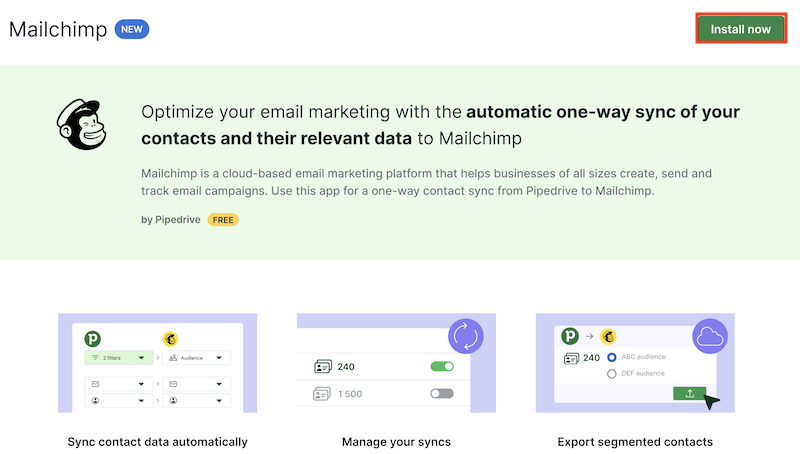
Choose a tool that grows with your business. Check if the software offers regular updates and new features. Integration with other apps is vital. Your marketing stack should connect easily with tools you use daily. Look at the vendor’s roadmap and user community. A strong support system can save time and avoid headaches. Tools that adapt to new trends keep your strategy fresh and competitive.
Credit: outfunnel.com
Credit: support.pipedrive.com
Frequently Asked Questions
Why Are People Leaving Mailchimp?
People leave Mailchimp due to rising costs, counting unsubscribed contacts, limited automation, and unreliable support for smaller plans.
Is There Anything Better Than Mailchimp?
Several platforms surpass Mailchimp in pricing, automation, and features. Top alternatives include MailerLite, ActiveCampaign, Brevo, Klaviyo, and HubSpot. These offer better value, easier use, and advanced tools tailored to e-commerce, CRM, or automation needs. Choose based on your business goals and budget.
What Are The Downsides Of Mailchimp?
Mailchimp’s downsides include rising costs, counting unsubscribed contacts, limited automation, and inconsistent customer support. It may not suit growing businesses needing advanced features.
What Is The Best Crm For Email Marketing?
The best CRM for email marketing depends on needs. Top choices include HubSpot, ActiveCampaign, Brevo, MailerLite, and Klaviyo for automation, ease, and e-commerce focus.
Conclusion
Choosing between Mailchimp and Pipedrive depends on your business needs. Mailchimp suits those focused on email marketing and design. Pipedrive works well for sales management and tracking deals. Both offer useful tools, but their strengths differ. Consider your priorities, budget, and ease of use.
Testing each platform can help you decide. Either way, picking the right tool improves your marketing and sales efforts. Simple and clear choices lead to better results.

