
Choosing the right email marketing tool can make or break your business growth. You’ve probably heard about Constant Contact, Mailchimp, and Hubspot, but which one truly fits your needs?
Each platform promises powerful features, but the key is finding the one that matches your skill level, budget, and marketing goals. Are you looking for simplicity with strong support? Or do you want advanced automation and a free plan to get started?
This comparison will guide you through the strengths and weaknesses of each, helping you pick the best tool to boost your marketing success without wasting time or money. Keep reading to discover which platform suits you best and why it matters for your business.
Platform Features
Choosing the right email marketing platform depends on the features it offers. Each platform brings unique tools that fit different business needs. Understanding these features helps you pick the best fit for your marketing goals.
Below is a clear look at the main features of Mailchimp, Constant Contact, and HubSpot. This will guide you to make an informed choice.
Mailchimp Highlights
Mailchimp offers a free plan that suits small startups and beginners. It has a modern, easy-to-use interface with drag-and-drop email builders. Advanced automation features let you create customer journeys and targeted campaigns.
The platform includes a built-in CRM to manage contacts and segment audiences easily. It supports robust reporting with insights on campaign performance. Mailchimp integrates with many apps and e-commerce platforms.
Some features, like advanced automations, require paid plans. The complexity grows as your list and needs expand, so it fits tech-savvy users well.
Constant Contact Highlights
Constant Contact focuses on simplicity and ease of use. It offers strong support via phone and chat, which helps beginners and small business owners. The platform includes built-in event management tools.
Its email editor is straightforward, making campaign creation fast. Automation options are basic but effective for simple workflows. Reporting is clear and easy to understand.
There is no free plan, only a trial. Pricing may be higher than some competitors. Ideal for non-profits, event organizers, and users valuing support over complex features.
Hubspot Highlights
HubSpot provides an all-in-one marketing platform combining email, CRM, and sales tools. It has powerful automation and personalization features. Users can create workflows that connect marketing and sales efforts.
The platform offers detailed analytics and reporting dashboards. It supports lead management and nurturing campaigns. HubSpot integrates well with many business systems for seamless data flow.
HubSpot suits businesses that want full marketing and sales alignment. It requires more investment but delivers advanced capabilities for growth.

Credit: zapier.com
User Experience
User experience is a key factor in choosing the right email marketing platform. It affects how quickly users can create campaigns and manage contacts. A smooth interface saves time and reduces frustration. Support and ease of use often determine long-term satisfaction with a tool. Below, we compare Constant Contact, Mailchimp, and HubSpot on these points.
Ease Of Use Comparison
Constant Contact offers a simple, clear interface. Beginners find it easy to navigate and create campaigns. Its drag-and-drop editor works well for users with little experience. Mailchimp has a modern look but can feel complex. It includes many features that may confuse new users. HubSpot’s platform is powerful but has a steeper learning curve. It suits users who want all-in-one marketing tools but may overwhelm beginners.
Constant Contact focuses on straightforward tools. Mailchimp balances advanced features with usability. HubSpot targets users needing integrated marketing solutions.
Support And Customer Service
Constant Contact stands out with strong customer support. Phone and chat help are available, which many users appreciate. Mailchimp offers email support and extensive online resources. Live chat is limited to higher plans. HubSpot provides good support, but some options are reserved for premium users. Its knowledge base is detailed and helpful for self-service.
Users new to email marketing often prefer Constant Contact’s personal support. Mailchimp suits those comfortable with online help. HubSpot is ideal for users needing broad marketing assistance but with some patience learning the system.
Pricing Plans
Understanding the pricing plans of Constant Contact, Mailchimp, and HubSpot helps choose the right tool for your needs. Each platform offers different pricing models that suit various business sizes and goals. Pricing varies based on features, contacts, and usage limits. Let’s explore their free options and how costs grow as your list expands.
Free And Trial Options
Mailchimp provides a free plan with up to 500 contacts and 1,000 emails per month. It includes basic templates and limited automation. This plan suits startups or small projects with low email volume.
Constant Contact does not have a free plan but offers a 60-day free trial. Users can test all features without limits during this period. It helps beginners experience the platform before paying.
HubSpot offers a free CRM with email marketing tools limited to 1 million emails per month. This plan supports contact management and basic email campaigns, ideal for small businesses starting out.
Cost As You Scale
Mailchimp’s paid plans start at $13 per month for 500 contacts. Costs increase steeply with more contacts or advanced features like automation and analytics. It suits growing businesses needing powerful tools.
Constant Contact charges from $12 per month for up to 500 contacts. Pricing rises gradually based on contact count. It focuses on ease-of-use rather than complex automation, fitting small to medium businesses.
HubSpot’s pricing grows with added marketing features beyond the free plan. Paid tiers start at $50 per month but include a wide range of tools like CRM, sales, and service hubs. Best for businesses needing an all-in-one platform.
Automation And Crm
Automation and CRM play a key role in email marketing platforms. They help businesses save time and build better customer relationships. Each platform—Constant Contact, Mailchimp, and HubSpot—offers different features in these areas. Understanding these can help pick the right tool for your needs.
Advanced Automation Tools
Mailchimp provides strong automation features like customer journeys and behavior-based triggers. It suits users who want to send targeted emails automatically. Constant Contact offers simpler automation workflows. It fits beginners and those who prefer easy setup over complexity. HubSpot leads with highly customizable automation. It integrates deeply with marketing, sales, and service processes. HubSpot’s automation can handle complex tasks across departments.
Crm Capabilities
HubSpot includes a full CRM system that tracks contacts, deals, and customer interactions. It helps manage sales pipelines and customer data in one place. Mailchimp recently added CRM tools but they are less comprehensive than HubSpot’s. It works well for basic contact management within marketing. Constant Contact has limited CRM features focused on email lists and event contacts. It is best for simple audience management without full sales tracking.
Design And Templates
Design and templates form the foundation of any email marketing campaign. They help capture attention and communicate your message clearly. Choosing the right platform means finding one that offers appealing templates and easy customization. Constant Contact, Mailchimp, and Hubspot each provide unique strengths in these areas. Understanding their template variety and customization options can guide your choice.
Template Variety
Mailchimp offers a large library of modern and stylish templates. These cover many industries and campaign types. Constant Contact provides fewer templates but focuses on clean, straightforward designs. Hubspot offers templates that integrate well with its CRM and marketing tools. Its selection suits businesses wanting cohesive branding. Each platform’s template variety meets different user needs and design preferences.
Customization Options
Mailchimp’s drag-and-drop editor makes customization simple and flexible. Users can easily add images, text, and buttons. Constant Contact also uses drag-and-drop and keeps the interface beginner-friendly. It offers fewer advanced design controls but ensures quick edits. Hubspot provides powerful customization with a focus on personalized content. It supports dynamic modules and smart content blocks. Customization varies by platform but all allow you to tailor emails effectively.
Event Management
Event management is a vital part of many marketing strategies. Choosing the right tool can ease the planning and execution process. Constant Contact, Mailchimp, and HubSpot each offer distinct event management features. Understanding these differences helps pick the best fit for your needs.
Built-in Features
Constant Contact offers strong built-in event management tools. Users can create events, send invitations, and track RSVPs all within the platform. It also supports ticket sales and online registrations. The interface is simple and easy to navigate.
Mailchimp includes basic event management through integrations rather than native tools. It connects with third-party apps to handle registrations and ticketing. Automation features help send reminders and follow-ups after events.
HubSpot provides a comprehensive event management system. It combines CRM, marketing, and sales tools for event promotion and attendee tracking. HubSpot supports complex workflows and detailed reporting to analyze event success.
Ideal User Scenarios
Constant Contact suits small businesses and non-profits managing local events. Its user-friendly design works well for beginners and those needing quick setup. Organizations valuing direct support benefit from Constant Contact’s accessible help options.
Mailchimp fits startups and e-commerce businesses seeking flexible marketing tools. Tech-savvy users enjoy its advanced automation and integration capabilities. It works best for those who want a multi-purpose platform with event add-ons.
HubSpot targets larger companies needing an all-in-one marketing and sales solution. Event teams benefit from detailed tracking and CRM integration. It excels in managing complex events with multiple touchpoints and follow-ups.
Integrations And Extensions
Integrations and extensions are key to expanding your email marketing platform’s functionality. They let you connect with other tools and services for smoother workflows. Choosing a service with strong integrations saves time and effort. It also helps you manage marketing, sales, and customer data more efficiently.
Third-party Compatibility
Mailchimp supports over 300 third-party apps. These include social media, CRM, and analytics tools. It offers seamless integration with popular apps like Shopify, Salesforce, and Google Analytics.
Constant Contact provides fewer integrations but covers major platforms. It works well with WordPress, Shopify, and Eventbrite. Its app marketplace is smaller but includes essential marketing tools.
HubSpot shines in third-party compatibility with hundreds of native integrations. It connects with major CRM, sales, and customer service apps. HubSpot’s ecosystem supports custom integrations through its API.
E-commerce Support
Mailchimp offers strong e-commerce integrations. It links easily to Shopify, WooCommerce, and BigCommerce. Users get automated product recommendations and abandoned cart emails.
Constant Contact covers basic e-commerce needs. It integrates with Shopify and WooCommerce. It offers email templates tailored for online stores but lacks advanced automation.
HubSpot excels in e-commerce support. It connects with Shopify and Magento. HubSpot’s CRM tracks customer behavior to personalize campaigns effectively.
Credit: messengerbot.app
Target Users
Choosing the right email marketing tool depends on who will use it. Each platform suits different skill levels and business needs. Understanding target users helps find the best fit for your goals.
Best For Beginners
Constant Contact stands out for beginners. It has a simple, clean design that avoids confusion. The platform offers strong customer support via phone and chat. Its built-in event management is a plus for users new to email marketing. The tools focus on ease of use rather than complex features. This makes it ideal for small businesses and non-profits needing straightforward solutions.
Best For Tech-savvy Users
Mailchimp suits tech-savvy users well. It provides a free plan to get started without cost. Advanced automation and CRM features help users create complex marketing journeys. The interface is modern and flexible for customization. Reporting tools offer detailed insights to optimize campaigns. This platform fits startups and e-commerce businesses ready to scale.
Best For Businesses And Non-profits
HubSpot targets businesses and non-profits needing more than email marketing. It offers a full CRM and marketing automation system. The all-in-one platform helps align sales, marketing, and customer service. Its features support growth and relationship management. HubSpot is ideal for organizations wanting integrated tools and advanced capabilities.
Choosing The Right Platform
Choosing the right email marketing platform is key to your success. Each tool offers unique features that fit different business needs. Consider your goals, budget, and technical skills before deciding. This guide helps you pick the best option for your situation.
When To Pick Mailchimp
Mailchimp suits startups and growing businesses. It offers a free plan to get started without costs. The platform has a modern design and powerful automation. Users who want an all-in-one tool with CRM will benefit. It works well for tech-savvy individuals ready to explore advanced features. Reporting and integrations are strong, helping you track and connect easily.
When To Pick Constant Contact
Constant Contact fits small businesses and non-profits well. Its simple design makes it easy for beginners. The platform includes built-in event management, perfect for organizers. Support is excellent with phone and chat options. Automation is straightforward, reducing learning time. This tool is great if you want clear, simple tools and personal help.
When To Pick Hubspot
HubSpot is ideal for businesses needing more than just email marketing. It offers a full CRM and sales system. You get detailed customer insights and marketing automation. The platform is good for teams wanting to align sales and marketing. It works best if you plan to grow your marketing efforts across channels. HubSpot fits those who want a complete solution in one place.
Credit: mpiresolutions.com
Frequently Asked Questions
Is Constant Contact Or Mailchimp Better?
Mailchimp suits tech-savvy users with a free plan, advanced automation, and modern design. Constant Contact favors beginners needing easy tools, strong support, and event management. Choose based on your budget, feature needs, and preference for simplicity or advanced marketing capabilities.
Why Are People Leaving Mailchimp?
People leave Mailchimp due to its complex pricing, limited free features, and overwhelming interface for beginners. Some seek simpler, more affordable alternatives with better customer support.
What Is The Difference Between Hubspot And Constant Contact?
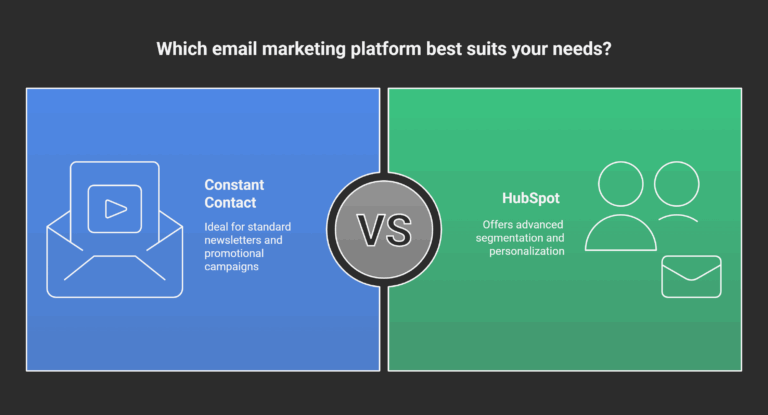
HubSpot offers an all-in-one marketing, sales, and CRM platform with advanced automation. Constant Contact focuses on email marketing with user-friendly tools and strong support. HubSpot suits businesses needing comprehensive features; Constant Contact works best for beginners and event organizers. Pricing and complexity vary accordingly.
What Are The Downsides Of Constant Contact?
Constant Contact lacks a free plan and offers fewer advanced automation features than competitors. Pricing may be higher, and templates appear less modern.
Conclusion
Choosing between Constant Contact, Mailchimp, and HubSpot depends on your needs. Mailchimp suits those who want advanced features and a free plan. Constant Contact works well for beginners and event organizers needing simple tools and support. HubSpot offers an all-in-one platform for growing businesses with marketing and sales needs.
Think about your budget, skill level, and goals before deciding. Each platform has strengths that fit different users. Take time to match features with what matters most for your business growth.

